
The 2021 iMac and iMac Pro are impressive computers that pack everything you need for video editing, web browsing, and more in a clean package. The iMac Pro was once clearly the more powerful of the two, but with Apple recently refreshing the higher-end iMacs with newer processors and graphics cards, the two iMac models are more competitive than ever.
In this guide, we consider design, performance, and features to help make sense of the differences between the two.
Important note: The iMac Pro has, at this time, been officially discontinued. You can still buy refurbished versions, but MacOS support for them will eventually end, and at those prices, we can’t really recommend this option. However, our guide is still useful if you want to compare your options for an iMac upgrade.
Design
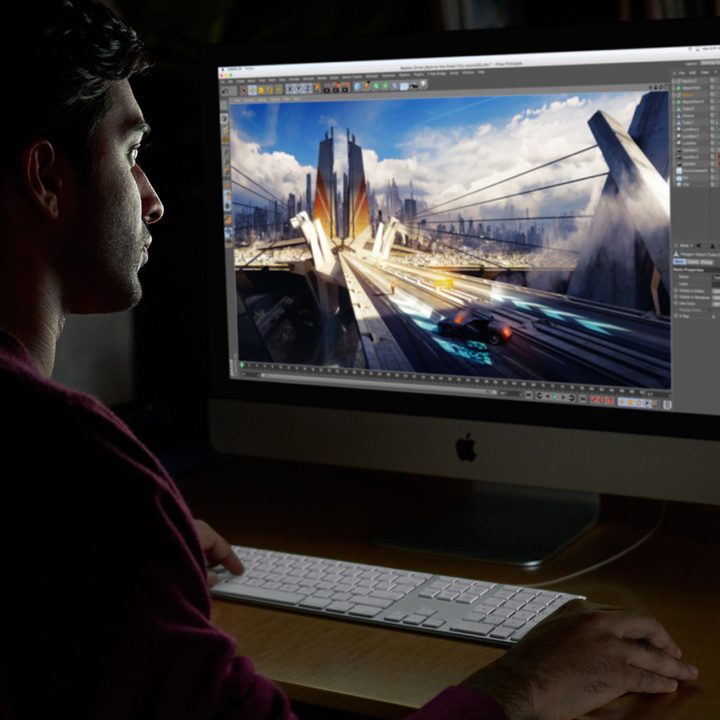
Both the iMac and iMac Pro are made of aluminum and are designed as all-in-one computers. That look is a design classic that hasn’t changed much over the years, but it makes for one clean desk setup. The differences end there, though.
Looking at just the iMac, you can easily find 27-inch 2020 versions available, but the newest 2021 model is a 24-inch version equipped with a 3.5K-resolution Retina display. Higher resolutions mean crisper images and resolution, especially on a smaller display. That’s ideal for content creators and photographers. The new iMac also introduced a variety of bright colors to choose from for the first time, plus a slimmer-than-ever panel.
Moving to the iMac Pro, it exclusively comes in a 27-inch variant with a 5K resolution display. It also sports a unique Space Gray color that sets it apart from the silver color found on the rest of the lineup.
Performance

Alongside size differences, there’s also a lot under the hood that sets the iMac and iMac Pro apart. The 21.5-inch variants come with older 8th-generation Intel processors, whereas the 27-inch ones include 10th-generation chips.
The 2021 iMacs upend previous strategies with Apple’s own eight-core M1 processor. This in-house chip has led to better performance metrics and is a strong contender if you are looking for a potential upgrade.
Turning to the iMac Pro, that system comes with options for an Intel Xeon W processor with either eight, 10, 14, or 18 cores. Unlike what you can get on the 4K or 5K iMacs, this is a powerful workstation-class processor. Priced at $4,999, it is something designed for more serious professionals like video editors, designers, and animators.
All entry models of 4K and 5K iMacs start with 8GB RAM, whereas the iMac Pro starts with a whopping 32GB of RAM. The types of storage are also different, with the iMac Pro starting with faster solid-state drive storage. In contrast, the 4K and 5K iMacs start with either a regular hard drive or a Fusion Drive, which combines a traditional spinning hard drive with a small amount of flash storage. 5K iMac models also pack the Fusion Drive, but you can upgrade to an SSD on all models.
Features
All but the most basic 4K iMac come with dedicated graphics cards, which add extra power for video editing and content creation. The 4K iMacs come with Radeon Pro 555X or the 560X, which can be upgraded to the Radeon Pro Vega 20. On the 5K iMacs, graphics include the Radeon Pro 570X, 575X, or 580X. These still aren’t the most powerful options, and only the high-end model of the iMac packs the option for the newer Radeon Pro Vega 48 graphics.
With the iMac Pro, you get options for the Radeon Pro Vega 56, Vega 64, or Vega 64X. These graphics cards are far more capable and are for serious designers and professionals. The price is expensive, too, with Vega 64 coming in at $550 extra and Vega 64X costing an additional $700.
The iMac Pro also features Apple’s T2 co-processor. This is Apple’s custom silicon for Macs, and it enables new levels of security by integrating the controllers found across the image signal processor, audio controller, and SSD controller.
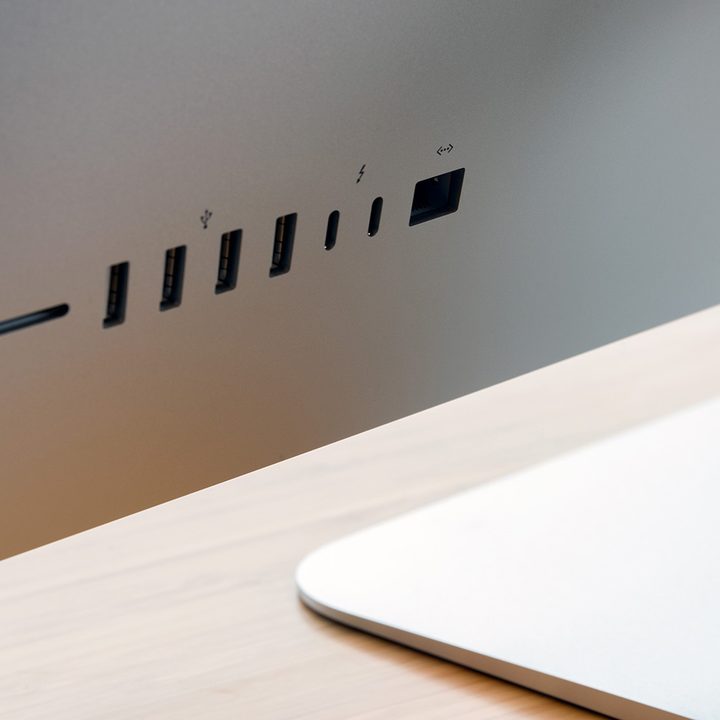
iMacs are generally well-equipped in terms of connectivity. The newest models feature a 3.5mm headphone jack, a Gigabit Ethernet port, an SDXC card slot, two Thunderbolt 3/USB4 ports, and two USB 3 ports.
However, when comparing features side by side, the iMac Pro wins marginally. It maintains that same variation but also supplies four Thunderbolt 3 ports instead of only two options. This capacity may seem like a minute detail, but the extra port could be monumental for users who balance a ton of peripheral connections, although the iMac Pro will never be compatible with USB4, which is a downside for long-term use.
The iMac is far more practical

To decide between the iMac and iMac Pro, decide how much power you need in a computer, and make sure your choice can provide it.
Both of these computers have been top choices among professionals in graphic design, gaming, and video and music production.
If rendering an 8K video is a necessity for your work or hobby, consider the iMac Pro. Since this computer has 10 cores and impressive graphical power, there’s no other choice for heavy-duty video or design work.
If 8K videos aren’t your purview, then we recommend choosing the iMac instead, either the 27-inch model or the 24-inch M1 version with its updated components. The processing power is consistent, and the overall computer is practical for users. It’s easier to manage and reliable. The computer itself is only available in Mac’s classic Space Gray, but if looks don’t matter to you, then you’ll be impressed with all the device has to offer.


