
Intel is staging a comeback with its 11th-gen Tiger Lake processors.
After taking a beating from AMD’s Ryzen 4000 chips, Intel has made some ambitious claims about its latest generation of laptops processors.
Despite being limited to just four cores and eight threads, Intel says its higher frequencies and A.I.-powered performance boosts make for better real-world performance. Tiger Lake also debuts Intel Xe, the company’s new and improved integrated graphics.
Are Intel’s claims true? With the first reference model in hand, it’s time to find out.
The reference model
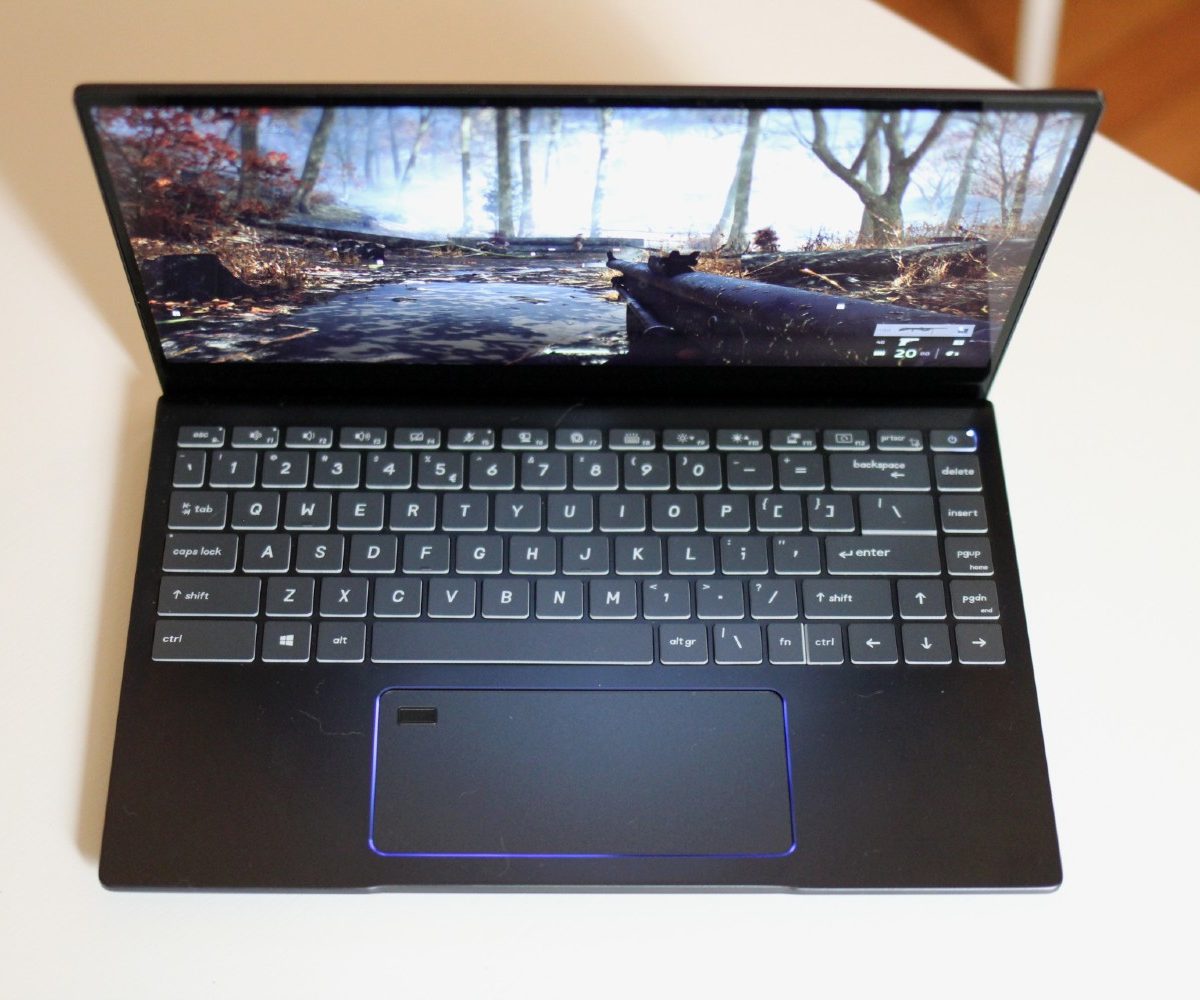
Reviewers like myself don’t usually get hands on reference models. These are laptops Intel provides to its manufacturing partners to demonstrate the performance capabilities and features present in its latest processors.
This year, Intel worked directly with MSI to make its reference model for 11th-gen Tiger Lake processors. Unlike most reference models, this one feels like a near-finished product. The keyboard and touchpad are excellent, and the build quality is solid. The laptop design will eventually become the MSI Prestige 14 – in fact, it’s labeled as such in the System Information.
The laptop’s design features a lifted hinge, a 14-inch 16:9 display, and two Thunderbolt 4 ports. The reference model is missing the MSI logo, as well as some port differences. Intel was careful to say that there are some important differences between the reference and MSI models, though.

Because this isn’t a laptop you can buy, I won’t linger on the design and usability of the laptop itself. Its size, though, is important to note. It’s just 2.8 pounds and 0.63 inches thick, making for a very portable laptop — just the kind of device that 11th-gen Tiger Lake is suited for.
That portability is important to consider, especially given the performance Intel’s 11th-gen chips provide.
Performance
My reference model came with an Intel Core i7-1185G7 and 32GB of RAM. That’s an insane amount of RAM for this type of machine, but it ensures that the system will not be bottle-necked by memory.
Look, we already know multi-core testing in benchmarks is going to suffer. With only four cores and eight threads to work with, it’ll never compete against AMD processors with twice that. But Intel has long boasted of its strength in single-core processing, and 11th-gen Tiger Lake doubles down on that, offering much higher base and turbo frequencies. That boost showed up in Geekbench 5, the first benchmark I tested.
If you exclusively use Adobe’s applications, Intel’s 11th-gen laptops have been supercharged.
The Core i7-1185G7 set our record for single-core performance in this test, easily beating some of the most powerful 10th-gen laptops on offer. It beat the Dell XPS 13 (Core i7-1065G7) by 15% and the 25-watt MacBook Pro 13-inch by 20%. Those are some impressive gains for a single generation.
That single-core prowess continued in Cinebench R20. Here, the Tiger Lake reference model beat the Dell XPS 13 by 26% and the MacBook Pro by 23%. Again, those numbers aren’t as favorable for multi-core scores, but still manages an average of a 9% improvement there. However, the AMD Ryzen 7 4800U still runs circles around Tiger Lake in multi-core performance, beating it by 36%.
Multi-core performance lends itself toward many multi-threaded content creation applications, whether that’s video encoding or 3D rendering. That’s what makes the latest crop of Ryzen 4000 laptops so powerful for their size.
But Intel has an ace up its sleeve, knowing it’s still behind in core count. Using A.I. and deep relationships with developers, Intel works around its multi-core disadvantage to achieve heightened performance nonetheless. None of this is new with Tiger Lake, but it’s all been cranked up to 11.

For video encoding, I tested out both Handbrake and Adobe Premiere Pro. Handbrake, with its processing limited to the CPU, encoded a 4K movie trailer in two minutes and 53 seconds. The Ryzen 7 4800U finished the same task 40 seconds faster. On the bright side, the Intel reference model was still 10 seconds faster than the MacBook Pro 13-inch, which was previously the fastest Intel-powered laptop of this size I’ve tested.
That didn’t blow my socks off. But in Premiere, Intel’s close relationship with Adobe — specifically in the implementation of A.I.-based processing — starts to pay off. The Intel reference model encoded a two-minute 4K project to ProRes 422 in 11 minutes and 13 seconds. The Lenovo IdeaPad Slim 7 with its Ryzen 7 processor took over an hour to finish the same task. That wasn’t a typo. It really took over an hour! If you exclusively use Adobe’s applications, Intel’s 11th-gen laptops have been supercharged.
Intel Xe performance

Intel has teased its Xe graphics platform for over a year. Discrete graphics are still on the way, but for now, Intel remains focused on improving its integrated graphics first. And for good reason – it’s by far the biggest user base. Known as Iris Xe, this new integrated graphics chip promises discrete-level performance in thin-and-light laptops that could never squeeze in an Nvidia GTX card.
The results? Let’s just say I came away yet again impressed.
I started my tests with 3DMark Time Spy, the DirectX12 3D gaming benchmark. The gains over last year’s Ice Lake graphics are substantial. For example, the Intel reference model beats the Dell XPS 13 (with G7 Ice Lake graphics) by a whopping 46%. It’s also 24% faster than the Lenovo IdeaPad Slim 7, which uses AMD’s best Radeon integrated graphics (on board the Ryzen 7 4800U).
Next up, I installed our normal suite of games, including Civilization VI, Battlefield V, and Fortnite. To my amazement, the Intel reference model was able to play all three games at Medium settings in 1080p. Civilization VI averaged 45 frames per second (fps), while Battlefield V averaged 51 fps. For laptops that won’t be marketed as “gaming laptops,” those are some great frame rates to hit without resorting to low graphics settings. Battlefield V, in particular, was a standout. It was only 15% behind larger 15-inch systems with discrete GPUs like the Nvidia GTX 1650 Ti, and even budget-level gaming laptops.

Fortnite was the one outlier, as the system struggled with it. It averaged just 34 fps at Medium settings, requiring lower-quality textures to arrive at smoother frame rates.
The Razer Blade Stealth is the only small laptop that consistently beats this Intel reference model in game performance. It’s an expensive laptop, but with its discrete Nvidia GTX 1650 GPU, it remains the best gaming laptop in this small of a form factor.
Not every laptop with 11th-gen chips will be quite so powerful. The Core i7-1185G7 comes with the most amount of graphics horsepower, featuring 96 EUs (execution units). There are weaker options available, including an alternate G7 with 80 EUs, and a G4 with just 48. AMD has similar segmentation, however, with more affordable processors offering less powerful integrated graphics.
Team Blue is back
All of this is great news for Intel, and for potential laptop buyers. Despite the massive design wins from AMD this year, Intel remains the default option in most laptops. The sheer volume of laptops that will use 11th-gen Tiger Lake chips makes this an important gain in performance for laptops as a whole.
Tiger Lake has yet to launch in a retail laptop, but by the end of 2020, over 150 models will have shipped, including updates to some of our favorite lines of laptops from Dell, HP, Lenovo, and more.
Intel’s 11th-gen chips show the company is serious about taking back the lead.
Though we’ve yet to see proof of it, Intel claims its 10nm SuperFin architecture will finally make it to form factors beyond 25 watts. As part of the 11th-gen fold, we may finally see gaming laptops, 15-inch content creation machines, workstations, and even desktops using Intel’s 10nm process.
Intel’s 11th-gen chips show the company is serious about taking back the lead in laptop performance and, in some benchmarks, it succeeds.


