

The Logitech G Pro X Superlight 2 is a phenomenal gaming mouse. It has performance capable of satisfying even the most competitive of gamers, it’s comfortable to use and can last multiple days on a single charge. And let’s be honest — it just looks great, too. Logitech’s Pro-series mouse is fantastic, but it’s also expensive at $160, and there are some excellent alternatives available.
Regardless of if you’re trying to save a bit of money, unlock different features, or just browse the alternatives to the Logitech G Pro X Superlight 2, we’ve rounded up five mice built for competitive gaming that you should keep in mind.
Razer Viper V3 Pro
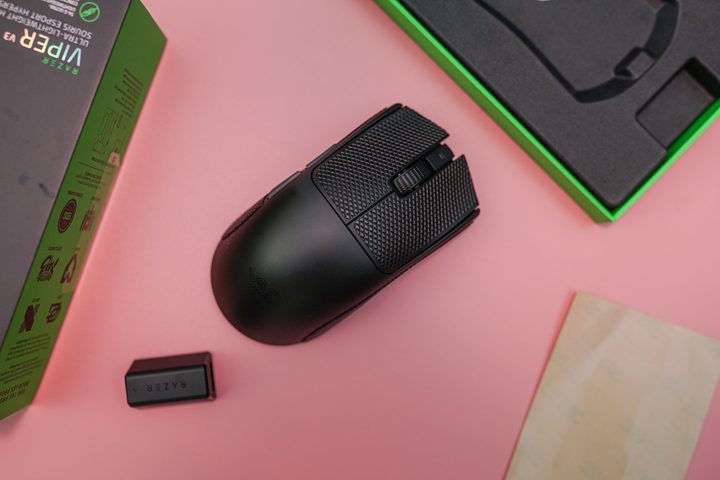
Without a doubt, the biggest competitor to the Logitech G Pro X Superlight 2 is Razer’s excellent Viper V3 Pro. Although the G Pro X Superlight 2 is fantastic, the Viper V3 Pro is better. From a capability standpoint, the Viper V3 Pro can achieve a wireless polling rate of 8,000Hz, which is twice as much as the G Pro X Superlight 2 is capable of. You may not always need that high of a polling rate — the rate at which the mouse sends data to your PC — but it definitely puts the Viper V3 Pro ahead on paper.
For us, the polling rate isn’t what makes the difference, though. It’s the feel. The Viper V3 Pro is slightly larger than Logitech’s mouse and with a slight curve to the left. It’s much more comfortable to hold with a palm grip, while the G Pro X feels better with a claw grip. Razer opts for two large feet on the bottom of the mouse, too, helping it glide with little to no friction. Perhaps best of all, Razer includes pre-cut grip tape for the mouse, which feels fantastic.
The Viper V3 Pro has the specs. Between the 8,000Hz polling rate, the Focus Pro 35K optical sensor, and optical switches, you don’t need to worry about this mouse performing in a competitive situation. It’s really the feel that helps the Viper V3 Pro stand out, however. The shape is exceptional, the mouse glides with ease because it weighs only 59 grams, and the grip tape surprisingly makes a world of difference. If you want a true competitor to the Logitech G Pro X Superlight, pick the Viper V3 Pro.
Buy at AmazonCorsair M75 Air
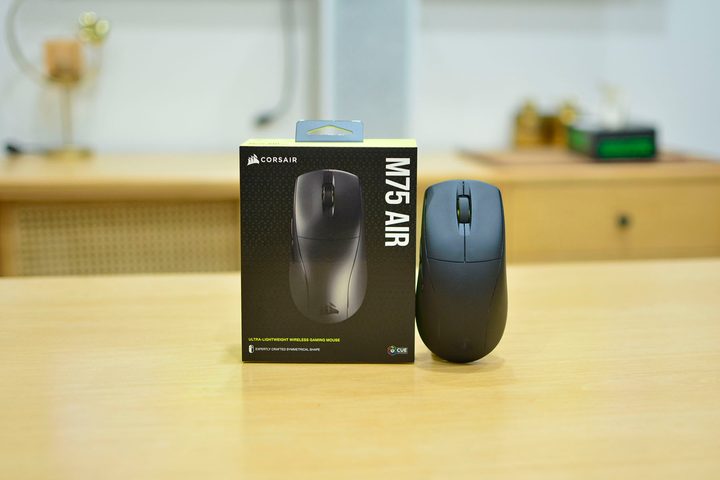
If you want a competitive gaming mouse with all the bells and whistles, but you can’t justify spending upward of $160 on the Logitech G Pro X Superlight 2, consider the Corsair M75 Air. It has all the tenets of a competitive wireless gaming mouse, including a weight of only 60 grams, a 2,000Hz polling rate through the low-latency 2.4GHz connection, and a symmetrical design. But you can pick it up now for just $90, and even less on sale.
You’re not giving up much for a lower price, either. The M75 Air has a lower polling rate wirelessly, but for all but the most competitive gamers, you won’t notice a difference. You’re still getting high performance out of this mouse, too. It includes Corsair’s 25K Marksman optical sensor, as well as optical switches on both mouse buttons. Corsair says those can hold up for 100 million clicks each.
For gaming, you’ll want to use the Slipstream 2.4GHz wireless connection, which Corsair says will net you 34 hours of battery life. If you’re on the go, though, you can use the Bluetooth connection and get 100 hours of battery life out of the mouse. There’s also a USB-C connection so you can charge while you play.
Buy at AmazonLogitech G305
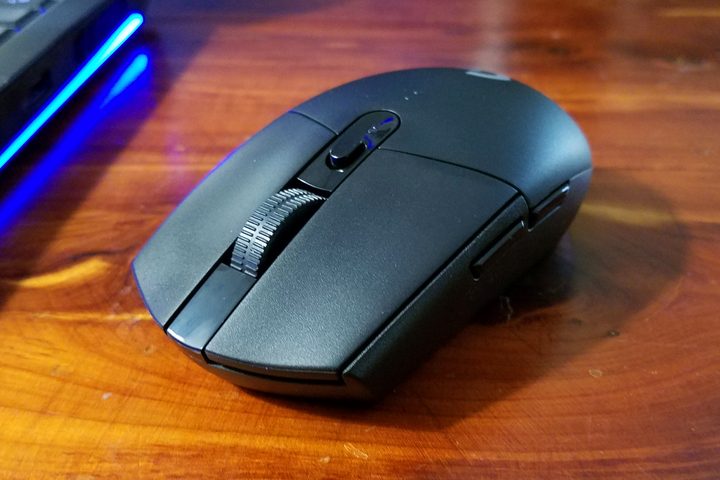
There’s a reason that the Logitech G305 Lightspeed is still one of the best-selling gaming mice you can buy, even six years after it was introduced. It’s only $40, and it has everything you need. It’s wireless, comfortable, and it has exceptional battery life. The fact that it’s even in the same conversation as mice that cost over $100 is a testament to how good the Logitech G305 really is.
While the G Pro X Superlight 2 is focused on delivering peak performance for players at the top, the G305 is built for the average player. You’re not getting insane polling rates or Logitech’s most cutting-edge sensor, but you’re still getting plenty of performance. Logitech’s Hero sensor is still at work under the hood, providing sensitivity up to 12,000 DPI. The mouse is also extremely comfortable to use, regardless of if you use a palm or claw grip.
The big downside is the weight. The G305 isn’t as light as the other options on this list, but it still clocks in at only 99 grams. A big part of the weight is the AA battery. The G305 uses a low-latency 2.4GHz connection, but Logitech opted for a AA battery instead of an internal battery to save some cost. Thankfully, that single AA battery can last you up to 250 hours, vastly outpacing the other options on this list.
SteelSeries Aerox 5 Wireless
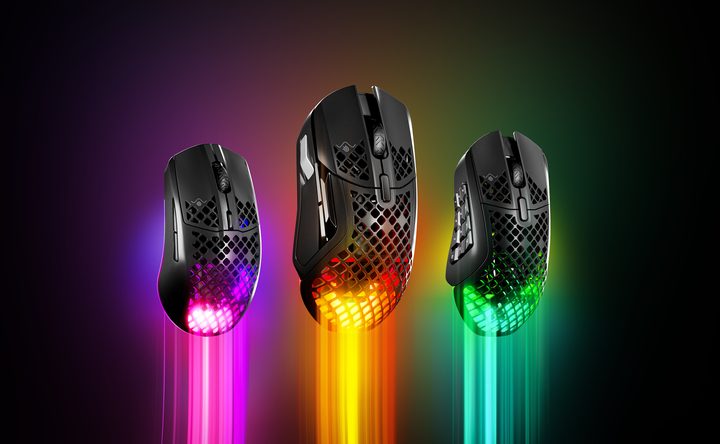
If you’re looking for a mouse that provides the performance of the G Pro X Superlight 2, just with a little more versatility, the Aerox 5 Wireless is for you. It adopts the familiar honeycomb pattern we’ve seen on other gaming mice to reduce the weight to just 74 grams, and it includes the TrueMove Air sensor, which is capable of 18,000 DPI. You’re also getting Bluetooth and 2.4GHz wireless with Steelseries Quantum 2.0 wireless tech, as well as up to 180 hours of battery life.
The Aerox 5 Wireless has the specs, but it’s the extra buttons that stand out — it includes five thumb buttons. All of the mice on this list, including the G Pro X Superlight 2, include just two remappable thumb buttons. That’s fine for focused shooters like Valorant and Rainbow Six Siege, but the extra buttons on the Aerox 5 are incredibly useful in other games. You can map your extra abilities to them in Destiny 2, or your build options in Fortnite. And if you play games like League of Legends or DOTA 2, you don’t need me to tell you how useful extra buttons are.
In addition, the extra buttons do wonders for comfort. The array of buttons almost coddle your thumb, locking your hand into place with a palm grip. A claw grip is a little less comfortable, unfortunately. Still, if you want something that can strike a balance between competitive performance and versatility in games with more complex inputs, the Aerox 5 Wireless is perfect.
Buy at AmazonGlorious Model O 2 Pro
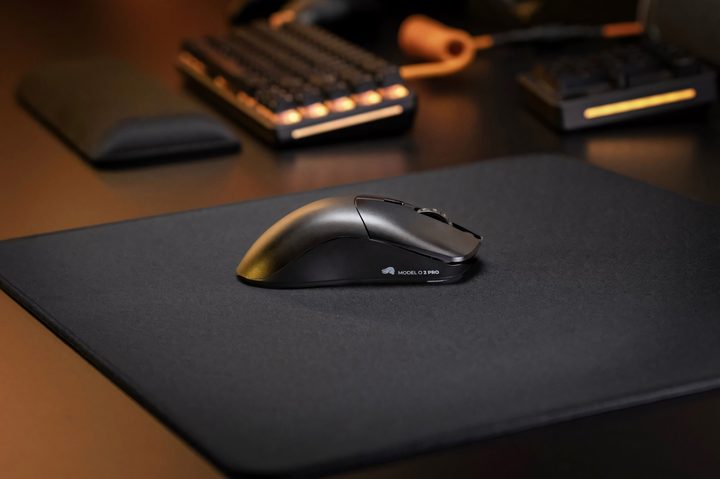
Shape is king, and if there’s any mouse that nails the symmetrical shape of the G Pro X Superlight 2, it’s the Glorious Model O 2 Pro. Point-for-point, it matches Logitech’s offering. It clocks in at just 57 grams (without an annoying honeycomb pattern), it has optical switches rated for 100 million clicks, and it comes with Glorious’ high-performance BAMF 2.0 26K sensor. The main difference? Glorious sells its wireless mouse for $100. I actually found it for $80 at the time of writing.
The feel is incredible in the hands, close to the G Pro X Superlight 2 and the Viper V3 Pro. Although it lacks the large feet you’ll find on Razer’s mouse, the skates are still smooth running across a mouse pad. And the clicks, thanks to Glorious’ own optical switches, are sturdy and can stand up to years of abuse.
Glorious offers two versions of this mouse, but I’m recommending the version with a 1,000Hz polling rate. You can spend $130 for a version with a 4K polling rate wirelessly, or an 8K polling rate wired. The higher polling rate, and extra cost, just isn’t worth it for the vast majority of gamers. The Model O 2 Pro stands out with its low price compared to the competition, so the version with a 1,000Hz polling rate makes the most sense.


