Latency has been a focal point of competitive gaming since the inception of multiplayer games. From split-screen games of Halo to Discord servers filled with aspirational Valorant pros, you’ve heard the same excuse for death time and again: “It was the lag.”
That’s something Nvidia has been trying to address with Reflex, which is a set of tools designed to reduce system latency. Nvidia challenged me to become a better gamer by seeing how much system latency impacted how well I play — and the company wants to challenge you, too.
Nvidia has published research that says lower latency improves gaming performance, but I had to try that out for myself. Here’s what I found taking Nvidia’s System Latency challenge, and how you can take the challenge to enter into the running for over $20,000 in prizes.
The challenge
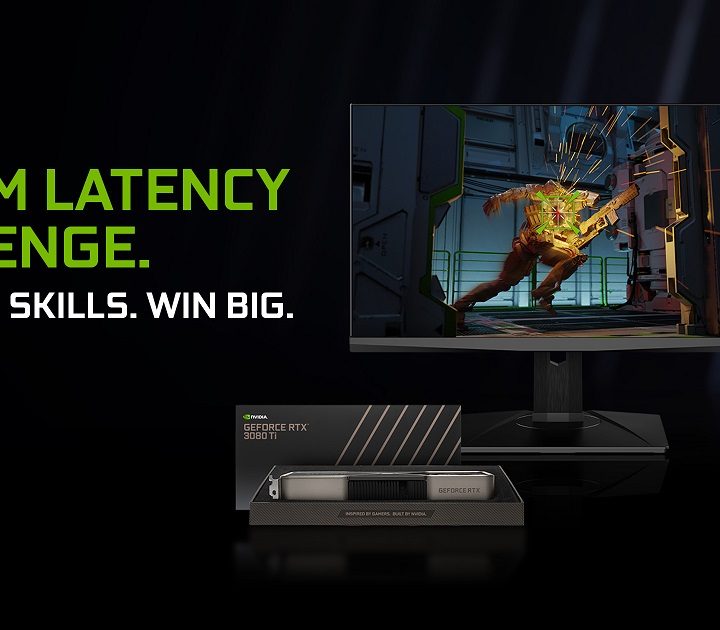
Here’s what Nvidia is asking players to do:
- Download KovaaK’s aim training tool (free from December 14 to 21).
- Take on two latency-focused challenges through the Nvidia Experiments menu.
- Earn a spot on the leaderboard.
Once your gamertag is up, you’re automatically entered into a giveaway with over $20,000 in prizes: Nine RTX 3080 Ti graphics cards, nine Logitech Pro X Superlight mice, and nine MSI Oculus 360Hz G-Sync gaming monitors.
The challenge is simple enough, but you’ll need to polish more than your aim. Each of the experiments test your hand at three different latencies — 25 milliseconds, 55ms, and 85ms. The idea is that, the higher the latency, the more difficult it is to hit your shot. Nvidia may be offering up prizes, but these experiments are built to gather data on Nvidia Reflex and its effectiveness in competitive games.
In order to accurately get these numbers, you need to have a graphics card that supports Nvidia Reflex (GTX 900-series or newer). Unsupported systems can still run the experiments, but their results won’t go to the leaderboard. KovaaK’s is free right now, so head to Steam and download it to get started. Keep in mind that it’s only free for a week — you’ll need to pay $10 to unlock the full version.
Nvidia will choose winners on January 10 and follow up with a results video on January 18. I jumped in to try my hand at the challenge. Although I always knew system latency impacted gaming performance, I wasn’t prepared for just how much of a difference it made.
Latency Frenzy
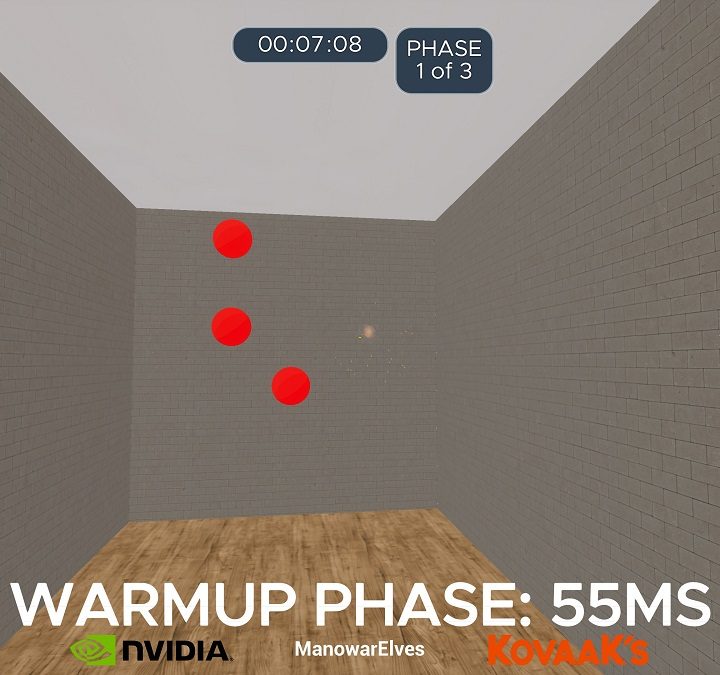
The first experiment I tried was Latency Frenzy. The goal is simple: Shoot as many red balls as possible within a minute. There are three runs for the three different latencies — which are randomized — and you have a short window before to adjust to the new latency. To keep everything as clean as possible, I covered the bottom of my screen where it shows the latency and ran the test five times.
After averaging my five runs, I came away with about a 24% difference between the lowest latency and the highest. That’s an extra 22 targets hit in the same time period. This average is dragged down by a single low result, too. In my second run, I was able to hit 35 more targets at the lowest latency compared to the highest.
What’s interesting, though, is that my average at the middle latency (55ms) was only a few shots lower than the lowest latency. I was easily able to tell between 25ms and 85ms, but 55ms was tough. Back-to-back, 25ms felt better, but the difference was small.
There’s a threshold. Lower latency is better, but there’s a limit you reach where the differences become much smaller. It’s like going past 144Hz on a monitor. There’s a difference at higher refresh rates, but past 144Hz, you enter the land of diminishing returns. System latency is similar.
Latency Flicking
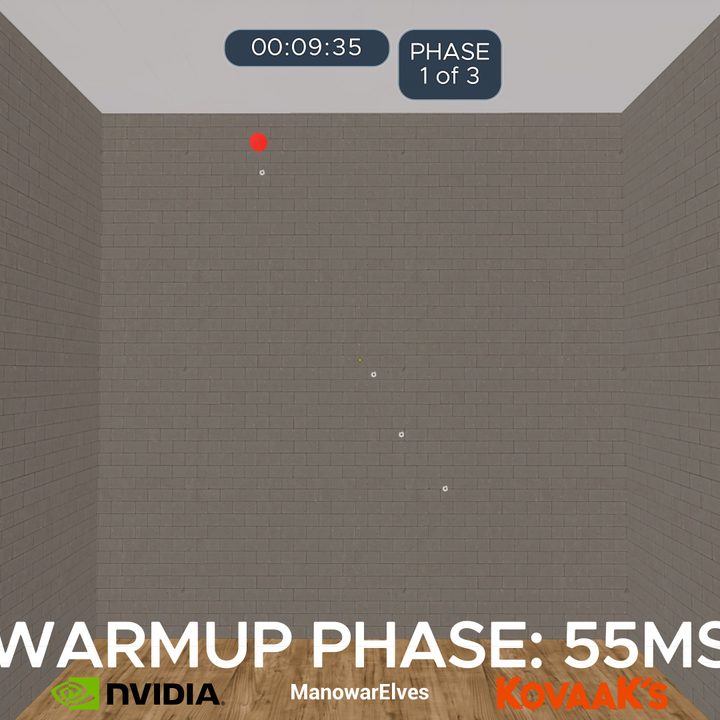
The second experiment, Latency Flicking, was much more difficult. You’re tasked with shooting a central blue ball before flicking to a red ball that spawns somewhere on screen. The catch is that the red ball only stays up for 600ms, so you have to flick and shoot it as fast as possible.
I ran the test five times again, and I found about a 62% difference between the highest and lowest latencies. That translated into six extra shots hit, which is a massive boost in such a challenging experiment. Unlike the first experiment, I didn’t feel the difference in latency right away. All three latencies felt like they were on the same level.
As I continued my runs, I noticed why my 85ms results were so low. I would pause for a brief second before shooting at the higher latency, not confident enough that I lined up the shot to squeeze it off. I didn’t feel the latency like I did in the first experiment, but the extra delay still translated into my final results.
Why latency matters when gaming
I was cocky. Nvidia’s challenge starts at 25ms and scales up by 30ms each step (55ms and 85ms). That’s a lot smaller than it sounds. Blinking your eye takes somewhere between 100ms and 300ms. It takes sound about 3ms to travel one meter, and if the latency is less than 30ms, most ears can’t pick up on a delay at all.
Thirty milliseconds is nothing, or so I thought. I never saw the extra latency in Nvidia’s challenge, but I felt it. Going from 25ms to 55ms, I just felt like I wasn’t hitting my shots. When I jumped up to 85ms, it felt like I was dragging my mouse through mud. Nvidia said it’s seeing a 58% improvement in aiming with lower latency (up to 80% in some cases), and after taking the challenge, I’m convinced.
Nvidia has a deep dive into each of the factors that play into end-to-end latency, but they fall into three main buckets: Peripheral or input latency, system latency, and display latency. Nvidia Reflex is focused on system latency, and it’s designed to eliminate queues and bottlenecks between the CPU and GPU.
In short, it keeps the CPU, GPU, and render queue (where frames are stored before showing up on screen) in sync. This is a dynamic process, so Reflex may work by keeping the render queue clear or by maintaining high GPU clock speeds in CPU-bound scenarios. The end goal is the same: Give players the most up-to-date information as possible.
Although fussing over milliseconds won’t generally lead to better results in-game, latency is more than marketing fluff. I became a better gamer by focusing on improving my system latency, and I’d recommend taking a stab at Nvidia’s challenge to see if you get any better, too.