
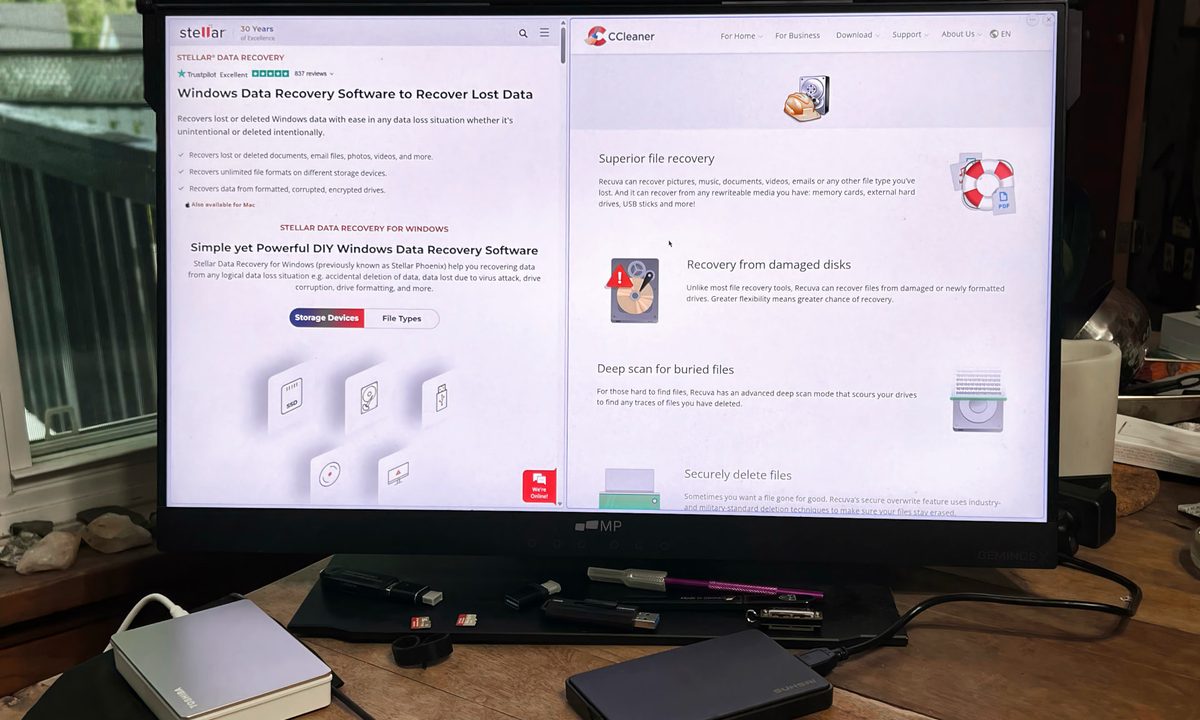
When you’ve lost files, you need the best data recovery software that restores files and folders. Unfortunately, the claims made by low-cost apps are often the same as those of premium file restoration software. Can you really recover data for less?
I recently reviewed the current versions of Stellar Data Recovery Premium and the budget-priced Recuva Professional, so I can share my hands-on test results and customer service experience. It’s important to know what to expect before you commit to a file restoration subscription.
Tiers and pricing
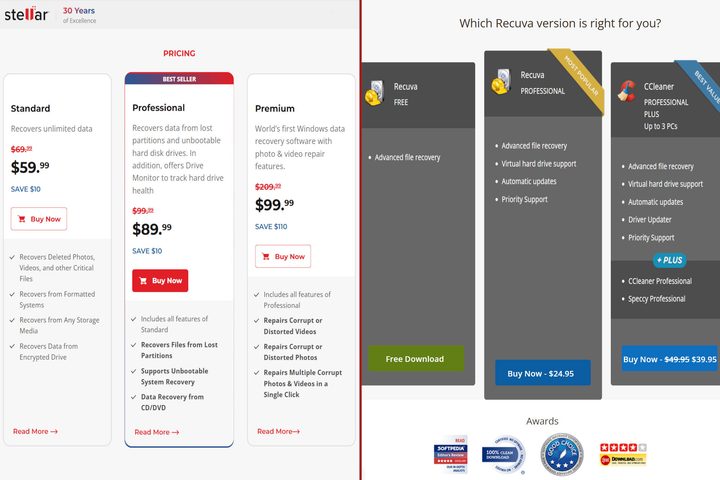
Recuva Professional is remarkably cheap at $25 per year. Sometimes you can even get it for even less. It’s made by the same company that develops CCleaner, and there’s a bundle deal if you’re interested in PC cleanup software.
By comparison, Stellar’s lowest-cost Data Recovery Standard plan sounds expensive at $60 annually. In truth, it’s quite affordable since it includes live chat support. If you need files restored often, an average cost of $5 monthly isn’t much more than Recuva Professional’s $2 per month.
While Recuva Professional is the one and only data recovery subscription plan from CCleaner, Stellar offers three tiers. The $90-per-year Stellar Data Recovery Professional plan adds lost partition restoration. For $10 more, Stellar Data Recovery Premium unlocks advanced photo and video repair tools.
If your budget is tight, you can save even more with DMDE data recovery. There’s a great free version, a $20 subscription that offers even more, and a low-cost perpetual license.
Features

As a bargain-priced app, Recuva Professional offers the basics. You can find and restore most files from hard disk drives (HDDs). However, it only found 158 of the 163 files I had lost. Also, it replaced some filenames with computer-generated codes.
Stellar Data Recovery Premium was perfect in this series of tests. It restored every lost HDD file, including the names, and re-created the original folder structure.
Recovering data from solid-state drives (SSDs) is hard, but it’s not impossible. The 2025 version of Stellar Data Recovery Premium impressed me with its advanced photo and video repair features. I was able to restore deleted media files.

I’ve reviewed the most popular data recovery software, and EaseUS Data Recovery Wizard Pro is the only other solution to restore lost SSD files.
Recuva Professional, and most other solutions, fail my SSD tests. That’s one of the reasons HDDs are better than SSDs for long-term storage.
In thumb drive tests, Stellar Data Recovery Premium and Recuva Professional both performed well. There are many types of drives, and Stellar Data Recovery Premium can access them all. Recuva Professional also supports the most popular drive formats and types.
While Stellar Data Recovery Premium is better in almost every way, I found Recuva Professional’s file recovery preview pane was a big time saver. In Stellar Data Recovery Premium, I had to open and close a preview window for each file one at a time.
Customer support and usability

Stellar Data Recovery Premium offers fantastic customer service. I received good technical support in under a minute via live chat. Stellar support is available 24 hours a day on weekdays, and you get access with every paid plan.
Recuva Professional only offers support via email. It took over a day to receive a reply to my question. Online support documents are also quite limited. I found Recuva support to be good, but much slower than Stellar’s service.
It helps that both apps are easy to understand. You select which drive to scan, and the results appear in a list. Select a file to see a preview. If you see what you want, you can proceed with recovery.
In general, if you see a preview in Stellar Data Recovery or a status indicating excellent recoverability in Recuva Professional, good file restoration is likely. If not, you can try customer service.
Free versions
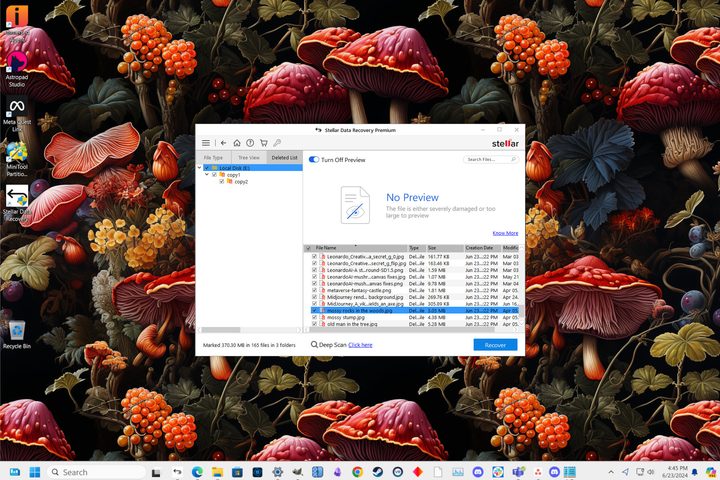
It’s hard to beat free, and Stellar Data Recovery can restore up to 1GB of lost files and works best with HDDs. You’ll need a subscription to save more lost files. Long HD videos can easily exceed the limit, but if you need to recover photos, documents, and text files, 1GB is a generous amount.
Recuva’s free app doesn’t have a cap on the amount of data you can restore, but you’ll need a subscription to access drives within a virtual machine.
Neither company offers customer support for the free tier, so if you can’t find the answers you need in the online help documents or community forums, you’ll have to subscribe.
Which data recovery app is best?
While Stellar Data Recovery Premium costs significantly more, it’s worth the price. It aced my HDD and thumb drive tests. It even restored some lost files from an SSD. Stellar customer support is also impressive, a critical factor if you’re unfamiliar with drive technology and terminology.
Recuva Professional came close to Stellar’s HDD and thumb drive recovery quality at less than half the price of Stellar Data Recovery Standard. Unfortunately, Recuva Professional failed my SSD recovery tests.
If you feel comfortable with Recuva’s slower support, it’s a much better deal than any of the Stellar Data Recovery subscription plans. The free version of Recuva is hard to beat since there’s no cap on the amount of data restored.
The best free data recovery software lets you test out the features before committing to a purchase. Most restore at least some data at no charge.
Overall, I’d pick Stellar Data Recovery Premium if I lost files I needed for work, financial records, or cherished memories. The reliability, support, and advanced media repair features are worth the extra expense.


