
Long-awaited gigabit internet speeds are finally coming to a growing number of cities, as fiber infrastructure improves and companies offer ultra-fast service packages. But are you and your devices ready to upgrade to gigabit internet?
Existing internet speeds can be improved by several factors (including router setup), but gigabit-level services are still worth getting excited over. And it’s essential to make sure that you and your devices are ready to take advantage of the new potential speeds. Here are five steps to prepare appropriately.
Set up quality wired connections
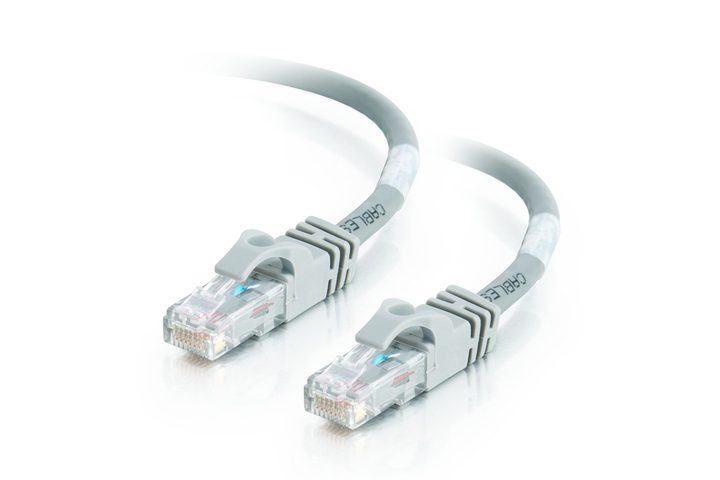
Wired connections are generally better for gigabit speeds because of their reliability and lack of interference. If you want the best benefits of gigabit internet, you need the right wired connections. It’s particularly important to sort out the wired connection from the internet modem to your router.
The good news is that most of the modern Ethernet ports manufactured in the last few years are in the gigabit Ethernet range. The bad news is that if you have a router or other wired device that’s older than that, it may be using an older type of Ethernet connection that will not be able to support your new, exciting speeds. If so, the router will bottleneck your entire home network. There are adapters for a USB 3.0 to Gigabit Ethernet connection, but they aren’t ideal as they can slow down performance in other ways.
If you don’t have a clue as to what kind of ports your router has, find the product number and look up the specifications online to see what type of ports it has. You can also do this with your computers to check on factory cards and connections. Everything should be rated for gigabit speeds or 1,000 Mbps. You can also look in your Settings or About This Computer section to find more information on your connections.
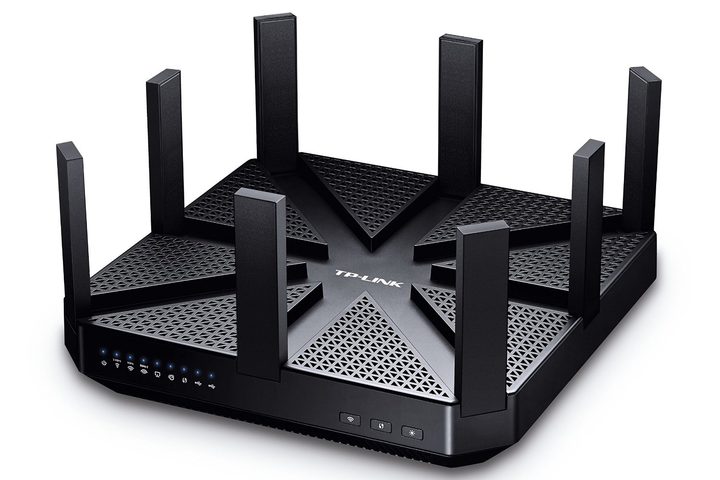
If you need a new router, these are our current favorites. Note that the number of Ethernet ports on a router can vary. If you only want one Gigabit internet connection for your computer, that’s not a problem, but if you are planning multiple wired connections, make sure your router or gateway has enough Gigabit-rated ports. The TP-Link Archer AX6000, for example, has nine Gigabit Ethernet ports to support a wide variety of cable connections.
Finally, it’s worth taking a glance at the Ethernet cables themselves. They should be at least Cat5e or higher to support these speeds: However, the latest Ethernet cables go all the way up to Cat 8, which offers up to 40Gbps over 30 meters. This enhances the likelihood of reaching Gigabit speeds and also helps future proof your Ethernet cables so you don’t have to worry about replacing them for some time, making Cat 8 a good place to start looking for new Ethernet cables. If you plan on running cables along the floor or under doors, look for flat cable designs that can easily be hidden!
Make sure your devices support the latest Wi-Fi standards

If you aren’t using a wired connection on a particular device, check to see what Wi-Fi standards it supports. The latest Wi-Fi standard is 802/11ax, which has been officially relabeled as Wi-Fi 6. Wi-Fi 6 improves wireless speeds, adds support for new compression technologies, new device pairing abilities, and better security. It’s a clear recommendation if you’re shooting for the highest possibles speeds, and since it’s a relatively new standard it should be safe to use for years to come.
The catch is that Wi-Fi 6 needs to be supported by devices as well for all its new features to work. The latest phones and laptops are launching with Wi-Fi 6 support in 2021, but devices that are a year or two old at this point probably won’t have it, which means it may be time to start thinking about an upgrade. If you have an upgradeable PC, you can always equip it with a new Wi-Fi card to solve this problem, too.
If you don’t want to buy a new router quite yet, make sure your old router supports at least the 802.11ac standard. This standard has been around for years, and only the most aged routers won’t have it. Keep in mind that more advanced routers can affect speeds simply because of their newer components, and that factors like interference and distance from the router will also play factors in your final speed.
Set up your Wi-Fi router’s 5GHz band
Many routers are now dual-band, which means they support the typical 2.4GHz band and the less-used 5GHz band. That 5GHz option shines in certain respects. It may not have as much range at the original band, but there’s a lot less “noise,” or wireless tech chatter, at 5GHz. That means the 5GHz band can provide a more precise signal, and help you draw closer to those sweet gigabit-level speeds.
Most dual-band routers will urge you to create and name a 5GHz channel during setup, so check to see if you have one or can create one. You also have to remember to use it. You may mentally default to the regular band out of habit, but that can seriously downgrade the performance of your connected device.
If your router isn’t dual-band, consider a replacement. Modern routers tend to be dual-band, and many have software that can intelligently switch between bands when necessary to provide the best connection. It’s also less likely that a single band router will be 802.11ac compatible.
Note that the 5GHz band can be helpful for a clear connection in a busy area, but it also has a shorter range, so it’s more important that your devices are closer to the router.
Update firmware and operating systems
If your router has gigabit Ethernet, the latest Wi-Fi standard, and a 5Ghz Wi-Fi band already set up and ready to go, then you’re in luck! However, you should still check to make sure that the firmware is updated to the latest version, just to make sure everything is running smoothly.
You can check for firmware updates by logging into your router administrator console with the right address, and we can help walk you through that process. Once in the router settings, follow the manufacturer’s instructions for upgrading the device. If you have enabled automatic updates, then you don’t need to worry about this step.
It’s also a good idea to update all your other devices, too, especially if there are updates that you have been putting off. Many general OS updates include quality-of-life changes that improve general performance and efficiency. Barring any notable bugs, it’s a good idea to let these updates go through so that your devices are performing to the best of their ability.
Run speed tests on devices to find weak spots

There are several useful online speed tests you can run on both wired and wireless devices. Try a few tests on your most-used devices during the time of day when you are likely to use them. Running a test before you upgrade will help you find an average baseline of your current speeds to compare to your gigabit speeds after the upgrade. Rerun the tests with gigabit internet, and boast about the difference!
Remember, while Gigabit Ethernet is named after a 1,000 Mbps connection, real-world speeds won’t be that high. Sharing bandwidth, connection quality, and device speeds play important roles, too: You may only be able to reach 800 to 900Mbps at the most, and that’s fine. Compare relative speeds to what you had in the past to see the real difference.
If you get Gigabit internet and your speeds don’t change very much (all other things being equal), you know that you need to investigate further to see what’s causing the bottleneck.
You can also check how speed varies between wireless and wired. If the difference is considerable, you can make decisions about which devices need to be wired for the best performance. You can also identify wireless dead spots that might need to be fixed. For more information on that, check out our guide on boosting Wi-Fi speeds.



