  1. Home
  2. Computing
  3. News

Windows 11 updates: Live Captions, improved touch controls

Add as a preferred source on Google

The Windows 11 and Windows 365 updates have been announced as part of Microsoft’s April 5 event. Updates include Focus Timer, Do Not Disturb, Live Captions, and Touch Snap Layouts.

Many of these features were previously tested by beta users in the Windows Insider Program, but they will now be officially rolling out to the public through a software update.
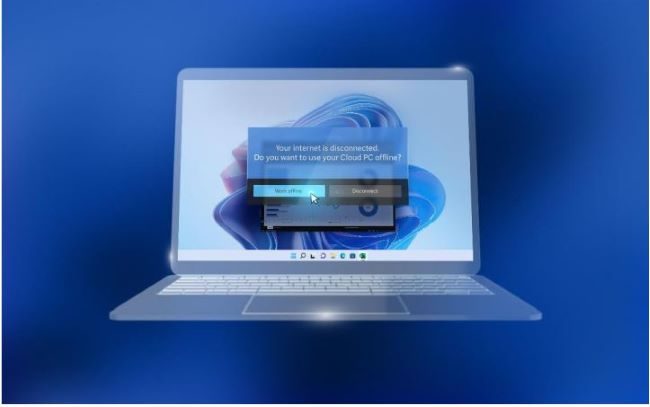
The latest Windows 11 update includes many accessibility and productivity features.
Microsoft

Focus and Do Not Disturb work well to keep users set on the task at hand. Focus, in particular, has been developed quite a bit from its debut in Windows 10 as a feature that minimizes “visual distractions and reduces clutter on the desktop.” It’s evolved into a Viva Insights-based tool that helps you automatically schedule time into your week when you need time free from distractions.

Recommended Videos

Other features in Focus include a countdown, which allows you to time your experience without distractions. Meanwhile, Do Not Disturb allows you to track and personalize your Focus experience even more.

Live Captions is an accessibility feature that is especially beneficial for deaf users, in addition to language learners. It is a feature that can pair with other apps, as well as web-based audio. Video streaming websites are a particularly useful method for this feature.

Snap Layouts was a new multitasking feature introduced in Windows 11, allowing for up to four different projects to run at the same time. On touchscreen devices, you can now use your finger to “snap” together related windows, which drastically improves navigation on a device without a keyboard or mouse.

All these features focus primarily on how Microsoft’s major software platforms and cloud services can continue to aid the professional sector, specifically in remote or hybrid offices.

Microsoft also took time to highlight details from its 2022 Work Trend Index, which found that 73% of employees favor flexible or remote options moving forward. The survey included 31,000 people in 31 countries globally.

Microsoft did not give a release date for these features or mention which update they would be rolling out as a part of.

Fionna Agomuoh
Fionna Agomuoh is a Computing Writer at Digital Trends. She covers a range of topics in the computing space, including…
MacBook Air M5 review: Boring has never been this good
MacBook Air M5

Quick Take

The MacBook Air M5 is what happens when Apple keeps refining an already excellent laptop instead of reinventing it. On paper, the upgrades feel modest. The design is unchanged, the display is still 60Hz, and the M5 chip isn't delivering the dramatic leap that makes last year's model instantly obsolete. Yet after spending two weeks with it, none of that really matters.

Read more
Dell Pro Max 18 Plus review: I tested this giant in an AI startup lab and it refused to sweat
A massive laptop that wants to sit on your desk, churn data, and make your desktop feel bad.
Dell Pro Max 18 Plus laptop.

View at Dell

I test laptops for a living, and have grown a bad habit out of it. The moment a top-tier machine lands on my desk, I immediately try to push it until I find the cracks. The render that stalls, the fan curve that gives up, or the throttling wall that turns a specs sheet into mere marketing fiction. I went into the Dell Pro Max 18 Plus fully expecting to find that hurdle. Instead, I spent two weeks watching an 18-inch slab absorb everything I threw at it and keep asking for more. It even surprised the engineers at an AI lab who pitted it against their trusty training desktop.

Read more
Chrome is testing an Ask Gemini button that follows your text highlights around the web
Highlight text, get Gemini. Google is making sure you never have to look for AI in Chrome again.
Google Chrome with Gemini

Google is quietly testing something in Chrome Canary that I think will either become one of the browser's most useful or its most irritating additions ever. 

It depends on how often you highlight text to copy it without wanting an AI to jump in.

Read more