Despite its limited graphics and early access status, BattleBit Remastered has already surpassed some of the biggest shooters on the Steam market. On the surface, any FPS fan will know the basics of the game; you pick a class, load up into a massive 254 player lobbies, and participate in large-scale warfare. While the premise and graphics are simple, the game itself is anything but.
BattleBit has plenty of complexity under the hood which is a major factor in why it has become such a popular title in such a short period of time. Whether you need to learn the deeper intricacies of this specific shooter or are coming in fresh and need to start from scratch, we’ve got the best tips and tricks to help you dominate in BattleBit Remastered.
Understand the classes
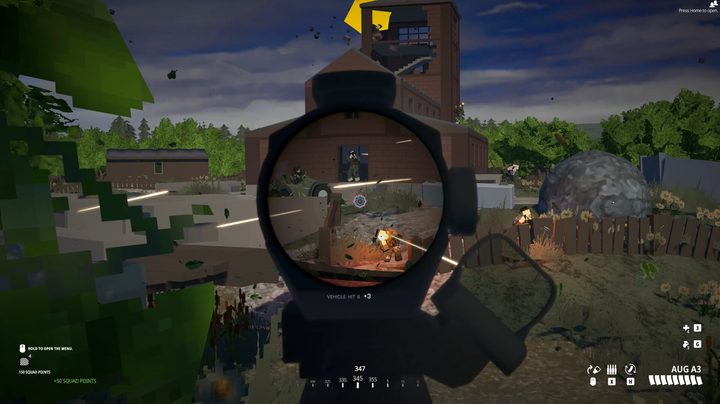
BattleBit is a squad-based shooter, similar to the classic Battlefield games. Each of the game’s six classes has different weapons types they can use, unique gadgets to differentiate them, and sometimes even some hidden buffs. The classes are Squad Leader (one per squad), Assault, Medic, Engineer, Support, and Recon. Check out each class to see which one has the tools you feel most comfortable with.
When first getting started, Assault is a great one to experiment with. They come packing the M4A1 by default, which is a great all-around weapon for getting a feel for the game. This class also comes with numerous buffs to weapon handling, such as 25% faster reload speed, 20% faster ADS with close-range sights, and 25% faster weapon swap speed. Your gadget options include a grappling hook, which is just too fun not to play with. Once you get to grips with the game using this class, feel free to try out one of the more complex classes.
Squad up
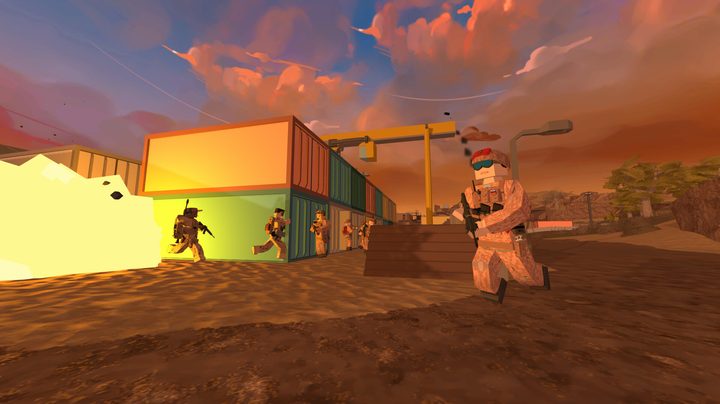
It can often feel like a madhouse in BattleBit with so many players, but coordinating with your squad is key to victory. Squads behave like they would in any other game of this type, but can hold a total of eight members, and not only give you a group to rely on to watch your back but act as tactical spawn points during the game. So long as they’re not currently in a firefight, you can spawn right back in with your squad to help them continue the push without having to make the long trek back to the front lines from a regular spawn point.
Also, playing with your squad is the best way to earn yourself Squad Points to spend on things like deployable cover or supply drops.
Only reload when necessary
This is going to be a very tough habit to break for most FPS veterans but resist the urge to reload your gun after every fight. If you’ve still got half a clip or more left, save it. Despite it being the more realistic approach, few games besides BattleBit actually make you waste any ammo left in a clip when you reload until you go through the actual process of recovering the bullets inside. As an example, if you shoot five shots and have 25 left in the clip when you reload, until you find a safe space to refill your magazines, you’ve basically wasted 25 shots. If you don’t you’ll find yourself loading in a clip with missing bullets, which can easily cost you your life.
Save your bullets by holding P to fill up your clips as much as you can.
Build and break
While it is more common than not now for most first-person shooters to include at least some level of destructible environments, BattleBit goes the distance and makes nearly any structure breakable. This needs to be kept in mind for two important reasons, which are basically one and the same; cover isn’t really cover. If you’ve pinned an enemy down in a building, blow it away to flush them out. On the other hand, don’t think you’re safe for more than a moment if you take cover behind that wall because one explosive will expose you but quick.
On the flip side, building some temporary cover is still a strong tactical move. If you need to hold down an objective point or give yourself just enough time to revive a teammate or regain your health and ammo, throwing up a wall can save you in a pinch. Concrete walls can be made instantly, but know that sandbags and box walls will take a few seconds. It isn’t quite as deep as Fortnite, but a mechanic you would do well to utilize.
Check the time
Maps in BattleBit have their normal daytime variations but also have the option to be a night-time version. This is more than just a darker tint thrown on the map, however. Night maps are really dark. So dark that, if you don’t come prepared with the right equipment, you’ll just end up running around blind. Night vision goggles will be key here but another key attachment to remember is the muzzle flash hider. Shooting in the dark without one of these is like shining a spotlight on yourself for the entire enemy team to see. The same is true for the flashlight.
Manage your gear
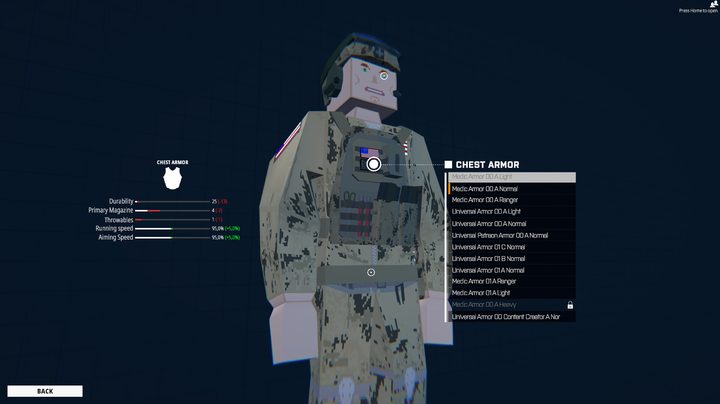
Finally, pay close attention to what you’re equipping on your character. Each piece of equipment has a benefit, but also a drawback in terms of your mobility. You can pile on armor or space to carry more ammo, but will slow your movement and aiming speed down considerably. If you go in light, you can zip from place to place, but get taken down in just a few shots. It’s all a balancing act that you need to weigh yourself based on what you want and enjoy.