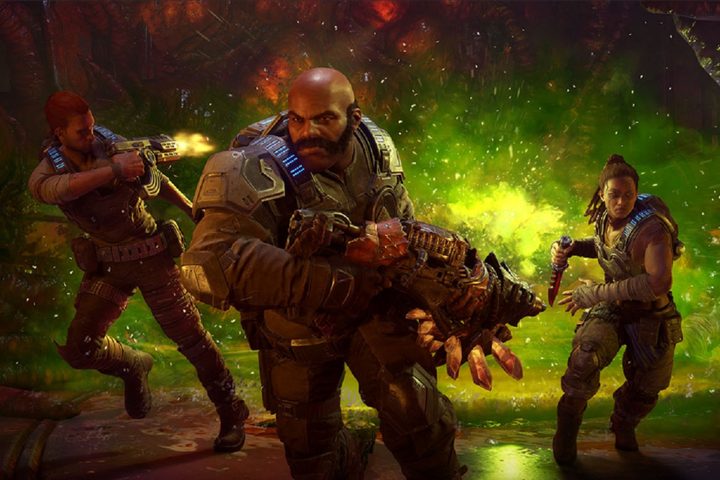
From Horde mode and Escape Mode to a more robust campaign, there’s a ton of content packed into Gears 5. Its new open areas and gameplay mechanics can take some time to learn, even for longtime Gears of War players. We’ve played a whole bunch of the new game, so we’ve put together a few tips and tricks that have helped us on our own journey. Grab your Lancer, start lifting weights, and practice your Roadie Run as we dive into what you need to defeat the Swarm.
Tips and tricks for Campaign mode
Don’t forget about melee

Gears 5 has several different types of enemies. Aside from the Swarm creatures, you’ll run into a whole bunch of hostile DeeBees – robotic soldiers created by the COG. These enemies are extremely resilient against bullets, and even headshots will take a long time to eliminate them. Instead, try to hit them with a few standard melee attacks when they’re in range. On standard difficulty, just a few of these hits will take them down, and you can save your ammunition for more worthwhile targets.
Weapons don’t share ammunition
Speaking of ammunition, one oddity in Gears 5 compared to most shooters is that no weapons share ammunition with each other, even if they are essentially the same weapon with slight modifications. This means if you find a Retro Lancer and later replace it with a standard Lancer, you will also drop all the ammunition the previous Lancer carried. Instead, feel free to keep two similar weapons equipped if you really need the firepower for a certain area. Particularly in the campaign, you’ll almost always have options later on if you decide to switch.
Use Jack
One of the major features in Gears 5’s campaign is the robotic assistant Jack. The drone takes on the role of a partner instead of an occasional helper like in previous games. If you’re playing solo or co-op with a friend, Jack will automatically fight enemies and assist you in combat. You can also direct him to pick up distant ammo or weapons and activate switches.
Jack’s real talent shines when he uses special abilities. His “assault” abilities include a flashbang-like attack that you can upgrade to freeze enemies, and his “support” abilities can increase your armor or even turn you invisible. If someone is playing as Jack, they can also do this all manually.
Explore everywhere

Gears 5 is considerably more open than past games in the series, including Gears 4. The game’s second and third acts are set in giant environments filled with side activities and collectibles, but if you just want to complete the main story, you can easily miss them and head to the next waypoint.
Instead, as you are wandering around, look for yellow flags sticking out of the ground, as well as crashed vehicles or buildings. These all contain something, whether it’s a collectible or the components you need to upgrade your robotic buddy. In addition to adding a nice layer of challenge and shaking up the pace, the objects you find will also help give context to the world.
Look for Crimson Omen symbols
The weapons are definitely not necessary to beat the game, but you can find special variants of guns in Gears 5 by looking on buildings or rocks for the Crimson Omen symbol. Whenever you see this, it means there is a special version of a weapon somewhere nearby. They are well-hidden, and we actually only encountered a single one during our initial playthrough – it’s behind the first large gate you open in the second act. It’s something to focus on if you replay the game on a higher difficulty or with friends.
Stow weapons on the Skiff

To make your way across the giant maps in a shorter amount of time, Gears 5 includes a vehicle called the Skiff. It’s a sail-powered snowmobile of sorts, and it has room for all players as well as Jack. In the front, there is also room for two stowed weapons, and it’s always a good idea to pack powerful gear in case of an emergency. Machine guns like the Mulcher or the explosive Dropshot can both be very handy in the event of a big fight, and you can keep them on the Skiff indefinitely until you decide to use them.
Don’t swap weapons after an Active Reload
One of the Gears of War series’ classic mechanics, the active reload, makes a return in Gears 5. By pressing the reloading button (RB on Xbox One) at the right time, you can increase the damage you do for the rest of your magazine. This bonus is only good for your currently-equipped weapon, however, and will be eliminated if you switch to another gun before using it. Luckily, you can actually Active Reload an already full magazine in order to “bank” the bonus before a fight, so don’t worry if you accidentally mess it up.
Save your ammo when fighting small enemies

At several hectic moments in the campaign, as well as Horde and Escape, you’ll find yourself facing Swarm Leeches. These enemies charge at their target and explode on impact, dealing some damage but killing themselves in the process. If you have a huge amount of ammunition, you can take a few of them down, but the damage they do on standard difficulty is so negligible that it’s usually wiser to just let them hit you, or melee them just before they land. You’ll almost always need that ammo later for something more important. A similar Swarm enemy called a Juvie can be handled in much the same way, but you must shoot any wearing explosive vests.
Dodge the Flock
The Flock is one of the most dangerous enemies you’ll face in Gears 5. Taking the form of a whole bunch of Leeches flying around together, they soar toward their target and inflict a huge amount of damage before being destroyed. They can wreak havoc on your squad, but it’s fairly easy to dodge their attacks. When you see the Flock begin to tighten up and rear back, they are about to zip toward a target. Just dodge to the left or right when you see this happen and you will avoid taking damage.