Streaming on a platform like Twitch can be a great way to earn extra cash, especially if you’re stuck at home without access to your normal job. Larger streamers can get affiliated or partnered with Twitch and receive a cut of advertisements and other bonuses on their videos, but those starting don’t have those luxuries. Instead, they must turn to donations if they want to make money from their Twitch streams.
In this guide, we’ll outline how to set up these donations via third-party services and make sure the money your viewers donate makes it to you.
Further reading
Link StreamLabs to your Twitch account
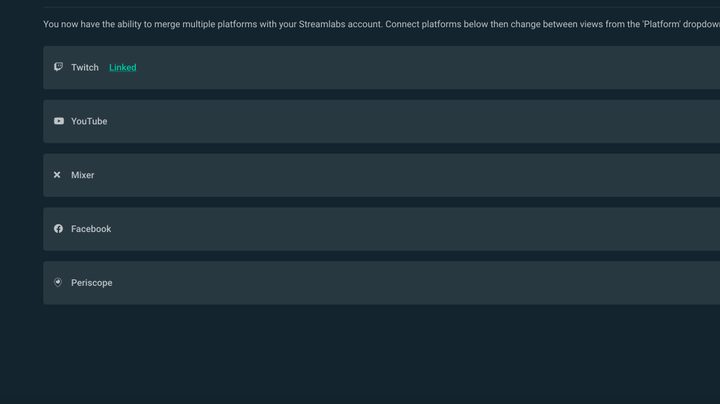
The first step in setting up donations on your Twitch page is to link your account with StreamLabs. StreamLabs is a useful tool that allows you to customize your game streams when running through OBS on a PC, but even if you stream from a console or a different device, it will still serve your purposes.
Go to the Donation Settings page on StreamLabs, select Methods, and follow the instructions to set up select your preferred payment option. If you have not already linked a Twitch account, you’ll be given the option to do so. Sign in, and it will connect the two accounts — you can also determine the minimum donation you can receive, choose what currency you receive, suggested donation amounts, and much more. StreamLabs is a major and legitimate service, so you don’t have to worry about the misuse of your information.
Link Paypal to StreamLabs
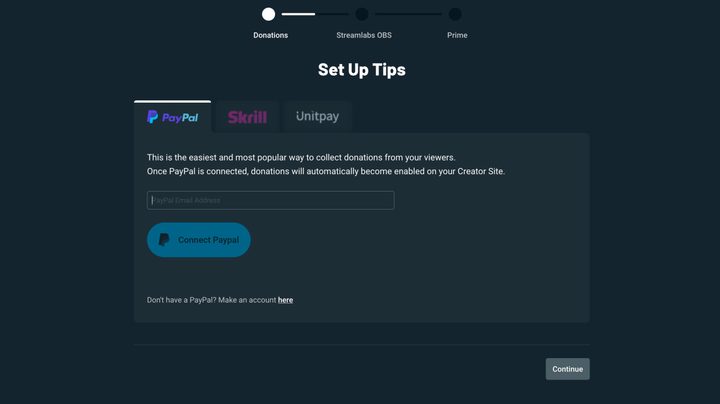
The easiest way to get your donation link up and running is by connecting it to your PayPal account. You can enter the email address associated with the account on the following screen. This doesn’t require your PayPal password, and once the email is entered into the field, your account will be ready to receive donations from viewers.
You can also insert a PayPal.me link or PayPal Donation button directly into your Twitch account and cut out the middleman. Log in to your Twitch account and select Chanel from the drop-down menu in the top right. Select About and ensure that the Edit Panels toggle is turned on, click the Add button, and select Add a Text or Image Panel. Once you’ve determined a name for your new panel and entered your PayPal account info, click Submit, and a PayPal link or button will appear on your Twitch profile. Please do note that PayPal will charge you for any conversion fees from other currencies, as well as any donations received.
Insert the StreamLabs link into your Twitch channel description
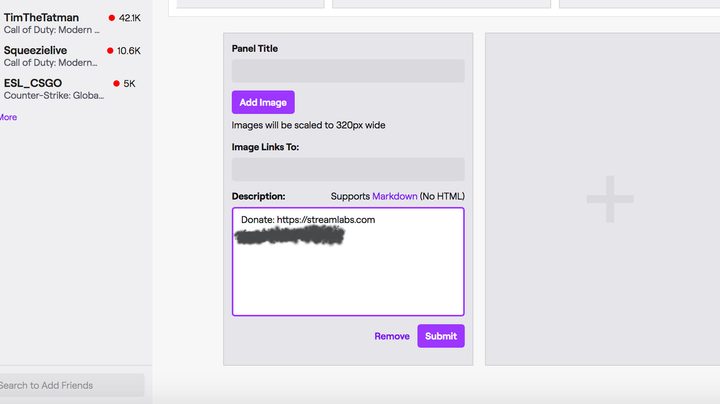
Those viewers need to know where to go to donate, of course. On your StreamLabs account settings is a link to the donation page — the URL will be streamlabs.com/YourTwitchUserName.
Copy this URL, then go to your Twitch channel. You’ll see a button named Edit Panels. Click that button, scroll down until you see a plus sign, click Add A Text Or Image Panel,” and paste the URL where it says Description.
Title the panel something like Donate! and you can even add an image that will link to the same StreamLabs donation URL.
Profit!
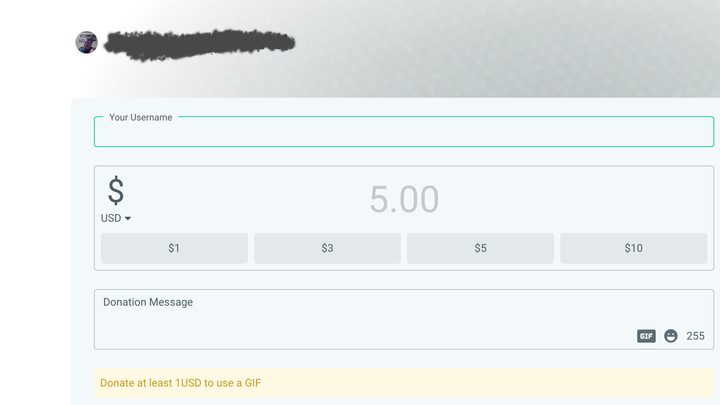
Select the link and navigate to the donation page to double-check that it’s working correctly. Once there, Twitch users can enter their usernames, clarify how much they want to donate to your channel, and send a message or GIF. It’s worth noting that the company established a $1 minimum for sending GIFs in order to keep people from spamming your channel with messages.
The donations should land in your records almost instantly now that you’ve already paired your PayPal account. Transferring it from PayPal to your preferred bank account can take about one to two business days if you aren’t interested in paying a fee, though.
Make sure to let your viewers know about the donation link located in your channel description. You might be able to lock in a few extra interested people if you build a brightly colored or interesting-looking image that links to your donation page. Lastly, don’t forget to thank all of your donors and viewers who participated in your stream.