1. Home
  2. Gaming
  3. Evergreens

How to unlock Jun and Reina’s Character Episodes in Tekken 8

Add as a preferred source on Google

In classic Tekken fashion, Tekken 8 is full of lore, as well as additional “what if” lore content. With a brilliant new story mode and a lot of catch-up material jam-packed into the game, there’s a lot to take in.

Accompanying all of the canon narratives of the title are Character Episodes — mini arcade mode runs that feature each character in their final matches of the King of Iron Fist Tournament. Upon completing four fights, you’re given a gorgeous cinematic ending that showcases what would happen if your selected fighter wins.

Recommended Videos

However, you may notice that Jun and the new fighter Reina’s Character Episodes are locked upon first starting up the mode. Here’s how to unlock them.

How to unlock Jun and Reina’s Character Episodes
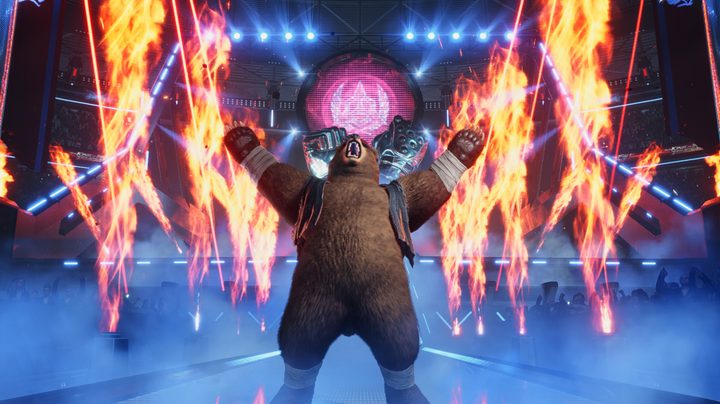
Kuma roaring during his stage entrance in Tekken 8
Bandai Namco

To avoid spoilers for these returning and completely new characters, their Character Episodes are the only two that are locked. To unlock them, you’ll have to finish the game’s main story mode, which introduces us to Reina and provides more details about Jin’s mother, Jun Kazama. The story has 15 chapters and can be finished in six hours or less, depending on the difficulty selected and how you play. Thankfully, it’s a great experience, so it’s no drag at all to complete.

DeAngelo Epps
Former Digital Trends Contributor
De'Angelo Epps is a gaming writer passionate about the culture, communities, and industry surrounding gaming. His work ranges…
MSI’s next gaming monitor can morph between three different resolutions and refresh rates
Why buy three monitors when MSI wants you to buy one expensive one?
MSI MPG OLED 322URDX

Gaming monitors have slowly become one of the most aggressively competitive categories in PC hardware. Over the past few years, brands have raced to push refresh rates higher, improve OLED technology, reduce response times, and deliver increasingly brighter displays. But despite all those upgrades, buyers still usually have to pick one side of the experience. You either buy a super-fast esports monitor with lower resolution or a high-resolution OLED display focused more on cinematic gaming.

At Computex 2026, MSI appears to be trying to eliminate that compromise. The company has officially unveiled the MSI MPG OLED 322URDX36, which it describes as the world’s first triple-mode QD-OLED gaming monitor.

Read more
All Stellaris cheats and console commands
Give yourself the edge in galactic conquest with these cheats and commands
Fleet in Stellaris

Running a galactic empire in Stellaris is an arduous task. One bad war, an economic spiral, or one neighbor with a suspiciously large fleet can turn a promising save into a slow-motion disaster. You may want to fix a mistake, or maybe even want to test a build. And sometimes, you just want to see what happens when your empire suddenly has more alloys than sense.

This is where Stellaris console commands come in. These cheats let you add resources, finish research, control empires, spawn ships, trigger events, or bend the galaxy in ways the normal game usually won’t allow.

Read more
Is Rust cross-platform?
Yes, but there's levels to this.
Rust player running by buildings.

Rust is the kind of survival game where choosing the right server matters almost as much as choosing the right weapon. This also reflects on the platform of your choice. If you're you're friends are spread across PC, PlayStation, and Xbox, you’ll want to know exactly who can play together before anyone starts building a base.

The answer to the question is simple in one way and annoying in another. Rust supports crossplay between PlayStation and Xbox players, but PC players cannot play with console players. So yes, there is cross-platform support, but only inside the console version of the game.

Read more