
Many Elden Ring players have had their first dragon experience already: Scant minutes after first emerging into the expansive open world, you can accidentally walk or run eastward right into a dragon-calling ceremony and get flattened by the enormous Agheel.
But that’s just the start. The more you explore Elden Ring, the more you’ll find that the landscape is so dotted with dragons it can start to feel a little like another Skyrim release (except the dragons are much bigger and nastier). We know that these giant creatures look impossible to fight at first, but you really can defeat them! Here are the top tips to help out.
Try it with Torrent
Your magical steed Torrent is one of your best allies when fighting dragons, allowing you to quickly reposition, dodge breath attacks, and follow dragons when they fly to a different spot. The only caveat is that you can’t ride Torrent if you have summoned other players to your game, so we suggest trying dragon fights solo at first. You can use your spirit summons to help out without sacrificing Torrent, but the ghosts are poor at fighting dragons, often dying or getting left behind before they can help out very much. Choose a ghost pack for the best results.
If you hate swinging your weapon on horseback, you can dismount when close to a dragon and fight on foot, but be prepared to mount again at a moment’s notice if the dragon flies up to use a breath attack — you can’t usually outrun those on foot. Also keep in mind if Torrent dies mid-battle, you’ll have to use one of your life flasks to revive him.

Take a break to get some health back
Dragons exist in the open world and don’t regenerate health if you don’t rest at a Site of Grace or head into a dungeon. That means you can just…ride off if things get too hot. This allows you to explore the area, and perhaps craft some new ingredients to help you survive. You can also try killing nearby groups of enemies, which can refill your flasks so you are ready for round two. Just be careful disengaging, because if the dragon follows you, you could be in deep trouble.
Summon help wisely
If Torrent isn’t helping you very much, there typically summon spots close to the dragon locations where you can get other players’ help. This will, of course, make the dragon stronger as well, but teaming up can offer valuable benefits, especially since the dragon will only focus on one of you at a time. Try to look for faster or more ranged players to summon, as they will survive longer.
Again, since this is the open world, you can return to the summoning spot and summon more players if you have enough summoning Fingers. Technically, this means you can throw more and more summons into the meat grinder while staying back yourself, but that won’t teach you many dragon fighting skills.

Try to stay close and underneath
Dragons will try to stomp and swipe when you are underneath them. These are generally the most telegraphed dragon attacks and the easiest to avoid, so this is a good place to be. Just be ready to move fast when the dragon flies or starts to use a breath attack. Many dragons are associated with certain elements (scarlet rot, red lightning, frost, etc.), and have powerful AOE attacks that you’ll also need to dodge. After fighting a dragon for a little while, you’ll quickly pick up on its attacks: Unlike many bosses in the game, dragons don’t have many different attacks and don’t change it up very much throughout the fight.
Watch out for the tail
When you spend much time behind the dragon, expect a tail swipe to come your way. These are a bit faster than some dragon attacks and are best avoided with a quick roll away or a well-timed Torrent jump.
Use status-building attacks
A popular method to take on tough dragons is to inflict a damaging status on them and wait for their health to drop. A bleeding weapon and an Ashes of War ability that inflicts bleed is an excellent tactic to whittle away dragon health while staying safe. Scarlet rot and frost can work well too, but dragons seem to have high resistance to normal poison.
Use your surroundings
Look for outcroppings, hills, ruins, and valleys in the nearby area. You don’t want to get trapped on these by accident when running, but you can use them to high from breath attacks and similar problems while fighting your dragon.
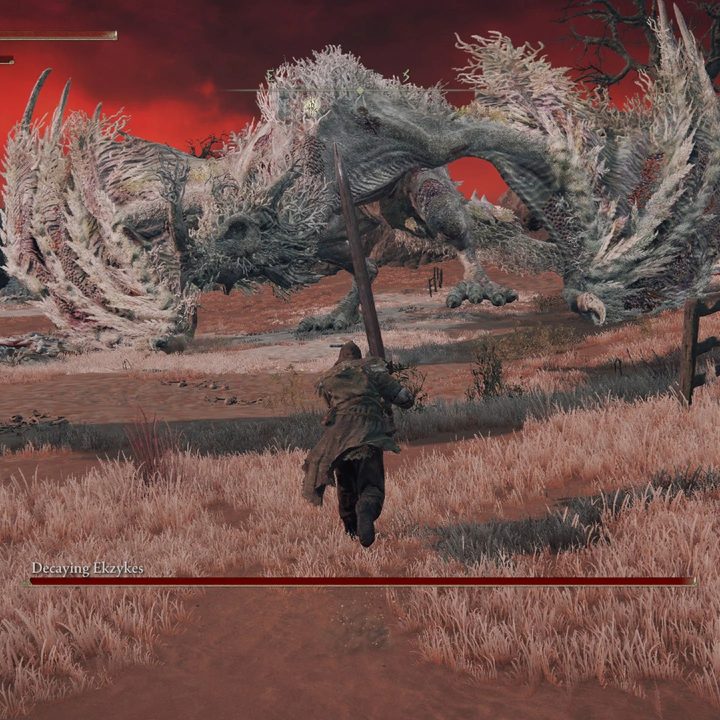
Don’t worry if the dragon vanishes
Sometimes this happens. Occasionally, it’s a scripted event and the dragon has permanently relocated to somewhere else on the map. But if it doesn’t seem scripted, don’t panic. Sometimes, dragons naturally despawn when they reach certain zones. Do not try to rest at a Site of Grace or go into a dungeon when this happens. Instead, ride away for a bit, and then ride back. Often, you’ll find that the dragon has returned and still has its missing health.
Be careful target locking
Locking onto the dragon allows you to focus on it, and specifically target a part of its body. But…this isn’t always a good idea. The targeting system can be a little wonky when fighting something as larger as a dragon, and you may end up facing the wrong direction or limiting your movement at a critical time. When in doubt, don’t target lock the dragon unless you are playing a ranged build or need to track it when it flies away.
What do you get for killing dragons?
You get a lot of runes for leveling up, and a Dragon Heart. Dragon Hearts are an interesting item: They are almost completely useless in the game unless you are working on an incantations build. If you have enough Faith and Arcane, you can learn special Dragon incantations by trading the heart at a Dragon altar.
You can find a Church of Dragon Communion on a southwest island right after you begin the game (accessible via the Coastal Cave), but if you are willing to brave — or run past — dangerous foes, we suggest heading over to southern Caelid to find the Cathedral of Dragon Communion. You’ll find much more superior dragon magic here. These spells take a lot of time and FP to cast, but they can create devastating results when timed correctly. You can also find a Dragon Communion Seal to empower them further.



