
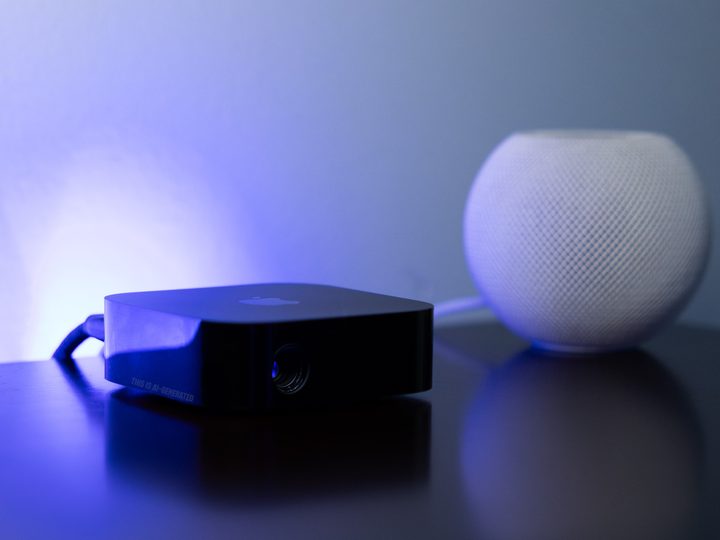
Here’s a not-so-secret secret about tech companies: They discuss all the things all of the time. Good ideas. Bad ideas. Good ideas that turn out to be bad. Bad ideas that, surprisingly, turn out to be good.
Sometimes those ideas are explored further. Prototypes are created and tested. Road maps are drawn out. Sometimes those prototypes die on the vine. Sometimes they eventually become products you can buy.
All that’s to say that “discussions” about things that might or might not ever see the light of day are just that — discussions. And that brings us to the latest scuttlebutt about Apple TV hardware, based on a single paragraph in a weekly column from Bloomberg’s Mark Gurman. Here’s the section, in its entirety:
“Then there’s the smart home segment, where Apple still has grand ambitions. It has discussed automating household functions and offering a revamped Apple TV set-top box with a built-in camera for FaceTime videoconferencing and gesture-based controls. And the technology will all work seamlessly with both the iPhone and Vision Pro.”
That led to a flurry of headlines about Apple TV and cameras. What it in no way leads to is an eventual product — an actual Apple TV box with an actual camera inside.
One word in one sentence
Let’s break it down. First is that the words “it has discussed” is doing a lot of work there. Companies discuss things all the time that aren’t destined to become reality. Frankly, Apple would be derelict in its duty as a company that, ya know, makes things if it didn’t “discuss” putting a camera in pretty much everything it makes.
Companies ‘discuss’ things every day. That doesn’t mean those things actually exist.
The real question is whether it should actually put a camera in an Apple TV 4K. There are all sorts of ways to argue that it could and that it should. The two obvious ones are right there — “for FaceTime videoconferencing and gesture-based controls.”
Those are two handy features. And neither is novel. Those are two things that Google has had for years in its Nest Hub Max. The camera embedded in that smart display allows the device to make video calls, either with whatever Google is calling its video chat service this year (RIP Google Duo) or via a third-party app. And it also can recognize the face of the person looking at it, and utilize gestures to manipulate what’s on the screen.
Of course, Apple TV (again, the hardware, and not the app, and not the streaming service) doesn’t have a built-in screen. It requires something external for that — a television.
That complicates things because not everyone will use the Apple TV hardware the same way. Some will have it out in the open, where it can see and be seen. Others will have it tucked away inside an entertainment cabinet. Some finagle it onto the back of their television, out of sight and out of mind.
In other words, it’s very possible that if Apple were to add a camera to the Apple TV hardware, that camera could be pointed at a wall. Or ceiling. Or the back of a cabinet door. None of which is useful.
Then there’s the matter of cost. Including a camera in the Apple TV hardware would make it more expensive to produce. The two flavors of Apple TV 4K cost either $129 or $149. (For what it’s worth, we think you should go ahead and spend the extra 20 bucks.) That’s still a far cry from low-cost streaming devices like a Roku or Fire TV stick, or Chromecast with Google TV. How much more would you be willing to spend just to get a camera?
It’s possible that Apple could create a third version of the Apple TV 4K, one that includes a camera — and a higher price to go with it. That would at least allow for the option of buying it if that’s a feature you would use — or not, if you wouldn’t.
Apple TV 4K already has a camera — your iPhone
Fun fact about Apple TV 4K: You don’t have to actually have an iPhone to use it. Sure, it makes setup easier. And there are all sorts of fun things you can do with Apple TV 4K if you have an Apple device. But you don’t actually have to have one. So the Venn diagram of Apple TV owners and iPhone owners almost certainly isn’t a prefect circle. But it’s probably pretty close.

So in that regard, Apple TV 4K already has a good many cameras at its disposal — your iPhone. And it’s already taking advantage of that with a feature called Continuity Camera. You launch FaceTime on the Apple TV 4K, and it launches FaceTime on your phone, using your phone’s camera.
Yes, that will require you to own an iPhone in addition to an Apple TV 4K — and Apple will be more than happy to sell you both. But that’s also probably exactly what you want considering Apple’s track record with built-in cameras. What you get in a Mac has never been great. In fact, it’s pretty easy to say that webcam quality has been very un-Apple-like over the years, at least in terms of quality. But an iPhone? It generally gets better every year. You upgrade your phone, and suddenly the Continuity Camera used with your Apple TV is that much better.
And we’re already seeing some pretty good accessories that help make the Apple TV/iPhone/FaceTime experience that much better, like Belkin’s iPhone Mount With MagSafe.
But if you’re stuck with the camera that’s built in to your Apple TV, then you’re stuck with the camera that’s built in to your Apple TV.
We can think of plenty of other things besides FaceTime that could be handled by an iPhone. Real-time feedback on Apple Fitness exercises, or other bodily tracking. (That’s something we’ve seen on the “free” Telly TV.) Gesture controls for gaming. And that’s before you get into any of the non-camera stuff that an iPhone can do, say, with lidar. Try to build any of that in an Apple TV box, and you’re likely talking paying hundreds of dollars more for one.
In any case, this is just one more blog post and one more headline based off one single word in a paragraph that almost certainly is nothing more than that it purports to be — discussion.


