

We have recommended Sonos wireless speakers and components for years. We still think the company makes a fantastic product. But the absolute fiasco caused by the May 7 Sonos app redesign broke almost every aspect of the Sonos experience — and we’re still waiting for fixes that were promised weeks ago.
If you’re a Sonos owner, we share your frustration. If your investment in the company’s ecosystem is significant, your best bet is to wait and ride out this storm. Eventually things will return to normal and, hopefully, the Sonos experience will be better than before.
But if you’re new to Sonos or if you’re considering buying your first Sonos product, you may be wondering about alternatives. Bad software rollouts can and do happen; going with another company is no guarantee that your home audio system will remain problem-free forever. Still, if you’re no longer feeling the Sonos love, these systems are more than capable of filling your home with sound.
But what constitutes a Sonos alternative? To our way of thinking, a true alternative should have at least some (and preferably all) of the following attributes:
- Wi-Fi connectivity for every speaker/component
- An app that lets you control speaker playback, speaker grouping, and that can access both your preferred streaming music services as well as your personal collection of digital music
- A variety of speaker sizes/types, including a soundbar
- A component that lets you connect your older, non-wireless audio gear to the system
- Some kind of voice-enabled smart speaker option for both smart home integration as well as voice control over music
- Expandable over time
Of the five options we present below, only the first three meet a majority of these requirements. But we’ve included two more options that will give you a “Sonos lite” experience, if you don’t need all of the features Sonos offers.
Bluesound
The best for audiophiles
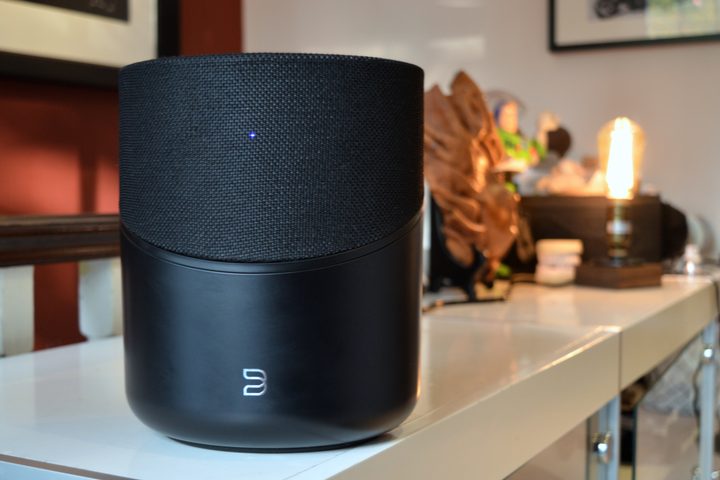
When it comes to finding a wireless, multiroom audio system that can compete with Sonos, look no further than Bluesound. Like Sonos, Bluesound makes a variety of wireless speakers and components including home theater elements like soundbars and subwoofers, which are all controlled via the BluOS-powered Bluesound mobile app.
Where Bluesound goes above and beyond, however, is its support for hi-res audio and multiple wired/wireless connection options. This has helped make Bluesound a favorite among audiophiles. All of Bluesound’s hardware supports lossless digital sound up to 24-bit/192kHz, and it’s one of the only multiroom systems that’s compatible with the MQA format (Lenbrook, Bluesound’s parent company, also owns the rights to MQA).
Its speakers and network music streamers also have auxiliary inputs and headphone outputs, something that Sonos has only just recently started to add to its products.
These extra features tend to make Bluesound products more expensive than their Sonos equivalents, but you may find the added versatility is worth the extra investment.
One area where Bluesound lags Sonos is support for music services in the mobile app. Notably absent from the list is Apple Music and YouTube Music. Still, given Bluesound’s compatibility with AirPlay, Bluetooth, and Roon, there are other ways to play music from these services’ own mobile apps.
Bluesound components can be controlled via Amazon Alexa, but Google Assistant and Apple Siri compatibility remain unavailable.
Bluesound at AmazonDenon Home/HEOS
The most versatile choice
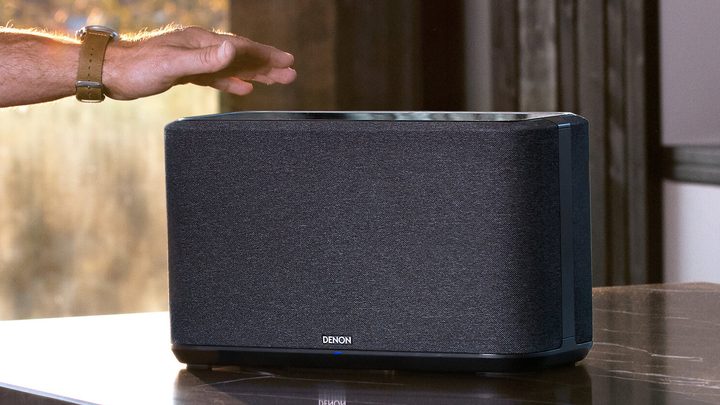
Denon created the first real Sonos alternative with its Denon HEOS wireless speakers and components. The company has since rebranded its wireless speakers as Denon Home. But under the hood, it’s still HEOS running the show.
You’ll find HEOS-compatible AV receivers from Denon and sister brand Marantz, which greatly expand your options for multiroom sound without the need for separate network music streamers.
Denon’s Home portfolio of speakers isn’t as expansive as Sonos’ — there’s currently no portable speaker in the lineup, and only one size of soundbar — but prices are similar for what you get.
Like Bluesound, HEOS components are hi-res audio compatible up to 24-bit/192kHz. They don’t work with MQA, but they will play DSD 2.8MHz and 5.6MHz tracks, which neither Sonos nor Bluesound can do.
With a 2023 update, the HEOS mobile app performs nearly all of the same functions as the Sonos app. YouTube Music is one of the few music services that isn’t supported in-app.
See Denon at AmazonBose
The best for easy setup

Bose is another company that has been diligently following Sonos’ lead on wireless multiroom speakers, and it now has a lineup of “smart” products that can go (almost) toe-to-toe.
Soundbars in multiple sizes and prices (including models that support Dolby Atmos) that can also be expanded to fit larger rooms, subwoofers, portables, and of course, noise-canceling headphones — there’s a Bose product for every scenario.
Each component can be grouped and controlled via the Bose Music app, and they have a wealth of wireless connection options including Bluetooth, AirPlay, and Google Cast.
One of the things that makes these products “smart” is their built-in voice assistant capabilities. On some speakers, you can choose from either Google Assistant or Amazon Alexa, while others are limited to just Alexa (but with Google Assistant compatibility if you already have a Google Assistant speaker).
You won’t find support for advanced audio formats like MQA, DSD, or hi-res FLAC, but that doesn’t stop these speakers from sounding excellent.
The Bose Music app, while great for controlling Bose smart speakers, is limited compared to Sonos in terms of music service support, creating and saving playlists, and queue management.
See Bose at AmazonWiim
An exciting new option

Wiim, a newcomer to the wireless audio space, doesn’t make wireless speakers (yet) so it can’t quite be considered a full Sonos alternative, but the company’s network music players (with and without integrated amps) are proof that you can have Sonos-like features without paying Sonos prices.
We’ve tried the Wiim Pro and Wiim Amp, and are mightily impressed by their technology, design, and sound. The Wiim app is possibly the first of its kind to not only replicate Sonos’ best features (like universal search) but also exceed what Sonos has done.
There’s full support for grouping and individual control of components, hi-res audio compatibility including MQA, and several of Wiim’s products are Roon-ready for fans of that music management software.
Each Wiim component has a plethora of digital and analog inputs and outputs, and wireless connectivity includes Bluetooth (usually two-way), AirPlay, and Google Cast.
About the only thing you don’t get with Wiim is DSD compatibility, and, much like all non-Sonos competitors, you can’t access Apple Music directly within the Wiim app.
See Wiim at AmazonApple/Google/Amazon
The 800-pound gorillas
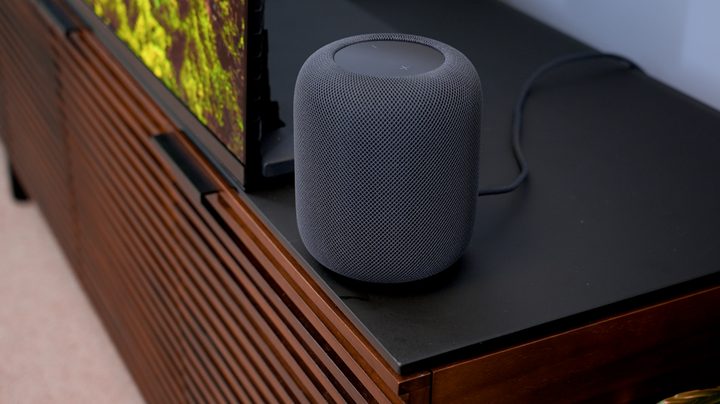
Finally, if you’re a fan of the big three tech companies and their respective ecosystems, Apple, Google, and Amazon each offers ways to do wireless multiroom audio. They not only make wireless speakers — they also have smart home apps that can control a variety of third-party speakers from other companies.
For example: If a wireless speaker is AirPlay-compatible, it can be added to the Apple Home app. Google Assistant smart speakers and Google Cast devices can be managed from the Google Home app, and there’s a giant ecosystem of wireless audio products that can be added to the Alexa app.
To be clear, these smart home apps are basic when compared to the functionality of a Sonos system, so it’s not quite a 1:1 replacement.
Moreover, Apple, Google, and Amazon only have a few wireless speakers from which to choose, and none of them makes multiroom-compatible soundbars (though Apple’s HomePods make a great soundbar substitute if you have an Apple TV 4K).
Still, if your needs are simple, perhaps a few Apple HomePods scattered around your home will do the trick.


