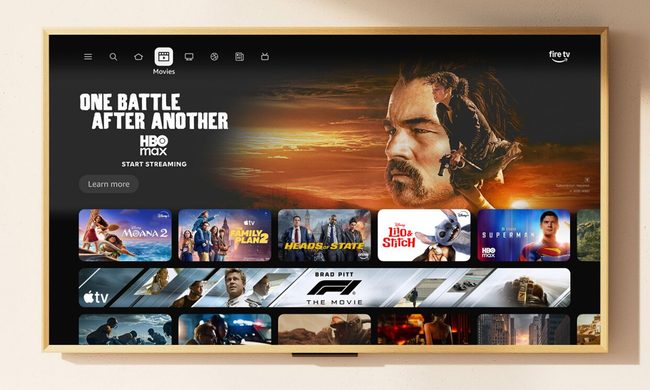
You’ve spent good money on your TV. So why does the picture look less like the cinematic masterpiece you were promised and more like a radioactive swamp, or a faded postcard? The truth is, most TVs don’t come out of the box looking their best. But here’s the good news: you don’t need to spend another dime to get a noticeable upgrade.
We asked Michael Price, TV and Home AV specialist at Panasonic, to share his insider know-how. It turns out that a few tweaks to your settings – and maybe your furniture – can work wonders.
1. Check it’s not in showroom mode
If you’ve only just acquired your TV, Michael’s first piece of advice is the simplest: “Get it out of ‘dynamic’ or ‘vivid’ mode,” he says.
“Those modes grab your attention in the shop, but they’re not realistic. Switch your TV into ‘normal’ or ‘movie’ mode to start with, and then you’re in a good place to make adjustments in color, contrast and motion. That alone will make a big difference.”
2. Battle the reflections
“One of the biggest killers of picture quality is reflections,” Michael says. “If you’ve got ambient light bouncing onto the screen, especially from windows, it squashes the black levels and makes the whole picture look washed out.”
In other words, that lovely south-facing lounge may be doing your Saturday night box set binge no favors. Michael suggests being strategic with your layout: “Try not to place your TV directly opposite a window. If you’re watching football in the afternoon and the sun’s streaming in, it will reduce your enjoyment no matter how good your TV is. Curtains, blinds, or even just shifting a lamp can make a huge difference.”
And don’t forget where you sit. “With LED TVs, the picture quality can drop off if you’re viewing from an angle. So if you always end up in the corner of the sofa, it’s worth rearranging so you’re more face-on to the screen.”

3. Step away from the brightness button
When you find yourself asking “just what’s going on in this Game of Thrones battle scene?”, your instinct might be to crank up the brightness. Don’t, says Michael: “Boosting brightness actually raises the base level of black, so you end up with greyer, flatter shadows. It doesn’t really help at all.”
The better option is to adjust the contrast. “I always say to people: don’t increase brightness, use the contrast setting instead. That stretches the difference between the brightest areas and the darkest areas, so you preserve some of that black detail.”
Yes, go too far and you’ll lose subtlety – “everything ends up either dazzling white or pitch black,” as Michael points out – but a little contrast adjustment can make things clearer without bleaching out the picture.
4. Smooth the motion… just a little
Motion settings are a divisive subject. Some swear by them, others turn them off as soon as their TV is delivered. Michael is firmly in the middle camp. “A few years ago, Tom Cruise and his Top Gun Maverick director Christopher McQuarrie did a ‘PSA’, telling people to turn off motion smoothing completely, because it gave films this ‘soap opera effect’ that looks really artificial. And yes, on older TVs, that was good advice,” he says.
But things have moved on. “Modern high-end TVs handle motion more subtly. On Panasonic sets, we call it Intelligent Frame Creation,” says Michael. “My advice is: if you’re watching a movie and want to see it exactly as the director intended, turn it off. But for everyday TV, sport, or even action films, keep it on the lowest level. It’ll take the edge off judder and blur without turning the picture into a daytime drama.”
The key is restraint. “Never put it on maximum,” he asserts. “That’s when you get the unnaturally smooth, video-like look that people hate. But a minimum setting gives you a nice balance.”

5. Warm up the color
Ever noticed that people’s faces sometimes look too orange, too pale, or just… wrong? You probably have your color settings to blame. “One way around this is to put your TV into ‘movie’ or ‘filmmaker’ mode,” says Michael. “Those modes are designed to be closer to the industry standard, so skin tones and colors look more natural.”
But not everyone likes those modes for everyday viewing. “They can look a bit dull if you’re watching daytime TV with the curtains open,” he admits. “So a good compromise is to go into your color temperature settings. You’ll usually see ‘cool’, ‘normal’ and ‘warm’. I always recommend choosing one of the warm settings.”
Why? “Because our eyes evolved under a yellow sun, so we’re used to seeing the world in warm tones. The cooler settings might look bright and dazzling at first, but that’s because the whites are slightly blue – and that’s not realistic. Switch to warm, and skin tones in particular look much better.”
It might take a little adjustment, Michael warns. “At first, warm can look a bit flat compared to the zingy cool mode. But give your eyes time and you’ll see it’s much closer to real life. And it’ll probably reduce eye strain too, because you’re not staring into harsh blue light.”
6. Think about the room itself
Settings aside, Michael says the environment around your TV makes a huge difference. “I often see people mount their TVs too high up the wall, and then you’re looking up at it on an angle,” says Michael. “Ideally, you want the screen as close to eye level as possible, and you want to be seated face-on. That’s how you get the most accurate picture.”
Lighting matters too – but don’t go to extremes. “You don’t want to watch in a pitch-dark room, because your pupils keep dilating and contracting as you look from the TV to the dark around it, which can cause eye strain. Always have a bit of ambient light – a lamp in the corner, or light seeping through curtains. Just make sure it’s not shining directly onto the screen.”
And blackout blinds aren’t essential, according to Michael. “It’s more about balance. You want to cut out harsh reflections, but a low level of ambient light makes viewing more comfortable.”
In short: you don’t need to buy a new TV. A few free tweaks to the picture settings – and a better seat on the sofa – can give your screen a whole new lease of life.
In-depth TV settings by brand
If you want to dive deeper into the settings on your TV, we have in-depth guides for all the major brands.
- Get the best picture from your Hisense TV
- Get the best picture from your LG TV
- Get the best picture from your Panasonic TV
- Get the best picture from your Samsung TV
- Get the best picture from your Sony TV
- Get the best picture from your TCL TV
How can I improve sound on my TV?
There are a number of ways to enhance your TV’s audio, and purchasing one of the best soundbars is a surefire way to get additional punch.
But as with picture quality, there are ways to get better sound from your TV for free, if you’d rather not splash the cash.