
When you’re leaving home for a while over the holidays, you can rely on your smart thermostat to keep everything at the right temperature. We’re going to dig into all the factors to consider when setting your smart thermostat before your big getaway, whether you’re leaving home in the winter or the summer.
What temperature should you set your AC to when you’re going on vacation?

Set your air conditioner for 10 degrees higher than normal while you’re away for an extended period of time — between 80 degrees and 85 degrees is a safe range. However, if you’ll be leaving a pet such as a cat at home, you’ll want to leave the thermostat at its everyday levels.
Pets notwithstanding, it may be tempting to leave the air conditioning off altogether while you’re away, but climate control serves additional purposes. For one, the electronics in your home may become damaged if the temperature inside gets too high. Secondly, the type of humidity that accompanies higher heat could damage wood fixtures and cabinetry. Coming home to a sauna is bad enough, but that humidity could spur the growth of mold in hard-to-reach places.
On top of all that, it would be a lot of work for your air conditioner to cool the home from scratch, as opposed to maintaining a consistent temperature while you’re away. The fridge and freezer would also have to compete with higher ambient temperatures to keep your food cool.
In the spirit of easing the workload on your air conditioner, closing the blinds on any windows can block a lot of sunlight and heat. Your blinds can be automated, so consider them a complement to your smart thermostat.
You can program the smart thermostat to return to the normal household temperature a day before you return, so everything will be comfortable when you arrive.
How to set a thermostat when you’re away

The specifics of how to set your smart thermostat on a schedule will vary by brand. Here are instructions on how to set a schedule with a Nest Thermostat, and here are the same instructions for the EcoBee. There’s a lot to figure out when it comes to how smart thermostats work, but this is one of the more straightforward operations.
What should you set a thermostat to when you’re not home?
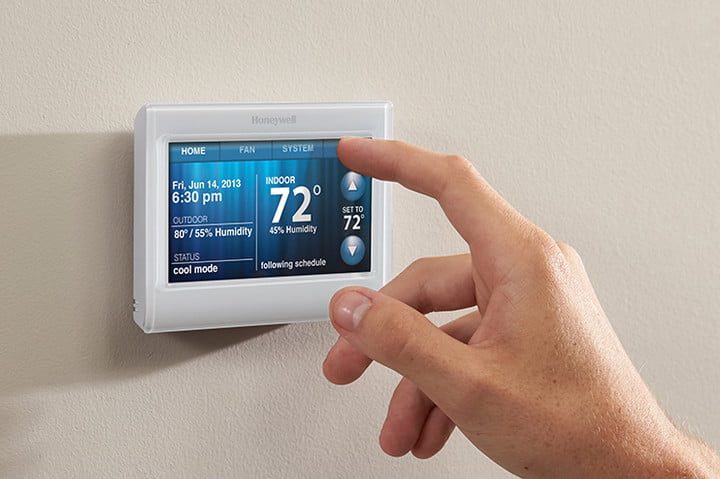
It’s a safe bet to change your thermostat by five degrees to 10 degrees when you leave the house for the day. Letting your home get hotter during the summer and cooler during the winter will lower the amount of money you’re spending on electricity when you’re not there. Even if you are home, you can save a few more bucks by optimizing your smart thermostat settings.
If you’re only going to be gone for the day, you could be more aggressive with your settings than if you were away on an extended holiday. For example, depending on the local climate, it’s not likely to get so hot as to build a significant amount of condensation on home surfaces and create mold. But the more aggressively you cut down your home climate control, the harder the system will need to work to return it to a comfort zone later on. Those in mild climates can be more comfortable turning off their thermostat altogether, while those living in greater extremes should keep their away temperatures closer to their at-home temperatures.
Should you turn off your thermostat while on vacation in winter?
No, you should keep your thermostat on while you’re away during the winter as well. Setting your home heat to 55 degrees in the winter should suffice.
Though your home is better built to withstand the rigors of cold than heat, many of the same summer sensibilities apply. Depending on how cold it gets in your area, it may be worth turning off the main water supply to avoid freezing in your pipes.
Hopefully, that provides you with the guidance you need before hitting the road. Be sure to dig into a few of our other tips for smart thermostat settings if you’re looking to get even more out of your home’s climate controls.


