Smart assistants might be the tip of the iceberg in taking away our jobs in the future, but that doesn’t mean we can’t make use of them in the meantime. Virtual assistants like Cortana, Siri, Google Assistant, and Alexa are now a signature feature of smartphones and tablets, so knowing which one is best could have a significant impact on what your next hardware purchase might be.
To see how these different smart assistants measure up, we pitted Cortana versus Siri versus Google Assistant versus Alexa in a virtual assistant head-to-head.
If you already have your smart assistant of choice, why not check out our guide on how to use Cortana with Windows 10 or read up on some of the funniest questions to ask Siri.
Voice accuracy and speed
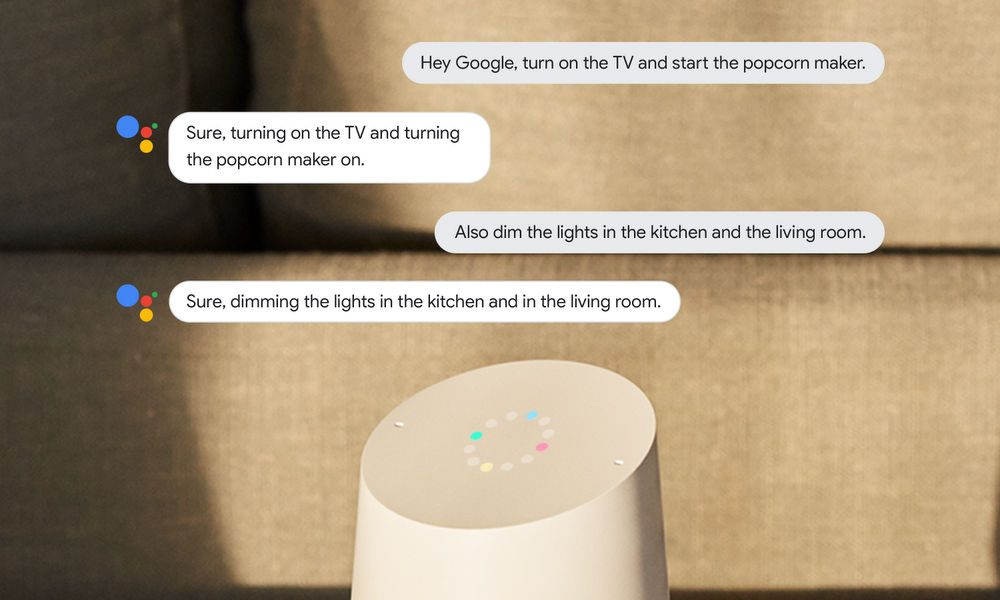
Mainly controlled by a user’s voice, the digital assistant’s primary ability to know when it’s spoken to and understanding what’s said is essential. Each one has a wake word or phrase that it listens for, such as “Hey Cortana,” “OK, Google,” “Siri,” and “Alexa.” The wake word tells the digital assistant to listen and respond to what’s said next — but if you have a niche accent or don’t like to shout, are some assistants better at understanding you than others?
While each of the principal voice assistants offers excellent voice recognition, Google Assistant and Siri are better at picking up what you say — especially when there is environmental noise or the assistant itself is relaying some information to the user. Microsoft claims Cortana has a good understanding of context, but it struggles much more than the other two in actually hearing what you’re saying, as does Alexa. Quiet environments are best when using the last two, as background noise can significantly interfere with them comprehending what you’re asking of them.
In terms of response time to queries, Google Assistant comes out on top again, consistently providing fast replies to orders. Alexa and Siri were both hot on its heels, however, but Cortana comes in last. Since users have reported issues with Cortana understanding even basic requests despite no problems with their microphones (setting reminders, canceling tasks, and finding info on restaurants), it’s hard to measure response time to queries if they’re unheard. When the command is picked up clearly by the alternative digital assistants, Siri can often edge out Alexa, but it very much depends on the tasks you ask of them and your knowledge of their command prompts. So, when it comes to voice recognition: Siri and Google Assistant win that category. But when it comes to response times with queries, Google Assistant is the clear winner.
Features and capabilities

Whichever virtual assistant you use, they all support the same essential functions. These include setting calendar events and alarms, making calls, sending emails and messages, and playing music. But each also has its quirks and special features that make them unique.
For searches and responding to queries for information, Cortana uses Microsoft’s own Bing search engine, while both Siri and Google Assistant use Google. Although the latter two might use the same search platform, when you ask for info on restaurants, Siri will prompt you to call or make a reservation. If you know where you want to eat already, all three can make a reservation or order food for you.
Google Assistant has another advantage for those who regularly use the Google search engine: It already knows a lot about you. While that does raise some concerns over privacy, it also means that it’s arguably the most personalized of services — at least when you first get started using it. Its Google Duplex natural voice system holds great promise for more natural communication with Google Assistant too, whether that’s between it and the owner or with others.
Some of the features offered by the assistants perform differently depending on which platform you’re using them on. Google Assistant reads the news to you on a Home speaker, while Cortana will do that on a smartphone. While you can’t set Spotify as the default music service for Siri (though that’s sort of changing with iOS 14.5), you can with Cortana and Google Assistant.
Alexa is great for simple commands and ordering off Amazon. Still, if you’re looking for a digital assistant that can comprehend everyday language and doesn’t require a user manual to master, you may want to look elsewhere. It’s close, but when it comes to ease of use, personalization, and natural communication, Google Assistant edges out the competition to win the features and capabilities category as well.
Ecosystem integration

Arguably the starkest difference between the main virtual assistants is the hardware and platforms where they can integrate. Siri might work well with HomePod speakers, AirPod headphones, and on devices like the iPhone and iPad. Unfortunately, you can’t pull it up on your Android device or Windows PC.
In comparison, Google Assistant is available on Android and iOS platforms, and with a few tweaks, you can even get it running on Windows or Linux. It also has compatible hardware options like the Google Home smart speaker and Chromecast and is gradually being integrated with Chrome OS devices, like the Google Pixelbook.
Cortana is much the same, with a wide range of hardware and software platform support. It’s integrated into Windows 10 devices of all kinds, including all Windows 10 PCs, the now-defunct Windows 10 Mobile, and the Xbox One console. Cortana also lives in a couple of smart devices, including the Harmon Kardon Invoke speaker, and there are increasingly powerful and essential Cortana apps for iOS and Android. Being part of the Amazon ecosystem, Alexa can easily connect with Fire TVs and tablets as well as many other Bluetooth speakers in a variety of designs — unlike Google Assistant’s cookie-cutter aesthetic — and provides an excellent base for those interested in developing a smart home.
When it comes to how easy it is to get your home assistant up and running, the only one that will take a significant amount of time is Cortana. While Alexa, Google Assistant, and Siri enjoy setups that only require a username and password and take less than a minute to initialize, Cortana will make you jump through several hoops.
Testing out Cortana involves logging into your PC, providing a personal email account (not connected to a school or business), and waiting for a verification code to arrive. Some users have even reported having to backdoor their way into Cortana via the app. Then, they’re only permitted to sign in with the Cortana-approved email account and are then referred to as said email account by the assistant for the length of the setup process. Cortana’s overly complicated setup protocol cost them a major point reduction on value and usability. It’s certainly enough to put them a great distance behind their competitors’ considerably easier setup processes. So, when it comes to ease of use in an ecosystem, it’s a three-way tie: Alexa, Google Assistant, and Siri all do well here. But when it comes to platform availability and hardware integration, Google Assistant and Cortana are better than the rest.
Google Assistant wins out for now
Since each of the apps on our list is either an Apple product or a Windows product, it makes sense that they only function on the operating systems of their respective brand creators. As you probably guessed, Siri pairs with Apple products, where Cortana is only an option on Windows laptops, tablets, and smartphones.
Google Assistant, on the other hand, is an exception. It works seamlessly on most devices or platforms, although performance will be best when you integrate it with Google services. While Alexa functions adequately on devices like iPhones, you’ll see that Alexa is most compatible with Amazon products. Since Amazon is quickly overtaking the tech market, Alexa appears to be the most promising product for value growth and expanding improvements.