

“Apple does things practically.” Or, “Apple is late because it’s perfecting the tech.” “Would you prefer being the first or the best?” These are just some of the recurring arguments you will find in any heated Reddit thread or social media post hunting for some rage bait clout.
Yet, there’s some truth to it, as well. And a whole lot of hidden tech that sometimes takes a decade to come out. Apple Intelligence is the best example of one such leap, and it’s being seen as Apple’s answer to the generative AI rush.
Apple Intelligence soft-launched late last month with the iOS 18.1 developer beta, giving people their first chance to try it for themselves. And that’s exactly what I did.
AI isn’t anything new for Apple
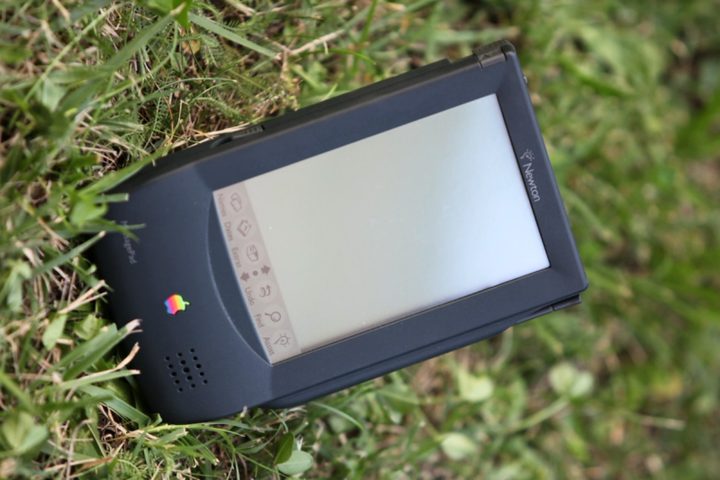
But first, a quick intro on how we got here. Remember the Apple Newton MessagePad? Its widely ridiculed handwriting recognition feature, internally codenamed Rosetta, shipped in 1995. Apple engineer Steve Salomon conceived the tech in 1987.
Its foundations were based on neural networks, with assistance from segmentation and a language model that ingested dictionaries and probabilistic grammar. Sound familiar? Well, that’s your typical AI sauce spilling everywhere on social media by AI hype guys.
By 2014, Apple had already moved Siri — without any public announcement — to the fruits of machine learning, such as deep neural networks, natural language processing, and convolutional neural networks.
The point I am trying to make here is that even the most mundane Apple products have been serving cutting-edge AI for years. From turning your nicest pictures into a memory film to learning your phone usage habits to extend battery life, machine learning has been at the iPhone’s heart for a while now.
Apple Intelligence was just an attempt to quell shareholders who were apparently unhappy seeing all those “ChatGPT can change your life and make you a millionaire” posts on X and concerned that their blue chip horse was lagging. It’s, therefore, no surprise that Apple Intelligence didn’t really elicit a wow from the WWDC 2024 audience. It took the safe side of practicality — “AI for the rest of us,” as Apple puts it.
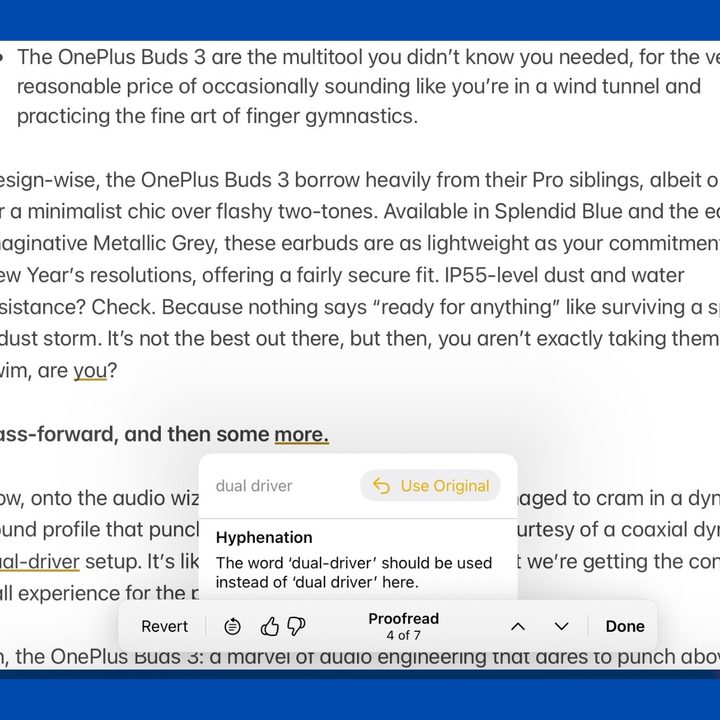
Apple Intelligence has several different sides. It can summarize websites, intelligently sort your notifications, generate images, and more. It also promises to make you a better writer with Apple’s new Writing Tools — a suite of features that, according to Apple, “help you find just the right words virtually everywhere you write.” It’s one of the biggest focuses of Apple Intelligence, and it’s what I’ve focused on the most during my time with Apple Intelligence so far. Here are my first impressions.
Hands-on with Apple’s Writing Tools

“Everywhere words matter,” says Apple’s tagline for its Writing Tools feature. Is it any good?
Well, it works, but I won’t entrust it with my professional work. There are a couple of reasons for that. One, it tends to miss the point. Two, there’s a whole universe of ethical dilemmas associated with it. Just take a look at the email I wrote to an academic asking for her expert insights.
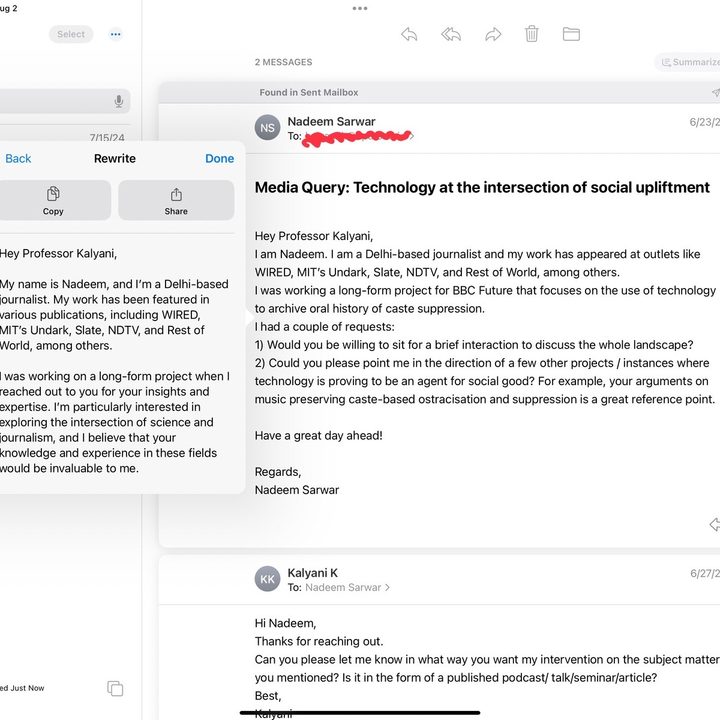
Apple Intelligence did a grammatically perfect job at rewriting it, but it missed the two most important and specific points I hoped to discuss with my source. For comparison, here is what I got from Claude with a basic “rewrite this” prompt.
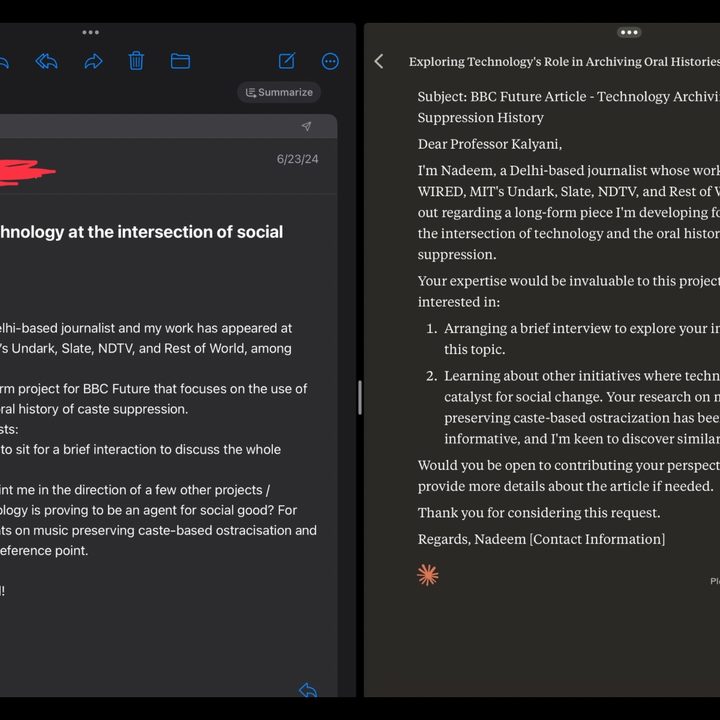
Mind you, this was the first mail task that I deployed Writing Tools on. But it gets worse. I selected the mail contents and picked the “Professional” preset, hoping that Apple Intelligence would make my text sound more, well, professional.
The result was a pretty big failure that omitted the subject and created an altogether fresh request, something I didn’t ask for in the first place. My original email was about an interview request and recommendations for research material. This is what Apple Intelligence gave me:
“I am writing to express my interest in the opportunity to intern with your esteemed institution.”

But it keeps missing the point. Again. And again. Especially with the Summary, Key Points, and List features that are a part of the Writing Tools bundle. The failures are consistent across Apple’s own apps and third-party options such as Gmail, just in case you were wondering.
I tried to summarize an email about an auction covering vintage Apple items associated with Steve Jobs’ legacy. The email mentioned a functional Apple-1 computer as the “standout” item. Writing Tools missed the crown jewel in all its AI iterations. For comparison, this is the summary I got from Shortwave, an excellent email app that draws power from OpenAI’s latest GPT-4o model.
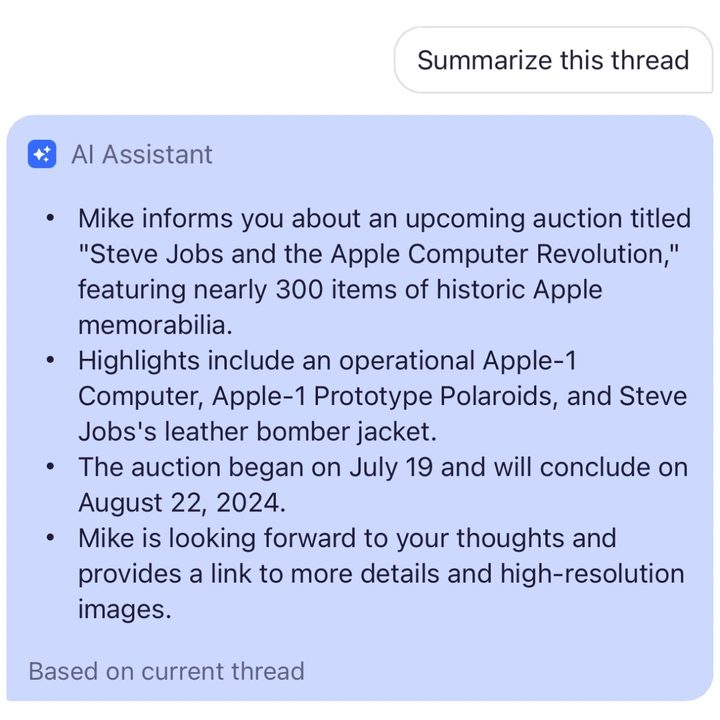
The Shortwave email summary is accurate. It picks the most relevant details, specifically the real center of attention, from a long wall of text. The app does it for free and doesn’t require an iPhone 15 Pro, either. It’s actually hardware-agnostic.
Apple’s Writing Tools fare slightly better at long notes, but they have a habit of missing crucial details. I think the failures also have something to do with the pitfalls of what Apple considers as the right length for a “summary” and what the appropriate level of details should remain while still qualifying the response as a “concise” version.
Another problem is the lack of flexibility and versatility. Actually, there is no scope for it at all. There’s no manual adjustment feature in the Writing Tools kit. What Apple considers “Friendly” may not be friendly enough. Far better alternatives are already out there.
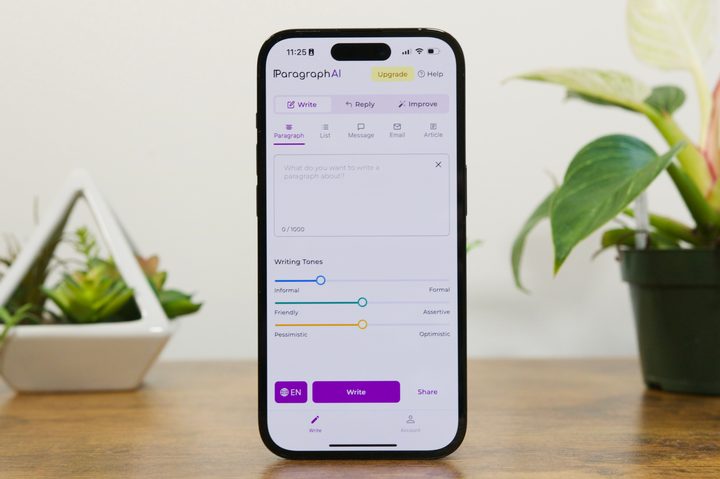
Take Paragraph AI, for example, a GPT-fueled writing tool that exists as a mobile keyboard and a browser extension. It gives you a series of slider-based controls for adjusting the writing tone across presets, such as informal/formal, friendly/assertive, and pessimistic/optimistic.
Moreover, you can have it turn your paragraphs into lists, text message format, email, and a full-fledged article, complete with the word length adjustment facility. Of course, it can craft replies, too, a feature that only needs a quick copy-paste job. The whole system works really well.
And here’s the best part, which actually counters Apple’s own promise of deep system-level AI integration. Paragraph AI lives as a keyboard on your phone, just like Gboard or the iPhone’s own feature-devoid keyboard, which means you can use it in any app of your choice. Apple is waiting for third-party apps to fully embrace the Apple Intelligence bundle.
Now, there is plenty of scope for improvement. After all, this is just a beta phase of testing Apple Intelligence, so some rough corners are to be expected. Moreover, Apple is not exactly running short on money — certainly not after raking around $29 billion in operating cash flow in its latest quarter — or top industry talent. In other words, Apple Intelligence can safely expect a ton of improvements in the immediate future.
Plenty of work to be done
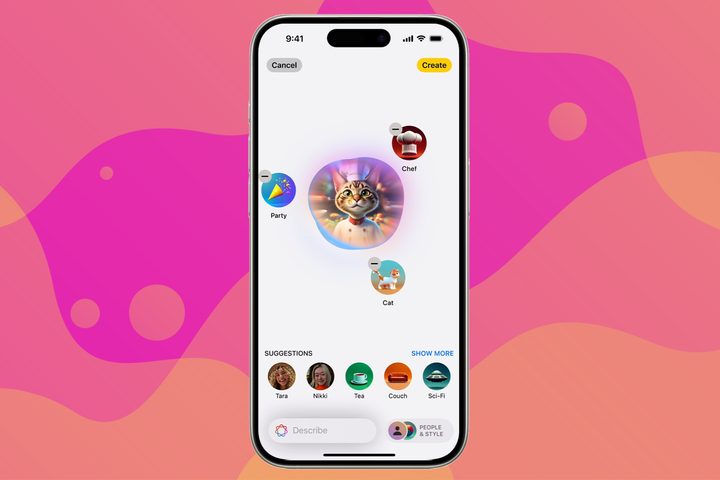
Apple Intelligence promises a lot of fancy stuff, but not all of it is going to find mainstream or long-term acceptance. Genmojis and the ability to create custom images in a few seconds? Yep, it sounds fun. And nope, I am not going to use it every day. My teenage brother might.
But even for him, I believe the existing set of “rad” GIFs and emoji kitchen is enough to flaunt his funny bone in a chat rather than writing a full-text prompt to create a custom image. It might help on certain occasions, but not in buzzy chats where quick wit and flash retorts are more important than masterfully created AI art.
Email summaries? Sounds practical, for sure. But let’s be honest here. We use emails for serious stuff. For chats about K-pop stars and spicy leftovers, we have iMessage, WhatsApp, etc. Email is for serious material, like work communication, academic shenanigans, tedious tax chores, and other such tasks.
It’s not hard to sense the perils of ignorance. And the way Apple Intelligence is currently doing it, I just might lose my job. Intelligent notification sorting and summarization also fall along similar lines. I wouldn’t want to take the risk of an AI judging what’s important for me to bypass the focus mode settings.
No thanks. I’ll do it myself by customizing it per app. On the surface, Writing Tools appears to be the most practical element in the Apple Intelligence kit. But it comes with its own ethical baggage.
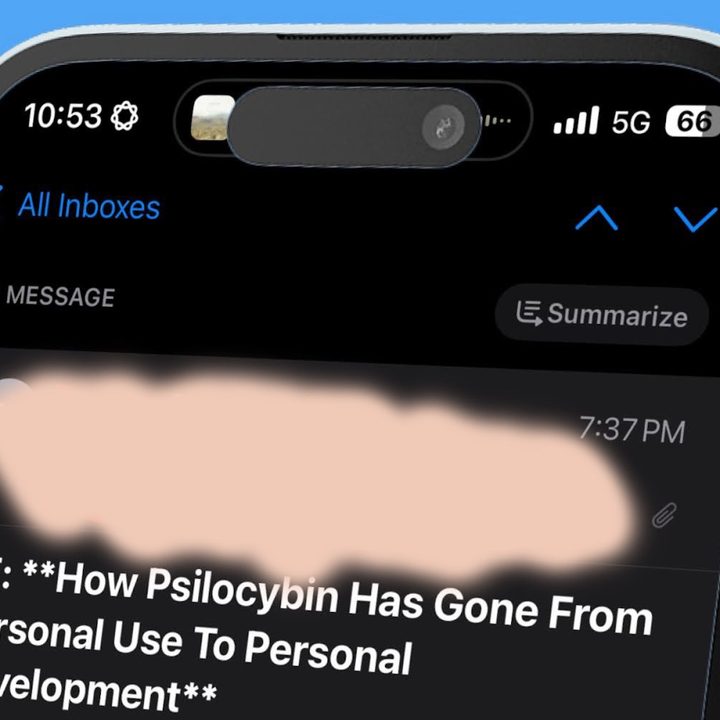
Over the past few months, I’ve asked editors at various newsrooms about the ethics of integrating AI into their workflows. When it comes to the editorial side of things, almost everybody is on the fence — or outright rejects it. A majority simply won’t let AI touch a story, right from the initial draft to copy corrections and material editing.
So, who exactly is this whole Writing Tools bundle targeted at? I am not sure. As a reporter, I can’t comprehend the utility due to the ethical dilemma. In my shadow role as a comments section menace on Reddit and Slack, I will never admit AI can be sassier than me. And certainly not when it’s more error-prone than my forgetful ways of living life.
I am sure there is an audience leading a more low-stakes life — or even cavalier, I’d say. But for now, Apple Intelligence’s Writing Tools seem more like a half-baked catch-up attempt. The upside is that Apple has ample time to improve things before Apple Intelligence’s public release, and the company certainly has its work cut out for it.


