  1. Home
  2. Phones
  3. News

Losing access to your Google account just got less scary

Your friends can now bail you out if you add them as a recovery contact.

Add as a preferred source on Google
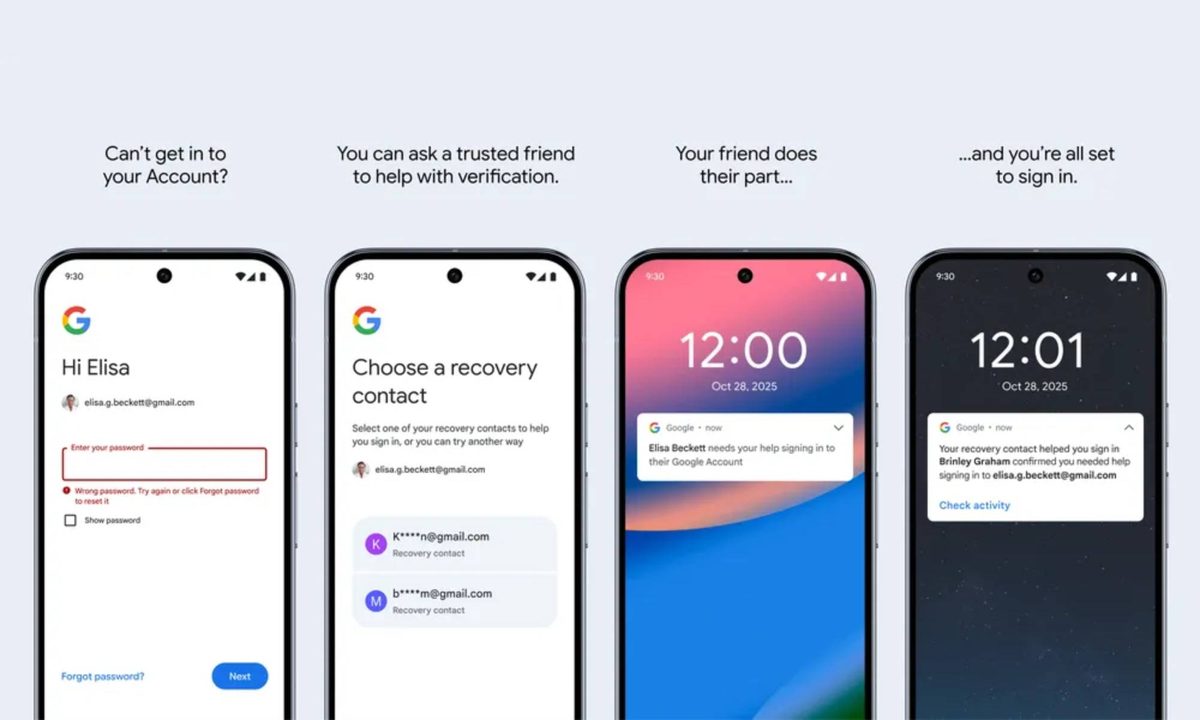
An image showcasing Google's new Recovery Contacts feature that helps users regain access to locked accounts.
Google

What’s happened? Google is introducing two new ways to help users regain access to locked accounts.

  • You will now be able to designate trusted friends or family members as Recovery Contacts, making it easier to regain access if you can’t receive a one-time code via SMS or a recovery email.
  • With this feature, if you lose access to your account, you can send a code to one of your designated contacts, who can verify it to help you recover your account.
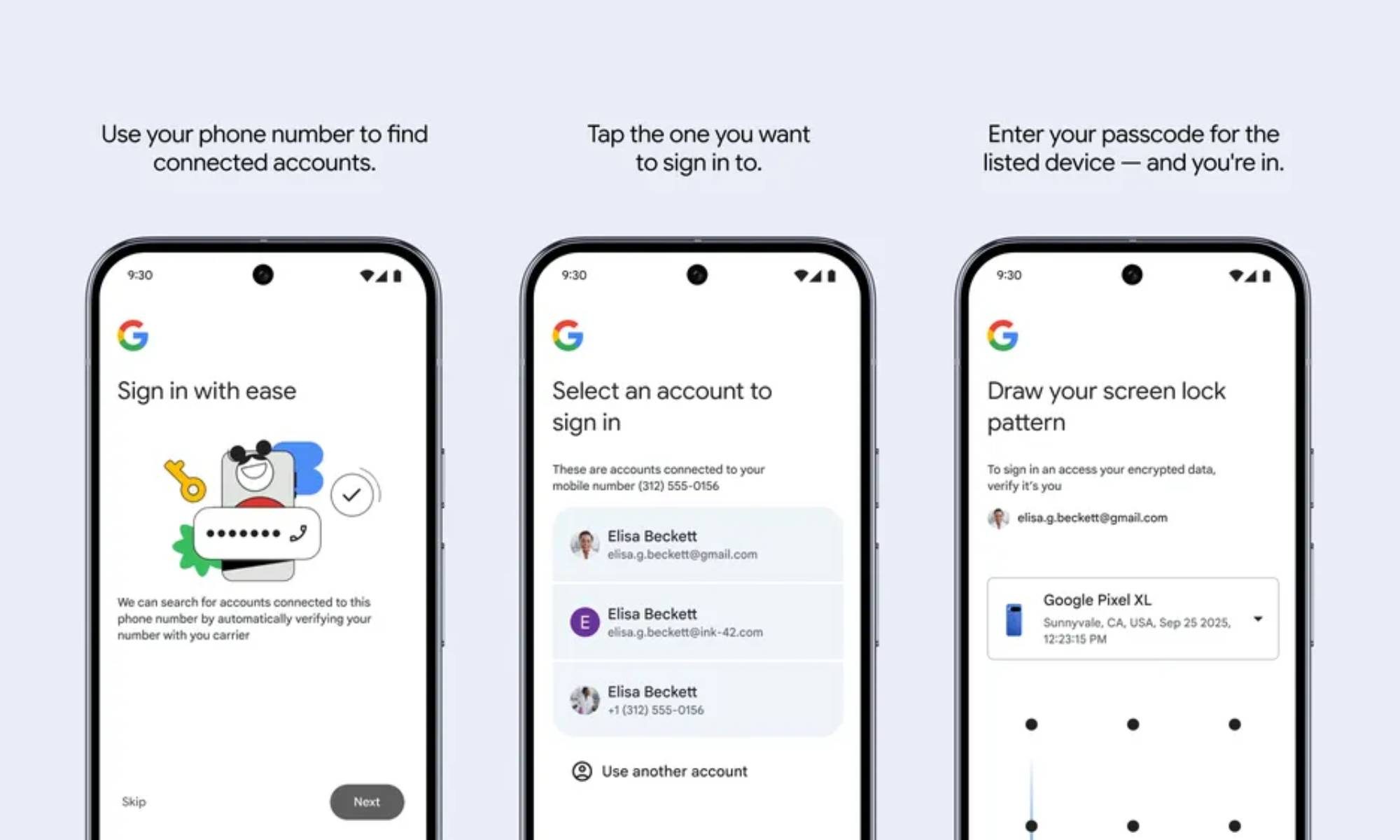
  • Google is also introducing the ability to regain access with your mobile number, but it requires you to remember the lock-screen passcode from your previous device for verification.
  • These additions supplement Google’s existing account recovery methods, providing more reliable fallback options when those methods fail.

Why is this important? Getting locked out of your Google account can throw your digital life into chaos, cutting off access to a variety of services from Gmail to Google Photos. Having a trusted backup can make getting back in safer and more user-friendly.
  • The Recovery Contacts feature gives you a human fallback if automated recovery options aren’t available.
  • It also reduces dependence on single points of failure, like your phone or recovery email, making this option particularly useful in case you lose your phone or haven’t updated your recovery email.
  • The mobile number recovery option is handy if you forget your password, but it won’t be of much help if you lose your phone, at least until your number is active on a new device.
Recommended Videos

Why should I care? If you’ve ever panicked after forgetting the password for your Google account or losing your phone, the Recovery Password and mobile number recovery features should offer some peace of mind. Just set them up once, and you’ll always have a way back in.

  • You won’t have to rely solely on SMS codes or backup emails to regain access to your Google account.
  • The recovery process using the new features could reduce frustration and downtime when recovering your account.

What’s next? Google has started rolling out the Recovery Contacts feature to eligible personal Google Accounts. You can set it up by heading to the security tab on your Google Accounts page.

  • Google’s support page about the feature reveals that you can have up to 10 recovery contacts for your account.
  • Google Accounts enrolled in the Advanced Protection Program and Google Workspace accounts can’t add recovery contacts, but they can act as a recovery contact for other accounts.
  • Child accounts are not supported and can’t add recovery accounts or act as a recovery account for others.
  • The mobile number recovery option will roll out gradually to users worldwide.
Pranob Mehrotra
Pranob is a seasoned tech journalist with over eight years of experience covering consumer technology. His work has been…
I can’t live without iPhone shortcuts. These 7 are my favorites that you must try, too.
I've been using these 7 iPhone shortcuts for years, and they've completely changed how I use my phone.
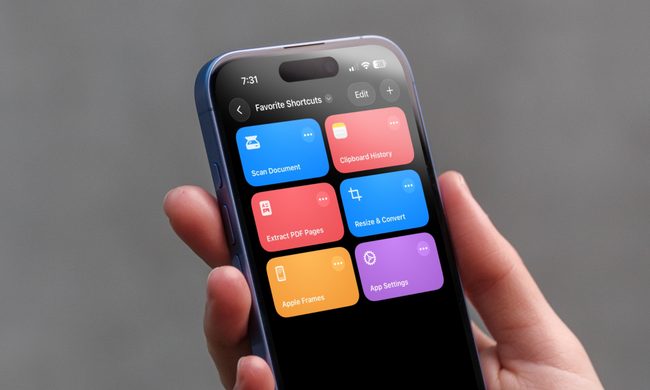
iPhone showing shortcuts app

The iPhone Shortcuts app reminds me of Minecraft. It might be relatively easy to jump into, but it offers nearly limitless potential, allowing you to build anything you want. The same holds true for the Shortcuts app, and that endless possibilities are what many iPhone users might find intimidating. But you don't have to.

If you are new to iPhone shortcuts, think of them as little automated helpers. You can build them yourself or find ones that others have built and use them. And that’s the beauty of shortcuts. If you don’t want to get your hands dirty, you can find shortcuts others have created and tailor them to your needs. 

Read more
Google’s Rambler could turn voice typing into something I don’t hate
Gemini Intelligence's Rambler could be something you use everyday
Gemini Intelligence

While the idea is appealing, I have never fully enjoyed using the speech-to-text feature for voice typing. I understand why it exists, and I have used it in a pinch. But it has always felt like one of those phone features that works just enough times to be useful, and not often enough to be conveniently reliable.

It's not just about speaking clearly; the problem is a bit more subtle. You have to avoid doubling back mid-sentence, or you have to pretend your brain naturally produces clean text messages in one smooth pass. And since mine does not, I'm looking forward to Google's new Rambler feature for Gboard. It's a part of the Gemini Intelligence on Android, but what has my attention is how it works.

Read more
Gemini Intelligence has strict requirements, and your phone may not qualify
Gemini Intelligence

Google’s new Gemini Intelligence platform is quickly becoming one of the biggest talking points in the Android world right now. After being highlighted during this week’s Android Show, the feature is already being tied to several upcoming premium foldables and flagship phones. But there’s a catch: not every high-end Android device will be able to run it. And surprisingly, even some of Google and Samsung’s latest foldables may miss out.

According to Google’s requirements, Gemini Intelligence isn’t just another software update you can casually push to older devices. The company appears to be building this around a much stricter hardware and long-term software support system. To qualify, a phone needs a flagship-grade chipset, at least 12GB RAM, support for AI Core, and Gemini Nano v3 or newer. That immediately creates a problem for several current-generation phones.

Read more