  1. Home
  2. Phones
  3. News

Siri’s rebirth in iOS 27 will might offer an auto-delete perk for your AI chats

Siri might finally forget your embarrassing AI questions

Add as a preferred source on Google
Siri
Siri Unsplash

Apple’s long-awaited Siri overhaul in iOS 27 could introduce a feature that most AI chatbots still treat as optional: automatic deletion of AI conversations. According to Mark Gurman’s Bloomberg newsletter, Apple is preparing a redesigned Siri experience with a dedicated chatbot-style interface, but unlike rivals such as ChatGPT and Gemini, the company may make privacy controls a central part of the experience rather than a hidden setting.

The reported feature would allow users to automatically delete Siri conversations after 30 days, one year, or keep them permanently. The approach appears similar to the auto-delete system already available in Apple’s Messages app.

Apple is rebuilding Siri around AI conversations

The update is expected to transform Siri from a basic voice assistant into a more conversational AI system. Reports suggest iOS 27 will introduce the first standalone Siri app, allowing users to interact with Siri more like a chatbot instead of relying only on voice commands.
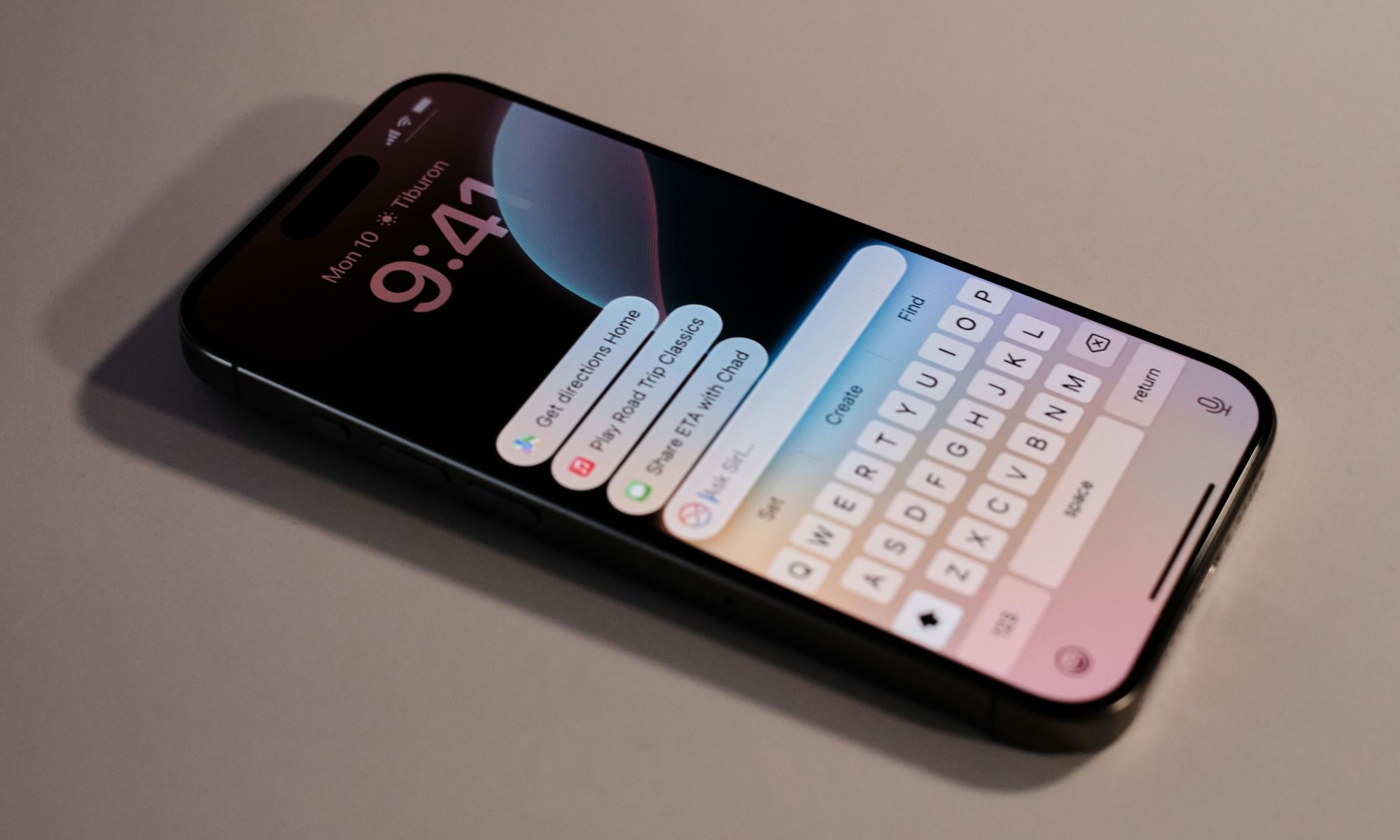
A new “Search or Ask” mode may also allow users to switch between traditional search and AI conversations more seamlessly. Siri is reportedly gaining the ability to store conversational context and remember previous interactions, something competing AI assistants already rely on heavily.

Recommended Videos

However, Apple’s implementation appears more cautious. Unlike many chatbot platforms that retain conversation histories indefinitely for personalization and model training, Apple is reportedly building tighter limits around memory retention and user data handling.

Privacy is becoming Apple’s main AI differentiator

Apple has spent years positioning privacy as one of its biggest competitive advantages. That strategy helped distinguish the company from ad-driven rivals like Google and Meta, but it has also slowed Apple’s AI progress compared to OpenAI, Anthropic, and Google.

Now, Apple appears to be trying to balance both goals: offering a more capable AI assistant while maintaining stricter controls around user information. According to the report, Apple’s AI system will still emphasize on-device processing and Private Cloud Compute infrastructure. At the same time, the company may rely more heavily on Google’s Gemini infrastructure behind the scenes to improve Siri’s capabilities.

That creates an unusual position for Apple. The company wants Siri to compete with modern AI chatbots, but without fully adopting the same data collection practices that many competitors rely on.

Why the auto-delete feature matters

Most AI chatbot platforms already offer temporary or incognito chat modes, but these are usually optional settings users must manually enable. Apple’s reported approach appears different because the company may integrate privacy controls directly into the core Siri experience.
For users, this could mean more control over how long AI conversations are stored and how much personal interaction history remains accessible. At the same time, Apple may also use privacy as a way to soften criticism around Siri’s slower AI rollout. While competitors often focus on model size and advanced reasoning, Apple could instead position Siri as the “safer” AI assistant for mainstream users.

What happens next

Apple is expected to reveal more details about Siri’s redesign and iOS 27 during WWDC later this year. Reports suggest the upgraded assistant could initially launch in beta form following delays to Apple’s broader AI roadmap.

If successful, Siri’s redesign may mark Apple’s biggest AI shift in years – one where privacy becomes just as important as intelligence itself.

Moinak Pal
Moinak Pal is has been working in the technology sector covering both consumer centric tech and automotive technology for the…
Old kindle owners are revolting against Amazon’s support shutdown with jailbreaking
Aging Kindles are still working, and some users refuse to let them die
Kindle-Paperwhite

Amazon’s decision to cut support for older Kindles has pushed some longtime owners toward jailbreaking, a route many never expected to consider.

From May 20, 2026, Kindle devices released in 2012 or earlier will no longer be able to buy, borrow, or download new books directly from Amazon. Books already downloaded will still work, but the store experience is basically being switched off for these devices. Reports now suggest that some users are looking at jailbreaks as a way to keep older Kindles useful instead of replacing hardware that still works.

Read more
I’m weirdly excited about Android 17’s upcoming anti-doomscrolling feature
Android Pause Point screenshot.

I have spoken before about how doomscrolling has completely changed the way I consume short-form content. What used to feel like a quick break to watch a couple of YouTube Shorts or Instagram Reels somehow turned into an automatic habit I barely even notice anymore. I pick up my phone for one thing, open a social media app just for a minute, and suddenly I am trapped in an endless vertical stream of videos I did not even plan to watch. And the frustrating part is that I am fully aware of it while it is happening.

I have tried almost everything to change the habit — screen time limits, app timers, turning notifications off, hiding apps from my home screen, and even forcing myself to keep the phone away while working. Some of those tricks help for a while, but the muscle memory always creeps back in. Even during work hours, I still catch myself unlocking my phone without thinking and instantly falling back into the same doomscrolling spiral. That is why one particular announcement during the Android Show 2026 genuinely caught my attention. Buried between all the announcements was an Android 17 feature that actually feels useful. And I am weirdly excited for it to arrive on my Google Pixel 10a.

Read more
I use this iPhone feature every single time someone wants to borrow my device
Electronics, Mobile Phone, Phone

For me, there are basically two kinds of panic in life. The first is sending a risky text to the wrong person. The second is handing my unlocked phone to someone and instantly remembering that my entire digital life lives inside it. Unfortunately, I have experienced the second one far too many times. Most of the time, the reason is completely harmless. A friend wants to click a quick picture, my cousin asks to watch a reel, or someone just wants to place a food order or check the cricket score. But the second my iPhone leaves my hand, my brain starts speed-running through everything stored inside it — personal chats, banking apps, work emails, private notes, passwords, photos, and those screenshots I always forget to delete.

Smartphones are no longer just phones. They are essentially tiny, portable vaults that hold years of personal information, habits, conversations, and memories. Lending someone your device can feel like handing them a small extension of your brain for a few minutes. And honestly, that thought alone is enough to make me uncomfortable. That is exactly why one iPhone feature has become essential for me. It is called Guided Access, and I use it almost every single time someone asks to borrow my phone.

Read more