
The wrist computer used to be the stuff of childhood cartoons and Hollywood science fiction, but technology has allowed us to get closer than ever to having a phenomenal amount of knowledge and data at our fingertips — or in this case, strapped to our arms.
How to measure blood oxygen using an Apple Watch Series 6
The new Apple Watch Series 6 has added some health technology that is immensely timely as we navigate our world’s new normal. More of us than ever are taking an interest in not just our overall health but in specific changes that could signify a trip to the doctor is necessary. Measuring blood oxygen, along with things like heart rate and body temperature, can be an indicator of overall health.
What is blood oxygen?
Before we get to the how, it’s important to understand the why. Simply put, your blood oxygen level is the amount of oxygen circulating in your bloodstream. Most of the body’s oxygen is carried within our red blood cells. These cells gather oxygen from the lungs where we breathe it in and carry it to all the cells of the body.
Your blood oxygen level is the percentage of oxygen inside those red blood cells. Knowing how well your blood distributes oxygen is key to health and wellness. Too little blood oxygen can lead to shortness of breath, headaches, dizziness, or high blood pressure and will mean your cells aren’t getting the fuel they need. This can lead to a condition called hypoxemia.
Who needs to measure blood oxygen?
Those with medical conditions or compromised immune systems could benefit from keeping tabs on blood oxygen percentages. However, elite athletes or people who are trying to extract maximum performance from their bodies also like to keep tabs on their blood oxygen levels.
How is blood oxygen measured?

The Apple Watch Series 6 has added a dedicated blood oxygen sensor into the device, as part of the reconfigured optical heart sensor, or the small circular glass window you can see on the back of the watch. That back window uses red and green LEDs and infrared light projected onto your wrist and then measures how much light gets reflected back.
This gets a bit complicated, but in essence, Apple says your mini wrist computer then uses those light measurements to calculate the color of your blood. which in turn denotes your blood oxygen level: Brighter red blood has more oxygen, while darker red blood has less.
Now that you know what all that light and those algorithms are doing, let’s dig in on how you can use your Apple Watch Series 6 to measure your blood oxygen.
Set up the blood oxygen app on your Apple Watch Series 6
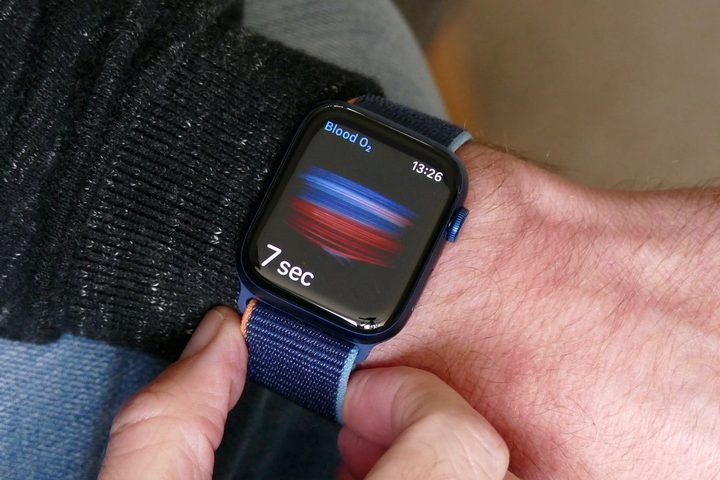
The first step to tracking your blood oxygen is to get Apple’s Blood Oxygen app set up, and it’s worth noting that the app is only available in certain countries and regions. Check Apple’s website to learn where the Blood Oxygen app is available.
Use your watch to navigate to the App Store on the watch, and search for the Blood Oxygen app then follow the on-screen prompts to download it.
Here’s how to take a blood oxygen measurement:
Step one: Ensure your Apple Watch is comfortable on your wrist but not too loose.
Step two: Open the Blood Oxygen app on your Apple Watch.
Step three: Stay still, and make sure your wrist is flat with the Apple Watch pointing up.
Step four: Press Start, and hold your arm steady for 15 seconds.
Step five: Touch Done.
You’ll get a readout in percent, and this information also goes to your Health app so you can track data and trends over time. It’s important to know this app isn’t backward compatible with older versions of the Apple Watch, and if you try to install it, you’ll just get an error message.
You can also set up the app to take blood oxygen readings in the background throughout your day. On your iPhone, open the Health app and follow the prompts. If you don’t get a prompt to set up blood oxygen, tap the Browse tab, then tap Respiratory > Blood Oxygen > Set up Blood Oxygen. After you finish setup, open the Blood Oxygen app on your Apple Watch to measure your blood oxygen levels.
Whether you’re trying to fine-tune your body and breathing to become a better, stronger athlete, or if you’re just trying to keep a closer eye over your health, blood oxygen can be a beneficial measurement to track. Having this feature, along with ECG, fall detection. and irregular heart rhythm notifications, can all contribute to keeping you healthy and safe. You can also look at other options for the best fitness trackers for 2020.


