
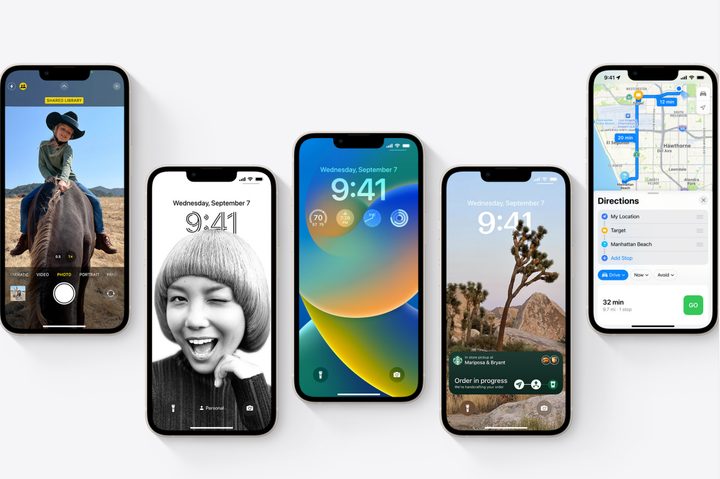
Apple has officially announced the release of iOS 16 on September 12, 2022, with the new iPhone software promising several interesting changes. These include an all-new lock screen experience, Live Text in videos, shared iCloud Photo Libraries for families, and more.
Unfortunately, as with any major software release, there comes a time when older devices need to be left off the list. Such is the case with iOS 16: It’s been a long time since Apple dropped support for older iPhones, so the writing has been on the wall for a while. Here are the details.
iPhone models that won’t receive iOS 16
iOS 16 marks the end of the road for any iPhone released before 2017. This includes models such as:
- iPhone 6S
- iPhone 6S Plus
- First-generation iPhone SE
- iPhone 7
- iPhone 7 Plus
However, iOS 16 will also mark the first time since iPhone OS 1.0 that not a single iPod device is on the list. The first iPod Touch came out in September 2007 with iPhone OS 1.1. Apple retired the iPod Touch family for good this year, and even though the last iPod Touch was released in 2019, it uses the same A10 chip as the iPhone 7.
Note that these iPhones will still work with iOS 15, but this does mark the path to obsolescence, as they will not be getting important security updates, and compatibility issues will eventually overtake them.
Apple iPhone models getting iOS 16
Here are the phones that will either receive the iOS 16 update or will launch with iOS 16:
- iPhone 14
- iPhone 14 Plus
- iPhone 14 Pro
- iPhone 14 Pro Max
- iPhone 13
- iPhone 13 Mini
- iPhone 13 Pro
- iPhone 13 Pro Max
- iPhone 12
- iPhone 12 Mini
- iPhone 12 Pro
- iPhone 12 Pro Max
- iPhone 11
- iPhone 11 Pro
- iPhone 11 Pro Max
- iPhone XS
- iPhone XS Max
- iPhone XR
- iPhone X
- iPhone 8
- iPhone 8 Plus
- iPhone SE (2nd-generation or later)
However, some iOS 16 features will only be available on certain iPhone models. That’s especially true of features that need the A12 Bionic chip (first available on the iPhone XS line), which supports subject-capture in photos, live text for video, smart dictation, and more. That’s quite a few features that iPhone 8 models will miss out on. Certain features are only available on even newer models, like door detection for accessibility, which is only available on the iPhone 12 line and newer.
Apple’s record for software updates
Four years is still a long time to support an older phone model with major software updates. It’s also the minimum bar for Apple, which already does far better than its competitors in this area. Consider that the iPhone 6S, which came out in 2015, has lived through six major software updates. It was released with iOS 9 and can still run iOS 15 today. It beat out the record set by the iPhone 5S, which ran iOS 7 through iOS 12.
Most believed that this year’s iOS release would mark the end of the road for the iPhone 6s and the original iPhone SE, both of which contained the same A9 chip. The iPhone 7 lineup was a bit more of a surprise, but it’s clear that Apple is drawing the line at the A11 — the first Apple chip to feature a Neural Engine for machine learning processing. That’s significant since so many of the new features in iOS 16 rely on machine learning. Even some features introduced in last year’s iOS 15 release were only available on newer iPhone models. The older ones lacked the artificial intelligence power to handle things like Live Text in Photos and on-device speech processing for Siri.
Those features actually require the A12 chip introduced with the 2019 iPhone 11. That’s because the original Neural Engine only had two cores. Apple upped that to eight cores in the A12 and later 16 cores in the A14. That second increase is why only the iPhone 12 and later support the iOS 15.4 feature that lets you use Face ID while wearing a mask.
Technology marches on, and sooner or later, Apple has to draw the line somewhere. Even today, folks who bought their last iPhone when Barack Obama was President and Star Wars: The Force Awakens was hitting theatres can still enjoy iOS 15. That’s a pretty good run when it comes to smartphone updates.


