  1. Home
  2. Computing
  3. News

These are officially the brightest smart glasses ever made

Add as a preferred source on Google
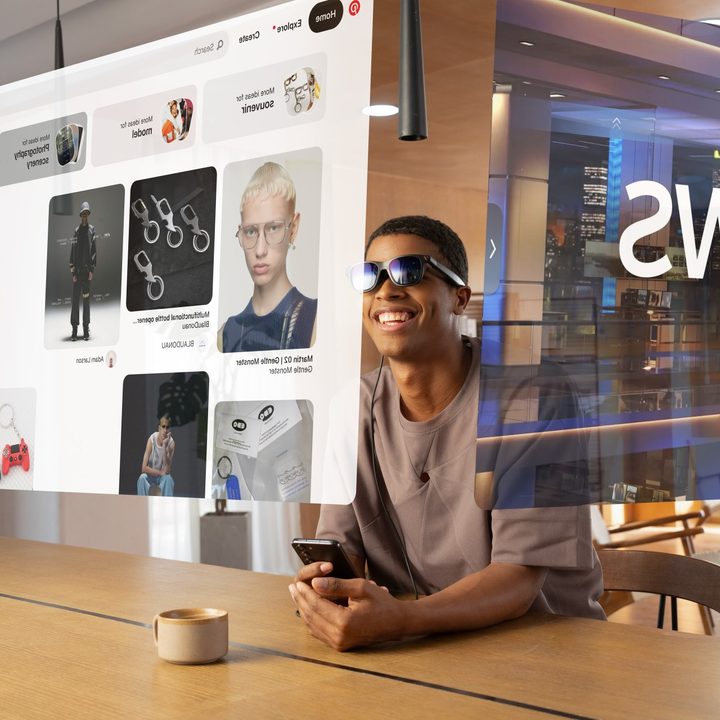
A render simulates what you see when wearing Viture One Pro smart glasses.
Viture

Viture just announced a new smart glasses model that’s brighter and better in every way. Like the original model, the new Viture Pro fully supports the iPhone, while other next-gen smart glasses require Android devices to access every feature.

The improvements over the original Viture One include larger 4,000-nit micro-OLED panels with up to a 120Hz refresh rate that deliver an image with a perceived brightness of 1,000 nits to your eyes. Viture says this is 120% brighter than the original, while the increased panel size results in a sharper edge-to-edge image.

Recommended Videos

A bigger field of view (FOV), meanwhile, makes the virtual viewing experience equivalent to a 135-inch TV watched from 10 feet away. Viture smart glasses include diopter adjustments to dial in sharp images even if wearing prescription lenses for distance viewing.
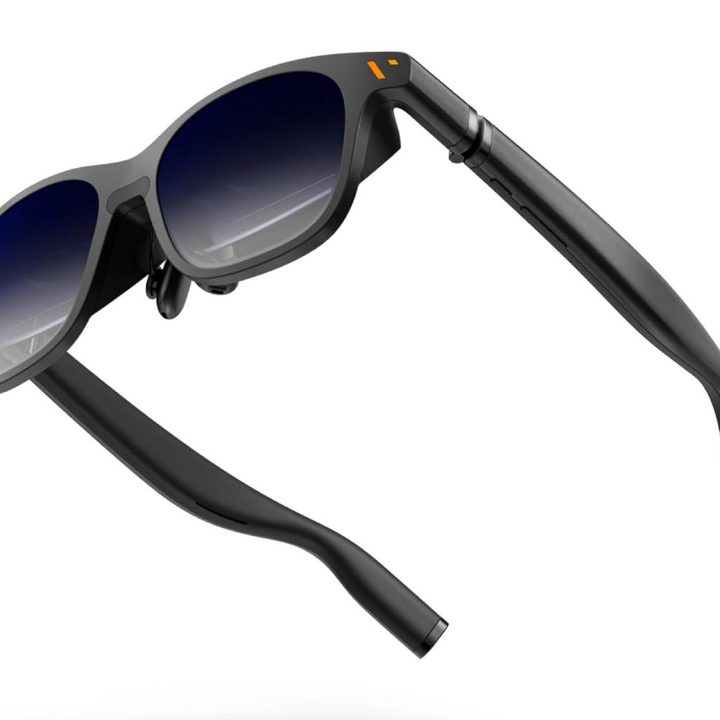
A press rendering of the Viture Pro smart glasses.
Viture

While some smart glasses come with snap-on shades, so you can use them outside or in a bright sunlit room, the Viture Pro’s electrochromic dimming can darken the shades, blocking 99.9% of ambient light through the lens with a press of a button. Viture achieved these upgrades without adding any weight. The Viture One Pro weighs 78 grams, which should be comfortable for at least a couple of hours.

The Viture One was already my top pick for the best smart glasses for the iPhone after Viture developed an iOS app called Spacewalker to enable multiscreen viewing. That app also works with the Viture Pro.

Spacewalker is available for Macs, iPhone, and Android phones. On mobile devices, it provides up to three browser windows that appear side by side, with each coming into view as you turn your head.

Viture One Pro's Spacewalker app is available for Mac computers.
Viture

The Viture Pro doesn’t take photos or have an AI to answer your questions like the Ray-Ban Meta Smart Glasses, but everyone likes a big, bright screen. Having that capability in a pair of folding smart glasses is worthwhile.

The Viture Pro requires no battery since it can connect via USB-C to many phones, tablets, gaming consoles, and computers. Just make sure your device supports USB-C Alt mode. Apple devices with USB-C like the iPhone 15, many iPad models, and most Macs should do the trick. Many flagship Android phones, some tablets, and most laptops are compatible too.

In addition, you’ll be able to use them with the Steam Deck, ROG Ally Z1, Legion Go, and similar gaming handhelds. Viture’s website has a complete compatibility list.

For other devices, you’ll need an adapter. For older iPhone models, Viture’s HDMI XR Adapter can connect to an Apple’s Lightning AV Adapter. Meanwhile, Viture’s Mobile Dock works with the Nintendo Switch and includes a battery to extend playtime up to six hours.

The Viture Pro is available on Amazon now for $459.

Alan Truly
Alan Truly is a Writer at Digital Trends, covering computers, laptops, hardware, software, and accessories that stand out as…
I tried Acer’s new 5K MiniLED Gaming monitor, and OLED kept popping into my head
After seeing it in action at Computex, I finally understand where MiniLED shines and where OLED still wins.
MiniLED vs OLED Hands On Computex 2026

If Computex 2026 taught me one thing, it's that monitor makers are no longer interested in building one-trick ponies. They want displays that can wear multiple hats, seamlessly switching between work and play without making users choose. Acer's new Nitro XV345CKR P is perhaps the best example of that philosophy, and after spending time with it on the show floor, I walked away impressed by its ambition while also questioning whether MiniLED is really the future for gaming monitors.

I've always had a slightly complicated relationship with MiniLED. On a massive living room TV, it works wonders because you're sitting several feet away, and the local dimming zones blend beautifully. Put the same technology on a monitor that's sitting barely two feet from your face, however, and suddenly you're no longer admiring the display, you're inspecting the physics behind it.

Read more
Ugreen’s portable monitor is utterly sharp, sleek, and costs a pretty penny
Computer, Electronics, Pc

Portable monitors have become the Swiss Army knives of modern tech. They travel with remote workers, expand cramped laptop screens, and occasionally double as gaming displays in hotel rooms. Most of them also follow a familiar formula: a basic Full HD panel, a foldable cover, and a price that stays comfortably under $250. Ugreen clearly looked at that formula and decided to ignore it.

The company's new AP16 portable monitor has officially landed in the U.S., bringing a feature list that feels more like a premium desktop display than something designed to slip into a backpack. The catch is that it costs $350, placing it well above many rivals.

Read more
Windows 11 adds a neat upgrade that enables simultaneous streaming for two audio devices
Microsoft’s new Shared Audio feature lets two people listen from one Windows 11 PC, but hardware support is still limited.
A laptop sits on a desk with a Windows 11 wallpaper.

Microsoft’s previewing Shared Audio for Windows 11, a feature that lets one eligible PC send the same sound to a pair of wireless accessories.

It’s built for common laptop moments, like watching a movie on a plane, sharing music while studying, or listening together without handing over one set of earbuds. You’ll need Bluetooth LE Audio gear since older Bluetooth headphones don’t have the broadcast support this feature uses.

Read more