

The diminutive iPad mini 7 (2024) is the newest addition to Apple’s expansive tablet lineup. It’s perfectly portable and pocket-sized, which makes it a fun-sized option that you can pop in your bag and take everywhere you go. And it’s also sporting a series of great future-proofing upgrades that make it a good investment for an Apple Intelligence-ready future.
The latest iteration of the iPad mini comes packed with double the storage, with 128 GB to play with, at its previous $499 price. It may look virtually identical to the iPad mini 6 (2021), without the home button or thick bezels, giving it a bit of a Kindle-like silhouette. It also boasts a 2K-resolution display with a 60Hz refresh rate, which Apple has optimized alongside the previous model’s LCD panel in an attempt to avoid the “jelly scrolling” seen with the iPad mini 6.
Most importantly for both creatives and professionals, the iPad mini’s A17 Pro chip and other upgrades make it a candidate for Apple Intelligence, as well as for the Apple Pencil. But with all of these incremental upgrades, has Apple decided to take advantage of another long overdue update for its smallest tablet?
Can I use Face ID on the iPad mini 7 (2024)?
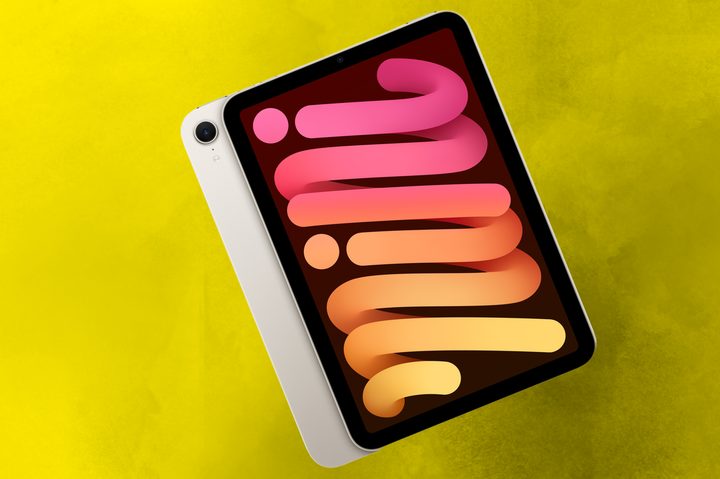
Since the new iPad mini 7 boasts an 8.3-inch screen, support for Apple Pencil Pro, and an A17 Pro silicon chip to support Apple Intelligence, you might be wondering whether Apple has finally integrated Face ID into its smallest tablet. Unfortunately, the answer is no.
The iPad mini 6 previously used Touch ID as its sole biometric security option. But despite refreshing the iPad mini and readying it for Apple Intelligence with the inclusion of the powerful A17 chip, the tech giant opted out of introducing Face ID into the fold.
The past generations of the iPad mini have rarely changed in terms of form factor, so it’s no real surprise that Apple opted to not provide support for Face ID. It appears that, for now, the feature is relegated to the iPad Pro line, with no support for any of the other models currently on offer.
If you want to use Face ID outside of your iPhone, you’ll have to opt for the larger, more powerful iPad Pro until Apple decides on a more significant change to the iPad mini line.
What biometric options are available on the iPad mini 7 (2024)?
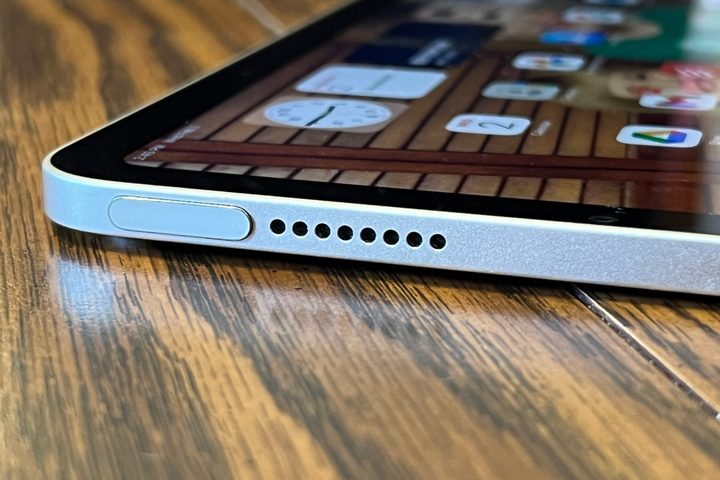
Though you won’t be unlocking your iPad mini 7 with your face anytime soon, rest assured that its reliable Touch ID system is still in place. With no Home button on the front of the device, however, you’ll need to place your finger on the top side button on the device, like with the iPad mini 6. Apple hasn’t seen fit just yet to adopt Face ID even with its newest iPad mini now, so this is the only biometric option you’ll be left with for the time being.
Touch ID is still incredibly simple to use. Just follow the onscreen prompts to set up the sensor, which lets you use your fingerprint to unlock your iPad mini, make payments, download apps, and confirm other more sensitive options while using your tablet.
The top button Touch ID sensor isn’t anything new for iPad models since the switch from the Home button was completed back in 2021, but it may seem a bit awkward if this is your first time setting it up. It’s slightly more inconvenient than simply looking at your iPad to unlock it or approve processes, but it’s a system that works well enough.


