Apple just dropped the fourth developer beta of iOS 26.4 — and historically, that’s the point where a stable release stops feeling hypothetical. Worth getting excited about, too; this update is full of features that actually matter in daily life. A few of them, frankly, should have shipped years ago. But here we are.
The security fix Apple should have made sooner
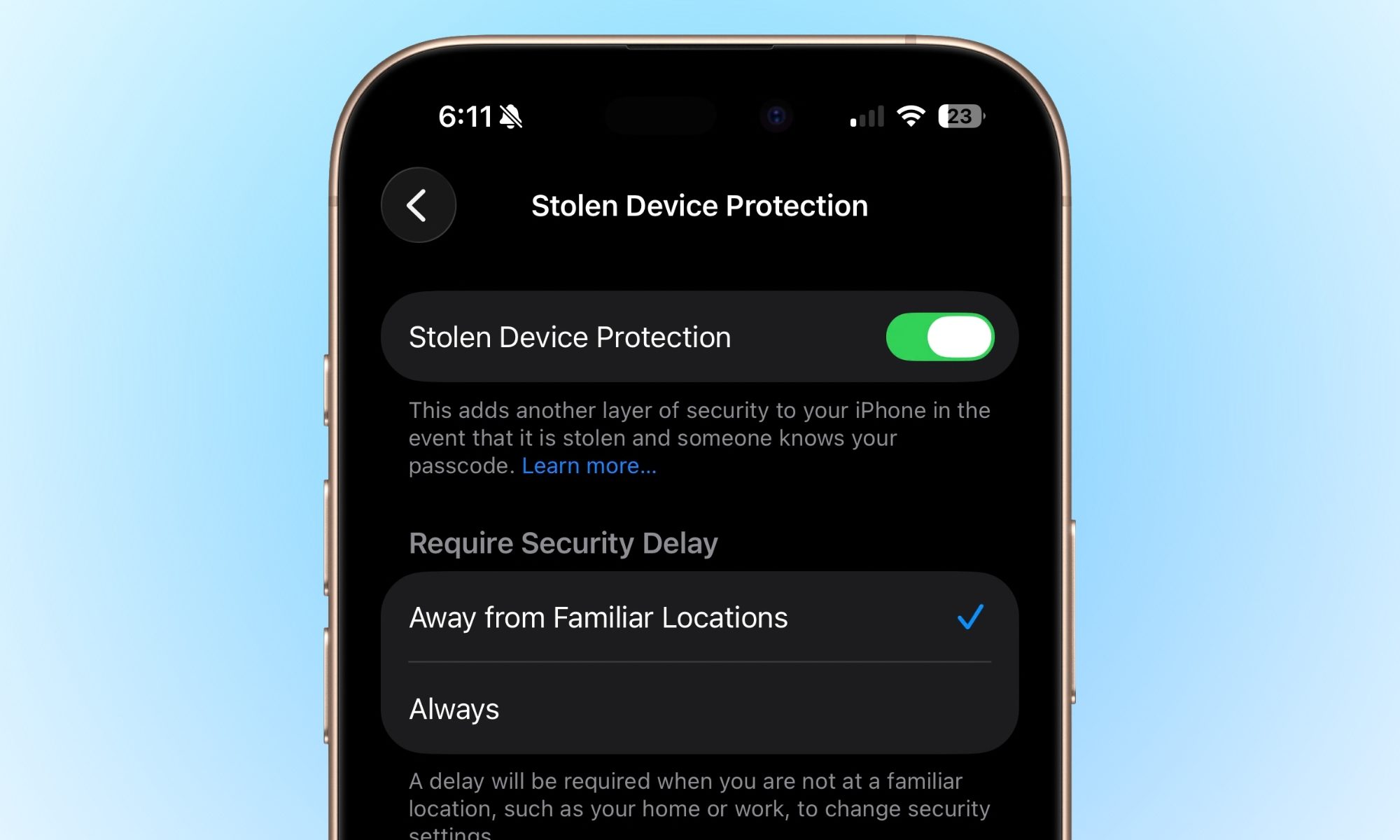
Previously buried deep enough in Settings to qualify as a hidden feature, Stolen Device Protection now activates automatically when you update. It forces Face ID or Touch ID before anyone can access your Passwords app, trigger Lost Mode, or make Safari purchases — meaning the thief who shoulder-surfed your passcode at a coffee shop still walks away empty-handed. One default change; a lot of peace of mind.
The camera fix your ears have been waiting for
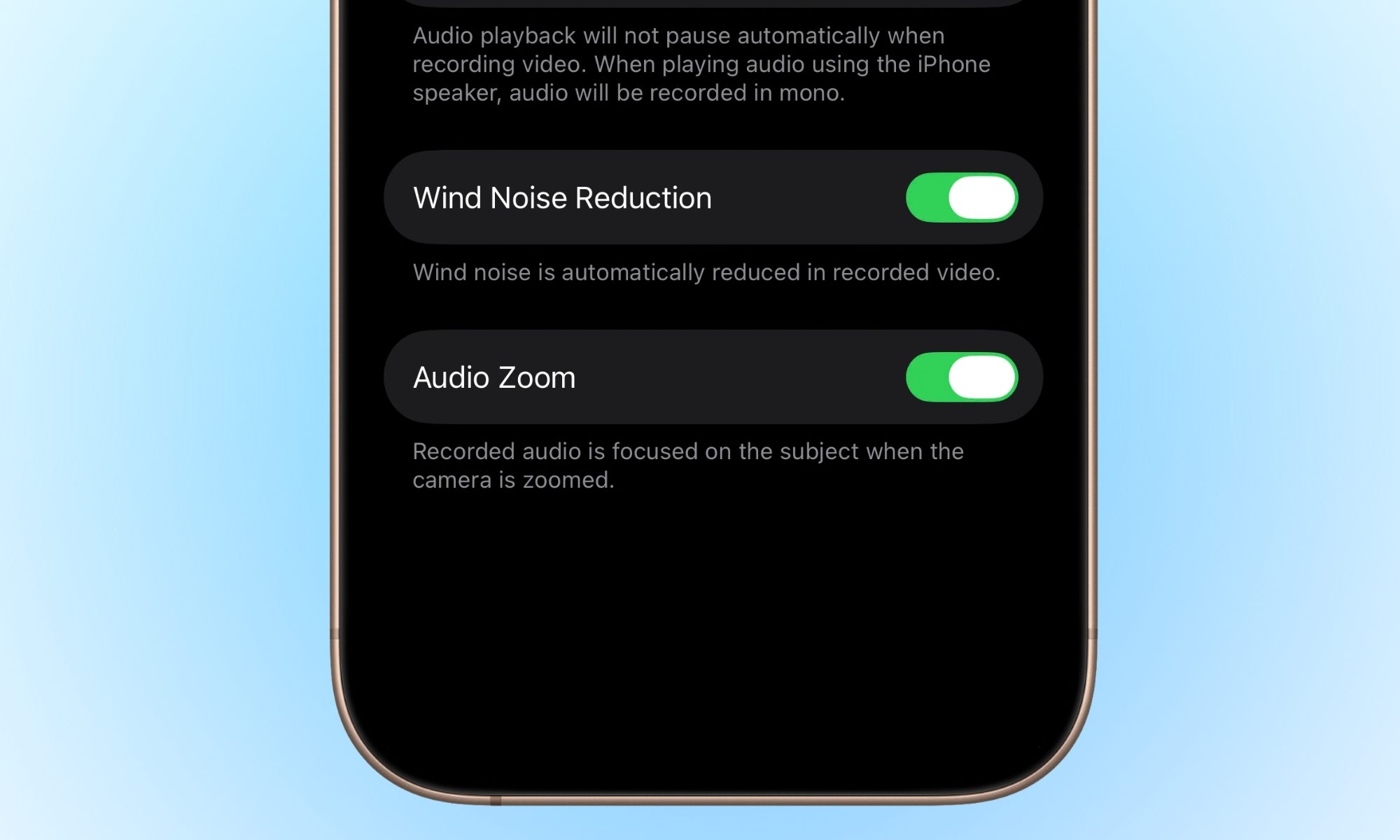
You’re filming your kid’s school play from the back row, you zoom in heroically — and the audio is still picking up the two parents gossiping beside you. Audio Zoom fixes this quietly brilliant problem. Enable it in Camera settings and your microphone focus narrows alongside the lens, so the sound actually matches the shot. Finally.
Your battery health now has a fighting chance
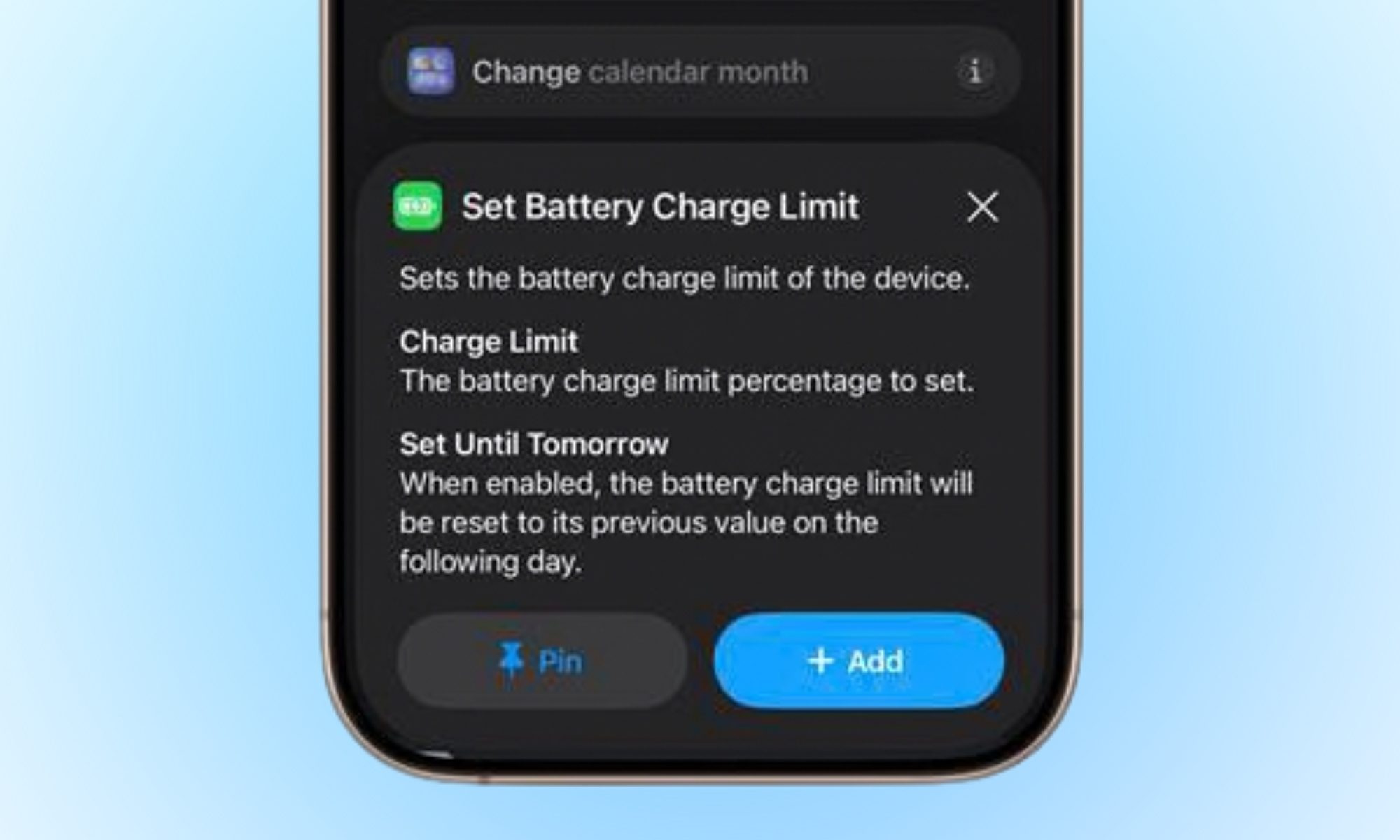
Not glamorous, genuinely useful. The new Set Charge Limit action in Shortcuts lets you automate your iPhone’s maximum charge threshold — overnight caps, travel-day caps, whatever you like — without manually digging through Settings each time. For anyone watching their battery health slowly decline and silently blaming themselves, this makes the responsible habit almost effortless.
Finally, hotspot data where it should have always lived
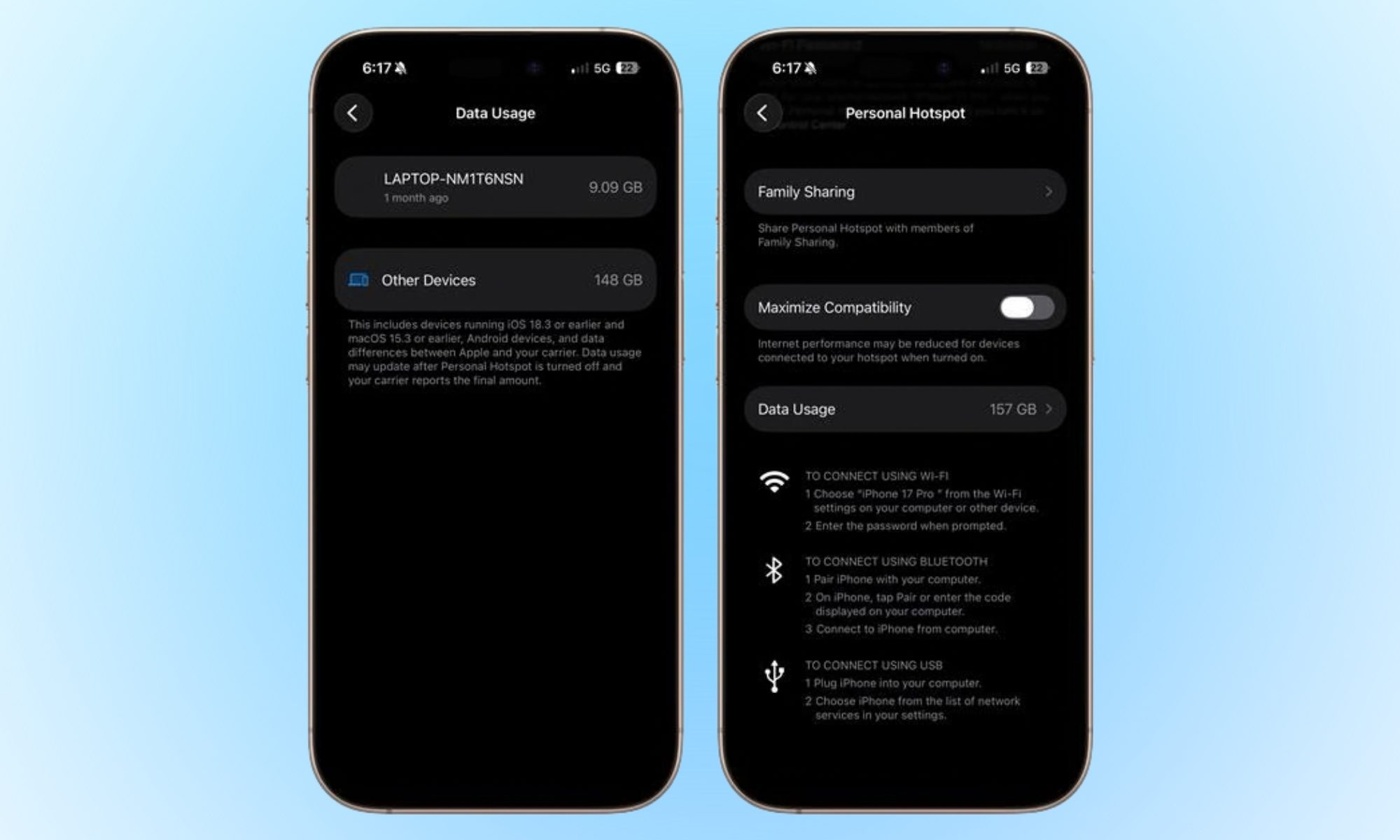
Apple moved Personal Hotspot data figures out of the Cellular submenu and into the Hotspot section itself, where they always belonged. If you regularly tether a laptop or a colleague’s device, you’ll now see exactly who burned through your data without the unnecessary detour. Small; satisfying.
Europe gets a notification upgrade; everyone else waits
Remember that notification forwarding feature Apple quietly pulled before iOS 26.3 shipped? It’s back, and it lets your iPhone push notifications to third-party wearables like Android smartwatches.
The trade-off is a little awkward, though: your Apple Watch goes quiet the moment you switch allegiances. One in, one out. It’s EU-exclusive for now, because apparently the rest of the world hasn’t complained loudly enough yet.
These features are also coming to your iPad

iPhone gets the spotlight, but iPad users aren’t left out. iOS 26.4 — alongside iPadOS 26.4 — brings several features to both platforms: Playlist Playground (an AI tool that builds full playlists from a text prompt), a redesigned Apple Music with full-screen artwork, enhanced video podcasts in Apple Podcasts, and a new Urgent list in Reminders.
Then there’s an Ambient Music widget for your Home and Lock Screen, Health app updates including an Average Bedtime metric, and CarPlay support for third-party AI assistants like ChatGPT and Gemini. Oh, and new emoji — because no update is complete without them.
When is iOS 26.4 coming to your iPhone?
Four betas in usually means one thing: the finish line is close. A release candidate around March 16 seems likely, which puts the stable update on your iPhone somewhere around March 23, 2026. So, clear your storage and be ready for the new iOS 26.4 features.