Following its acquisition of Frame.io late last year, Adobe is finally making it easier for editors to collaborate on video projects by integrating tools from its newly acquired company into Adobe Premiere Pro.
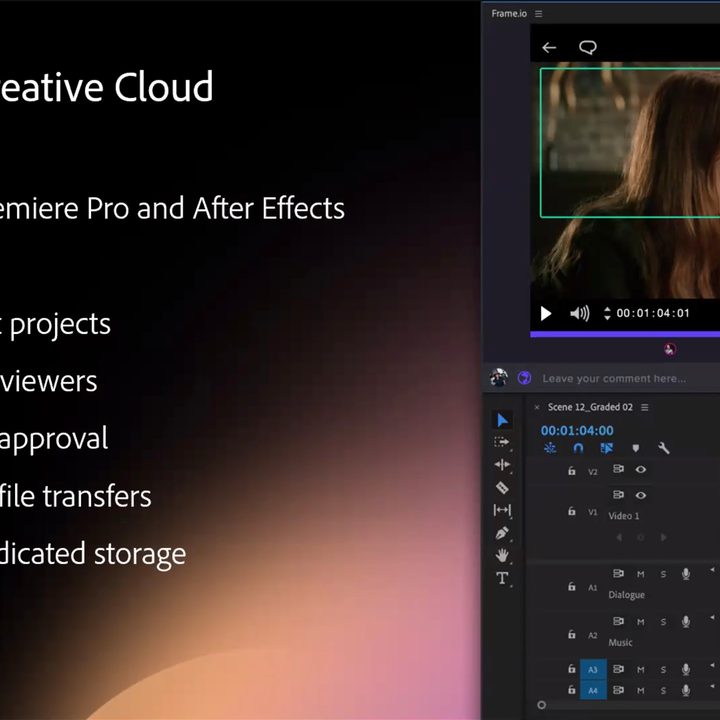
As part of its announcement at the National Association of Broadcasters Show in Las Vegas, Adobe showed off a streamlined workflow that’s designed to speed up the video-editing and approval processes thanks to Frame.io’s integrated ability to quickly make edits to video — even while the camera is still capturing footage — quickly upload the edits for approval, and push the final product live to various video and social media platforms.
Along with Frame.io’s introduction, Adobe is also expanding Creative Cloud’s artificial intelligence capabilities by bringing automatic color correction to video projects with Adobe Sensei. Other highlights include a refined user experience, the ability to favorite video sources inside Premiere Pro, and new export tools.
Along with the tools that enable real-time Adobe Premiere Pro edits, the Frame.io integration also gives Creative Cloud users 100GB of dedicated cloud video storage for their editing projects. Adobe claimsthat Frame.io will be built into both Premiere Pro and After Effects, and that up to two users can work on five concurrent projects at any given time. With the speedy upload and download capabilities of Frame.io for video footage and edits, Adobe executives demonstrated that approvals and edits are quick and seamless to make. All this means that it will take less time from video capture to publishing the final project.
“We’ve spoken to hundreds of users and we know that everyone from video pros to social video creators needs a fast, easy, and secure way to collect feedback and get approvals from clients or other stakeholders,” Paul Saccone, Adobe’s product marketing director, said aboutthe company’s thought process on solving current challenges in a call with Digital Trends ahead of the NAB Show. “Well, Frame.io solves all that. And today, I’m incredibly excited to announce Frame.io for Creative Cloud. It’s our first step in building an end-to-end cloud-based video platform that’s seamlessly integrated with Premiere Pro and the rest of the tools our customers use.”
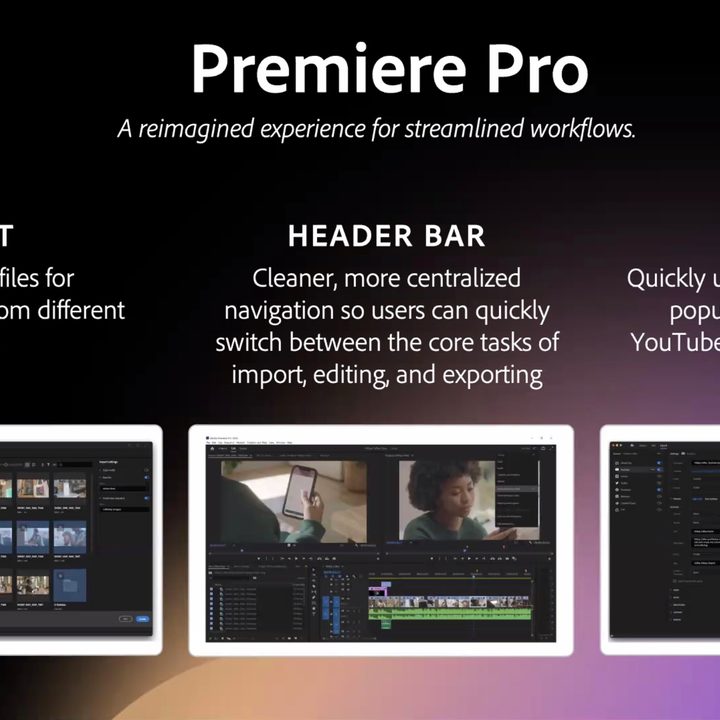
Adobe is also rolling out a new import mode with a more visual UI that replaces the blank import screen, adding the ability to favorite sources for import to handle frequently used assets libraries, bringing a new header bar that makes navigating Premiere Pro easier, and surfacing tools to create exports that are tailored for social media sites, such as YouTube, Vimeo, and others.
Adobe is also increasing the role of artificial intelligence in helping producers speed up the production workflow. Adobe Sensei, which is an A.I.-based tool, can now help users with color correction in scenes throughout a clip, and users can adjust the level of correction they desire with control sliders found in the Lumetri panel to fine-tune individual elements.
Adobe claims that Sensei’s role is to do first-pass color correction by using the power of A.I. to analyze various elements in the scene throughout a clip, which will help speed up the time required for the job, and creatives can then go in after to make adjustments to skin tones and other elements of a video clip. In a demo showcasing the capabilities of Sensei’s Auto Color, we found the feature to work surprisingly well, adding contrast to make an otherwise flat video footage pop. The process also was quick and took very little time to perform.
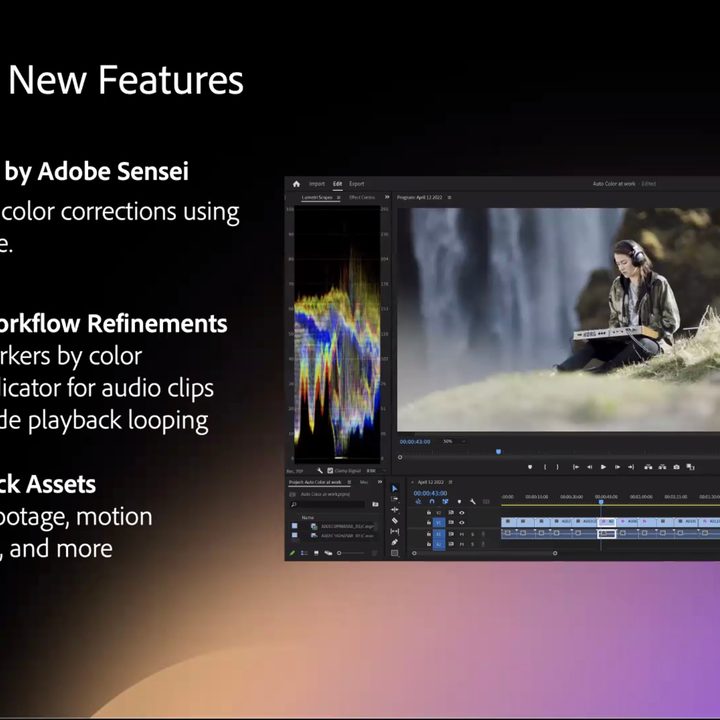
“[Adobe Sensei Auto Color] can act as a guide to help new content creators become familiar with adjustments, or it can serve as a jumping-off point to fast track their color correction before moving on to secondary color tasks like skin tone or sky adjustments,” the company said during the demo. “Auto Color was first introduced in as Auto Tone in public beta … in 2021.”
Adobe is also adding in thousands of new HD and 4K of stock assets, including video clips, motion graphics templates, and more.
Both After Effects and Premiere Pro updates will be available starting today, though Adobe is going with a phased release so it may take a few days for the new software to be available for all Creative Cloud users. Creative Cloud subscribers will be able to log into Frame.io within Premiere Pro or After Effects using their Adobe ID.