
There’s a rumor doing the rounds at the moment that Apple is working on an all-glass Mac keyboard that would do away with the physical keys entirely. We’ve seen similar reports on keyboard-less MacBooks over the years, too.
If that sounds absolutely awful, I’m here to tell you there’s some good news: it might not be a total disaster.
How do I know this? Well, Apple might just have given us a teaser of what is to come in the form of a secret new feature nestled in iOS 16’s Settings app. And you know what? Using it is pretty sweet.
Haptic typing
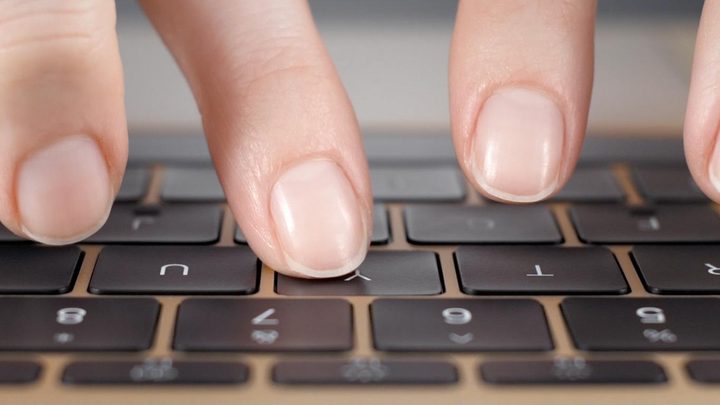
I’m picky when it comes to keyboards. After all, I bought an old MacBook rather than a new one because I disliked the butterfly keyboard so much. I went to great lengths to find the perfect mechanical keyboard for my Mac rather than stick with Apple’s standalone Magic Keyboard. I don’t easily tolerate poor typing experiences. Yet what Apple is doing in iOS gives me a lot of hope for this purported all-glass keyboard.
So, what is this mystery feature? Well, iOS 16 lets you turn on haptic feedback for keyboard taps. Open the Settings app and go to Sounds & Haptics > Keyboard Feedback and turn on the Haptic toggle.
Now, every time you type a letter on the little on-screen keyboard, there’s a tiny physical bump. Apple has tuned it just right so it feels responsive without getting irritating over time. In fact, the more you use it, the better it feels. Once you turn it on, you’ll wonder how you ever managed without it.
While that’s pretty neat by itself, it’s made me wonder whether Apple is giving us a little preview of what’s to come with its virtual Mac keyboards. This kind of haptic feedback would be a great first step in replacing the tactile feeling of typing on a traditional keyboard. And as we know from the butterfly keyboard, proper responsiveness is vital to giving people a keyboard they actually want to use.
Secrets of the patents
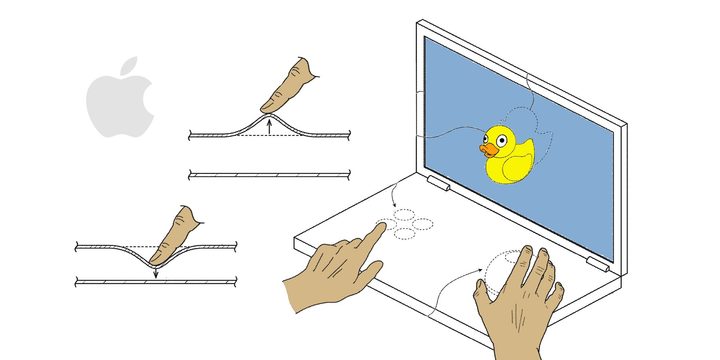
There’s another thing that makes me even more hopeful: Apple’s patents show they’re working on much more than just a flat glass panel imbued with haptic feedback. In fact, the company is developing some sci-fi-level shenanigans that could make its futuristic keyboards even more convincing.
In numerous patents, the company has outlined a sort of deformable keyboard surface. This would transform as you touch it so that its virtual keys feel like the real deal, with edges and sides mimicking traditional keycaps. Apple has been playing with this idea for years, perhaps prompted by the woes its butterfly keyboard was facing.
Combined with what Apple can already do with haptic feedback, this deformable keyboard might provide such a convincing emulation of real, physical keys that the difference to users is minimal. And if it feels natural in use (and that’s a big if), people won’t care that they’re typing on glass.
Make it yours
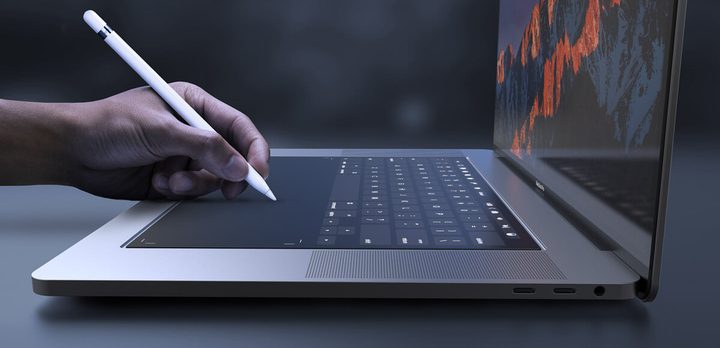
That alone would be quite an achievement, but there are other reasons this could be a massive step forward for the MacBook.
For one thing, a virtual keyboard could be morphed into whatever you need it to be. Want a split, ergonomic keyboard on your MacBook? That can be arranged. Want to tweak the key feedback like a mechanical keyboard with hot-swappable switches? Maybe it will be possible. With a virtual setup, it’s likely that users will have more freedom to customize their MacBook typing experience.
And without a physical keyboard and all its attendant mechanisms embedded into a MacBook, Apple might be able to make its laptops even thinner than they already are, thus making them lighter and more portable. That would be great news for anyone who travels a lot (or just wants a more lightweight MacBook).
At this point, this is mostly just speculation. But I’m encouraged by the new haptic typing experience in iOS 16 — and that’s all done with a virtual keyboard. If Apple can use that as its starting point for upcoming MacBooks — where I suspect users are far pickier about typing than iOS users are — then maybe its future virtual keyboard won’t be such a disaster. It could even be pretty damn good.


