
Much like it sounds, Incognito Mode allows you to go undercover when you’re browsing on the internet. All of the best web browsers feature a “Private Browsing” or “Incognito” mode. Any searches or websites you visit in Incognito Mode won’t show up in your internet search history later.
If you’re trying to prevent a website from tracking you with cookies, using Incognito Mode is probably one of the best preventative measures that you can take, but that’s not all this tool can do.
What happens when you use Incognito Mode?
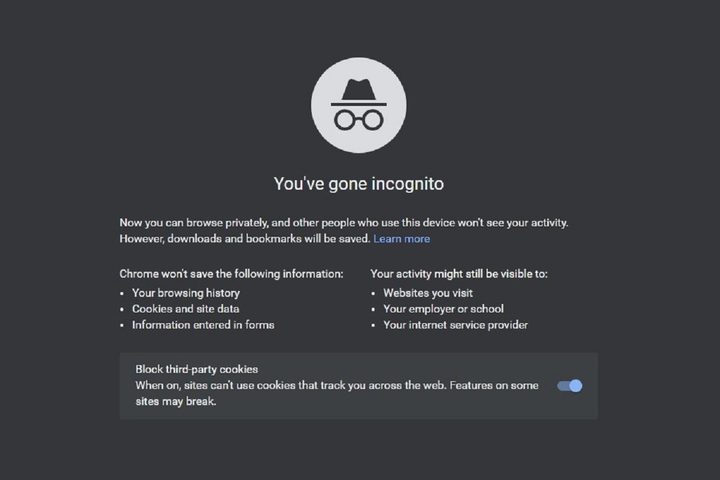
Incognito Mode is designed to remove any local data on the web browsing session. That means that any cookies a site tries to upload to your computer are blocked or deleted, no browsing is recorded in your local search history, and other various trackers, temporary files, and third-party toolbars are disabled.
Privacy modes like this affect specific devices and only browser-related data on those devices. That leaves a whole lot of data that Incognito Mode doesn’t affect at all.
Can someone else see web browsing history after using Incognito Mode?
As we mentioned, Incognito Mode changes the Chrome browser itself (and other privacy modes work the same way with their respective browsers). However, the browser isn’t always the only thing keeping track of web history. If you’re using a Windows computer, for example, someone else can come along and input the right commands to view DNS files, which Incognito Mode doesn’t touch. So yes, if someone wants to do the work, they can still see the browsing history on that computer.
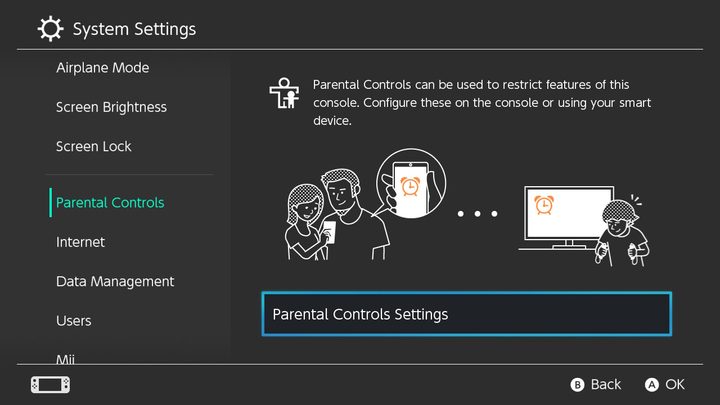
There are even easier ways to view browsing history with the right apps. In particular, parental control apps can independently watch, record, and display web browsing history, and they won’t be affected by a privacy mode.
Does Google keep records of Incognito Mode?

Possibly, but it’s a matter of debate. Research has shown that, if it wanted to, Google may be able to link Incognito browsing activity to your accounts like Gmail and YouTube, essentially backtracking to see just where you’ve been and identify who a particular Incognito user is.
However, Google has claimed that this is erroneous research from a lobbyist study made specifically to discredit Google and that it would never try this type of tracking. It still isn’t clear if Google’s Incognito Mode is as private as claimed.
Can Incognito Mode protect from malware and other dangers?

Not really. In some cases, it might make it less likely that your personal information will be stolen. But Incognito Mode isn’t a security setting and isn’t designed to prevent malware problems. It doesn’t create firewalls or watch for viruses. You can still easily download malware when using Incognito Mode, especially if you aren’t being cautious.
It’s also important to note that Incognito mode doesn’t affect malware that may already be on your computer. If there’s spyware like a keylogger installed on your device, it can probably still track all your key inputs and steal personal login information, regardless of Incognito Mode.
Can employers see Incognito Mode activity?

Absolutely, as can schools, etc. IT specialists or anyone else in charge of the internet at work has the ability to see what people are doing in Incognito Mode. This is important for security or legal purposes, and from the employer’s perspective, it’s common sense. This doesn’t mean that employers are always watching how you browse the internet: That varies greatly depending on company practices, how bored IT people get, and whether the employer is currently cracking down on any particular internet behavior.
Employers aren’t the only ones who can see what you’re browsing in Incognito, either. Your internet service provider could, in theory, also see what you are doing. ISPs tend to have better things to do than watch what a random user is browsing, but your data isn’t necessarily private there — ISPs may compile browsing statistics across many users that the ISP can use or sell.
Can websites track you in Incognito Mode?

Incognito mode doesn’t dissipate your online presence but gives you more privacy while blocking cooking and hiding browser history. But people can still know when you visited their website before. If the site requires a login like Amazon or Gmail, it can make tracking your activity even more simple. Sites like these already know you’re in Incognito Mode.
Google announced in July 2019 that a future update would patch a quirk that let sites track Incognito Mode, adding a little more privacy. Understandably, news services that allow a limited number of free reads a month before requiring a subscription are opposed to this feature. Google’s response: Find another way.
Google has additional changes coming to Chrome’s Incognito Mode, though it will likely stay local-only. If you’re looking to up your protection and take matters into your own hands, consider our list of the best VPNs for added privacy. This is the one way to control and protect all of your data. Another is to switch to one of the best privacy-focused browsers.



