1. Home
  2. Audio / Video
  3. Entertainment
  4. How tos

How to update your Roku device software

Add as a preferred source on Google
Roku remote in hand with Roku home screen in. the background.
Derek Malcolm / Digital Trends

Roku remains at the top of the list in terms of the best streaming devices for accessing all of the movie, TV, and sports streaming services people love -- from Netflix to Hulu to Disney+ to Amazon Prime Video and beyond. Its Roku Channel is also a pretty great resource for additional programming and awesome Roku original productions.

If you have a Roku device, it's in your best interest to keep it running in tip-top shape, and that means making sure that it's got the latest Roku OS installed. These devices are designed to automatically check for software updates every 24 to 36 hours, with the download and install done in the background so you don't have to worry about it.

Recommended Videos

Difficulty

Easy

Duration

5 minutes

What You Need

  • Roku streaming device

  • Roku remote

  • Internet connection

However, there may be the odd case where you want to manually check for the latest software update (currently Roku OS 11.5), like if the device has been disconnected for an extended period of time, if you think maybe there's a bug you want to rectify, or if you just want to make sure you have access to the latest features.

Whatever your reason, it's dead simple. Here's how to update your Roku software.

How to update your Roku device's software

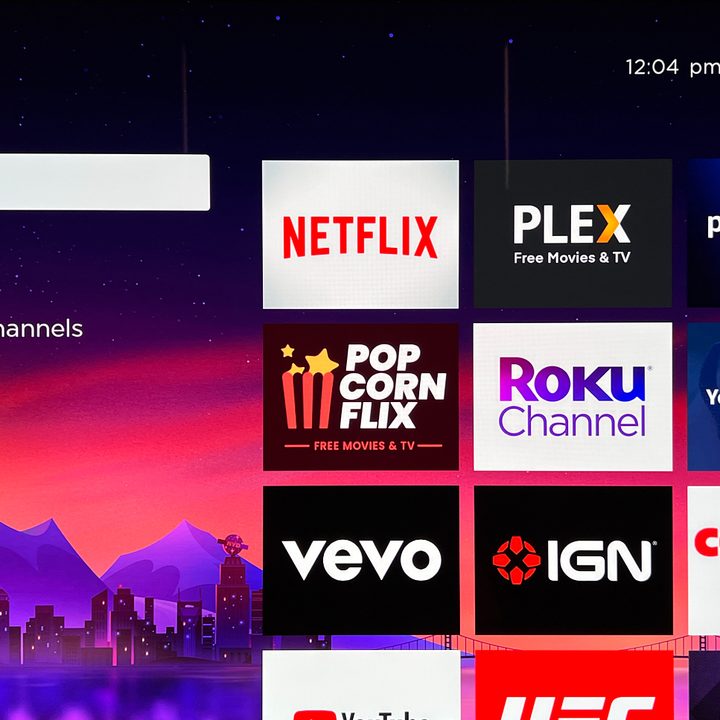
Step 1: Using your paired Roku remote, press the Home button to get to your Roku's home screen.
how to update roku software home screen
Derek Malcolm / Digital Trends

Step 2: On the left-hand side, navigate to the Settings menu and select System.

how to update roku software settings
Derek Malcolm / Digital Trends

Step 3: Select System update where the version of Roku OS you're currently running will be displayed along with the date of its last update.

how to update roku software system
Derek Malcolm / Digital Trends

Step 4: Choose Check now to manually check for an update.

how to update roku software check now
Derek Malcolm / Digital Trends

Step 5: Your Roku will run the check. If there is one available, your Roku will download and install it automatically and then reboot itself. That's it!

how to update roku software checking
Derek Malcolm / Digital Trends
Derek Malcolm
Former Contributing Editor, A/V
Derek Malcolm is a contributing editor and evergreen lead for the A/V and Home Theater section of Digital Trends. Derek…
Spotify removed tens of thousands of fake podcasts tied to online drug sales
Spotify is cleaning up thousands of fake podcasts linked to scam websites
spotify

Spotify has spent the past year quietly removing tens of thousands of fake podcasts that were allegedly being used to promote illegal online pharmacies and scam websites. Now, a new congressional report is raising questions about how the scheme was able to flourish on one of the world's largest audio platforms in the first place.

According to the Wired report, bad actors created thousands of fake podcasts that were never intended to attract real listeners. Instead, they were designed to manipulate Spotify’s search rankings and boost the visibility of websites selling prescription drugs without prescriptions, including opioids, stimulants, and benzodiazepines.

Read more
I tried Acer’s new 5K MiniLED Gaming monitor, and OLED kept popping into my head
After seeing it in action at Computex, I finally understand where MiniLED shines and where OLED still wins.
MiniLED vs OLED Hands On Computex 2026

If Computex 2026 taught me one thing, it's that monitor makers are no longer interested in building one-trick ponies. They want displays that can wear multiple hats, seamlessly switching between work and play without making users choose. Acer's new Nitro XV345CKR P is perhaps the best example of that philosophy, and after spending time with it on the show floor, I walked away impressed by its ambition while also questioning whether MiniLED is really the future for gaming monitors.

I've always had a slightly complicated relationship with MiniLED. On a massive living room TV, it works wonders because you're sitting several feet away, and the local dimming zones blend beautifully. Put the same technology on a monitor that's sitting barely two feet from your face, however, and suddenly you're no longer admiring the display, you're inspecting the physics behind it.

Read more
Google’s new Gemini TV controls are here and TCL owners get them first
Your TCL TV can now fix its own picture with a simple voice command
TCL 85-inch T7 QLED deal

Adjusting your Google TV settings is one of those things that sounds simple until you are three menus deep trying to find the brightness slider. Google just made that whole experience a lot less annoying.

The company has rolled out new controls for Gemini, and TCL is the exclusive launch partner, meaning TCL TV owners get access to the feature for the first 60 days before it opens up to other Google TV brands.

Read more