On today’s You Asked: Clearing up confusion about quantum dots and what they do, and why PC monitors aren’t as good as TVs.
Quantum dot confusion

Farid writes: With quantum dots TVs (LCD-based or OLED) and their higher colour volume compared to non-quantum dots TV, are you meant to see those extra colors that the creators want you to see? How much content that is mastered in those extreme colors am I missing if I don’t have a QD-OLED or QD-Mini LED TV? I’m planning to upgrade from my 2020 WOLED TV.
First, a clarification: Only some OLED TVs use quantum dots, and they use them in a very different way than LCD TVs.
LCD TVs currently use quantum dots because the LED or mini-LED backlights used in LCD TVs struggle to put out pure white light. Without pure white light, it’s hard for the color filter in an LCD TV to carve out a wide color gamut. Quantum dots take the pure blue that LEDs are good at producing and use that blue light energy to glow red and green. Combine the blue LED with the red and green glowing quantum dots, and you now have a very pure white light that an LCD panel’s color filter can carve into millions of colors.
There is a quantum dot OLED TV. In this case, the red and green quantum dots act at the pixel level, along with the glowing blue OLED. Here there’s no color filter — the blue, red, and green use additive color mixing — and there’s no subtractive, as in LCD, to achieve a wide gamut of colors. However, it’s important to note that WRGB OLEDs can also cover a very wide color gamut and don’t need quantum dots to do it. That being the case, your 2020 OLED TV is a wide color gamut TV. You aren’t missing anything.
Lots of content has color that exists beyond the capability of LCD TVs that don’t have quantum dots. Anything that is in HDR — and there is a lot of that content now — has color that goes beyond what a non-quantum dot TV can produce.
For the best and most enjoyable picture quality, yes, you want a quantum dot — or QD — LCD TV or an OLED TV. That doesn’t mean LCD TVs without quantum dots are bad, they just aren’t as good at producing enhanced color. And since quantum dots are making it into less expensive TVs, it’s a sign that TVs without quantum dots are going to be pretty cheap and generally won’t have great picture quality. Good picture quality? Yes, just not great.
Monitor or TV screen?

Gavin writes: Hello I recently got a QD-OLED G6 Samsung monitor. I was wondering why we don’t see a ton of glossy screens on monitors and why some TVs actually work better as monitors for some people. For example, some of the reviews I saw on glossy monitors said they were not nearly as good as LG C4/G4, etc.
Another thing I wanted to ask: Why is the brightness on monitors so limited as opposed to the TV counterparts? You can have the same panel on a monitor and TV (similar cooling as well) and brightness is still an issue for the monitor.
Why aren’t there more monitors with glossy screens? Monitors often end up getting used near windows or in really bright environments where glare can be a major problem. If you sit right in front of a monitor at close range and there’s any light in the room, you will see a lot of your own reflection unless the screen has some kind of anti-reflection treatment. Also, any reflection off the surface will be brighter to the eye than a similar reflection seen from many feet away from the display.
That leads into the next question: Why do monitors tend to be less bright than TVs? Part of it has to do with the power supply. To get a monitor as bright as a TV would require a pretty beefy power supply — and it has been done — but having a big outboard power brick is a real hassle. Reviewers complain about that all the time, and I can tell you from personal experience that I don’t love it.
Another reason: Monitors are designed to be viewed close-up, so they don’t need to be as bright. Zeke and Chris will confirm this: A 1,000-nit, 10 percent window as viewed from a foot or two away is dramatically brighter than viewed from, say, eight feet away.
Monitors tend not to have picture processors; if they do, they’re pretty weak. To get a monitor looking as good as a TV, you’ll want to calibrate the video signal output. However, that’s pretty rare to do unless you’re in professional production because that picture processing adds lag and is not great for gaming.
No Dolby Vision, no problem?

Gabe writes: I know many cite the lack of support for DTS audio and Dolby Vision HD formats in QD-OLED Samsung TVs as reasons why they can’t possibly buy one for themselves — despite the TVs being good quality and highly rated in all other areas. Can’t you just work around the DTS issue if you run your Blu-ray player or streaming box through your AVR/soundbar setup to still get that audio format while using HDMI passthrough to get the video information to the TV from the AVR/soundbar? If that’s the case, why are people so hung up on this issue? As for Dolby Vision, I guess that’s not something you can work around since the TV is the one that has to have support for it, right? Or am I misunderstanding that concept and you can work around that too?
That’s correct: If your TV doesn’t support DTS — or maybe not all versions of it — then you can connect your sources directly to your soundbar, receiver, or processor.
When it comes to Dolby Vision, support has to be built into the TV. There’s no workaround. But if you don’t have Dolby Vision, it’s no longer a deal-breaker, in my opinion. I like Dolby Vision very much, and I think it does good things for lower performance TVs — it maps HDR content to look as good as it can on a TV with limited brightness capabilities. However, it only looks better when the creator took doing a Dolby Vision grade seriously; usually all the other HDR versions are serviced from that grade. Sometimes the Dolby Vision version isn’t as good as the HDR 10 or HDR 10+ version — it depends on the creator. Dolby Vision is a powerful tool, but, in the end, it’s only as good as the creator who wields it. It’s technically the most capable HDR format and ecosystem, but its capabilities are still only starting to get explored and nowhere close to being used to the max.
So, in this day and age, is a premium TV that lacks Dolby Vision support kind of silly? Yes, I think so. Is it a deal-breaker? Only if you want to vote with your wallet. In the end, a TV can look exceptional even without Dolby Vision, and Samsung has proved that to be true.
Boosting OLED brightness
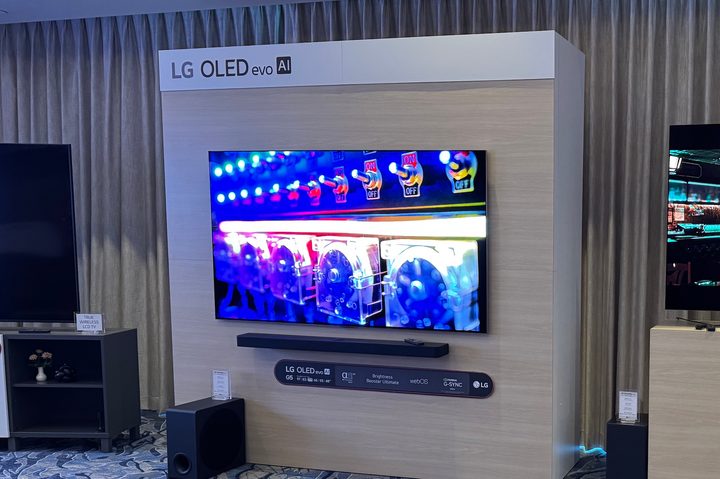
Markus from Austria writes: Last year’s top-of-the-line OLED panels (e.g. the LG G4) used MLA technology for boosting brightness and did a pretty good job at that. At CES this year, MLA was not a thing anymore. Instead, the latest OLED panel by LG (the G5, and used by Panasonic too) was an “RGB Tandem” panel. It doesn’t use anything like MLA. What about combining the RGB Tandem panel with MLA coating on top? Could that lead to an even brighter picture — or let’s say “ridiculously bright” image? Would that be possible? When I get the technical aspect right, MLA is a tiny, tiny lens array coated on top of a “regular” WOLED panel — so this lens coating should be possible on top of an RGB Tandem panel as well.
I suppose that MLA could be applied over the new 4-stack or Tandem OLED display technology. LG Display stepped away from MLA because it was inefficient, super expensive to implement, and a bit wasteful. I’m glad we got it for a while, but ultimately, I think MLA was a bridge-the-gap measure intended to clap back at QD-OLED while Tandem OLED for TVs finished up in development. With OLED TVs testing the 4,000-nit territory, the need for OLED to get much brighter is starting to disappear. It’s possible we could be nearing the end of the brightness wars among OLED TVs.