On Monday, humans across a total of 14 states (ranging from Oregon to South Carolina) will be in the line of sight of a solar eclipse. And individuals along a nearly 70-mile-wide stretch of land — known as “path of totality” — will be able to experience a total solar eclipse. Seeing as this is the first total solar eclipse viewable from North American in 38 years, everyone from app developers to fraudulent solar eclipse glasses manufacturers are looking to cash in on the cosmic crossing. With only a few days remaining before the eclipse, iTunes and Google Play are both brimming with apps developed specifically for the astronomical event. Thankfully, we’ve done the grunt work and found the best solar eclipse apps currently in existence, whether you’re a fan of astrological simulators or virtual lunar tours.
If you’d rather avoid the crowds, traffic jams, and general risk of eclipse-induced cataclysm, you can always stay indoors and tune into CNN for a 360-degree stream of the event. NASA will also be using 11 spacecraft, three aircraft, and 50 high-altitude balloons to capture and stream real-time eclipse imagery.
Total Solar Eclipse
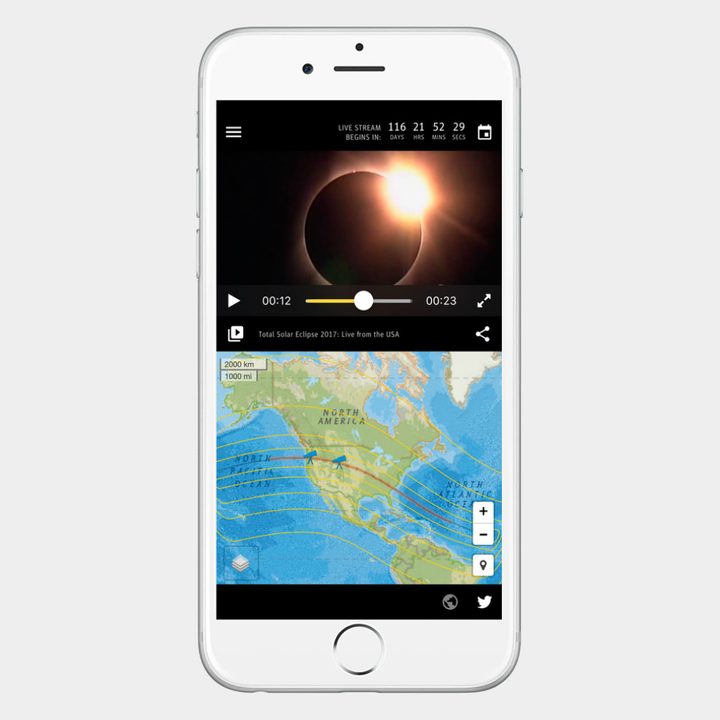
The Total Solar Eclipse app was designed by the Exploratorium, a museum focused on science, art, and human perception based in San Francisco. During Monday’s eclipse, the Exploratorium team will use a series of telescopes (located in Oregon and Wyoming) to capture and stream the eclipse to the world.
The Total Solar Eclipse app allows individuals to choose between five different live streams. These include discussions hosted by NASA scientists and Exploratorium educators. There’s even a live telescope viewing with musical accompaniment by none other than the Kronos Quartet, giving you the opportunity to potentially savor the solar eclipse while listening to everyone’s favorite KQ hit Flugufrelsarinn. You can also watch and share media from previous Exploratorium expeditions, including the 2016 Micronesia solar eclipse.
Smithsonian Eclipse 2017
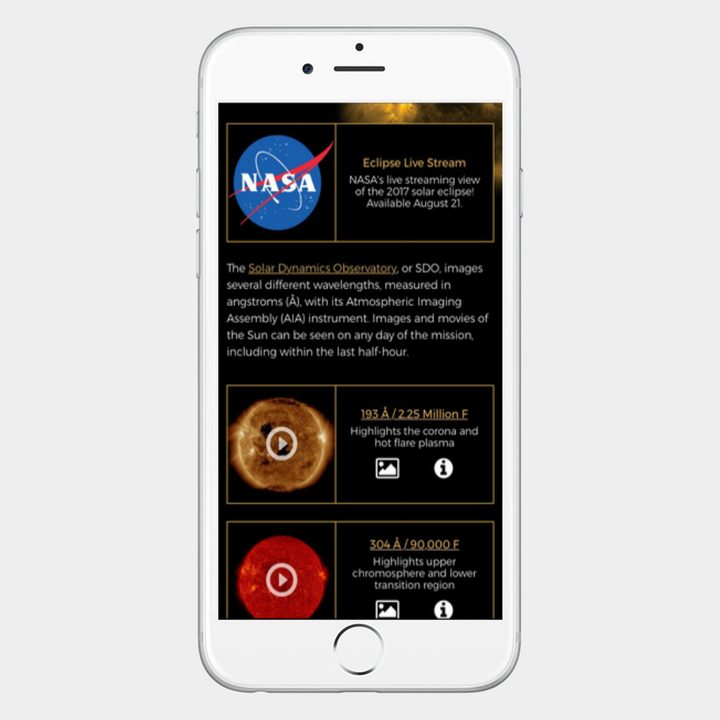
The Smithsonian Eclipse app is one of the more popular options currently in iTunes and Google Play, and for good reason. Like many other apps designed specifically for the total solar eclipse, the Smithsonian Eclipse app allows you to use an interactive map and eclipse simulator to more aptly plan for the astronomical event — you can also use it to tune into NASA’s live stream coverage of the eclipse. As part of the in-app experience, users can peruse some of the Smithsonian Astrophysical Observatory’s previous solar studies, and even watch “near-live” views from outer space.
Solar Eclipse Timer ($2)
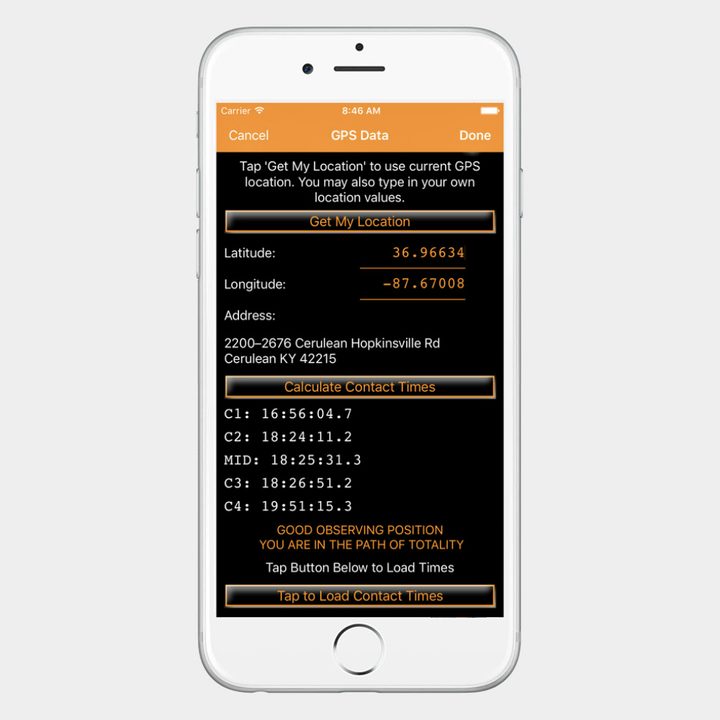
First and foremost, it is important to note that Solar Eclipse Timer is only useful if you plan on being in the path of totality during the eclipse — the app will be of little use to individuals outside of this area. Once the app accesses your GPS location settings, it will calculate your contact times and peak eclipse projection. During the event, simply tap your device twice and the app will verbally guide you through the eclipse.
The in-app narrator will relay tidbits of information during the various phases, including and not limited to decreases in temperature, lighting, animal behavior, and shadow bands. Most importantly, the app will inform individuals of when they should put on their solar eclipse glasses and when it safe to take them off.
Sun Surveyor ($10)
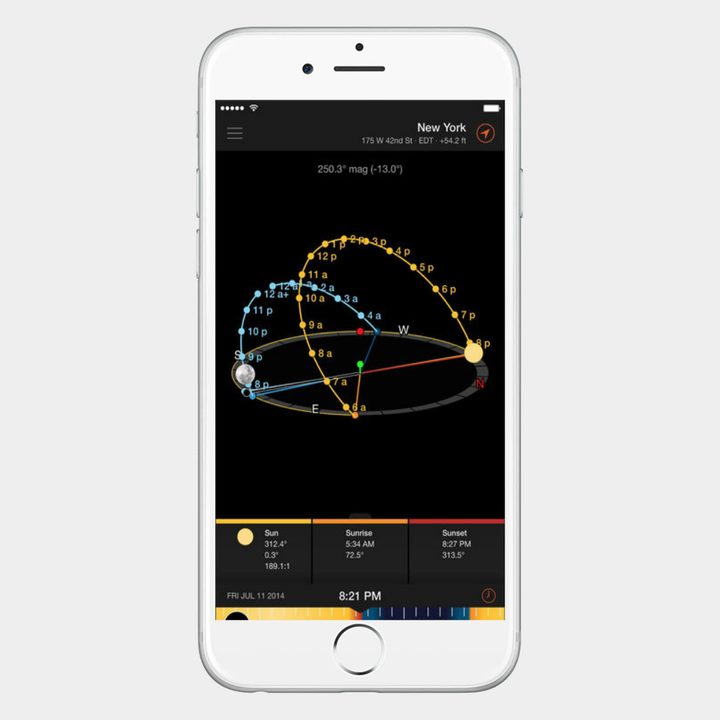
Shelling out 10 bucks for an app may be a tall order for most casual stargazers, however, unlike many of these other apps, Sun Surveyor offers plenty of functionality throughout the year. The app allows you to view simulations of the exact location and trajectories of the sun and moon on any given day. Sun Surveyor also lists specific information pertaining to current and projected moon distance, moon phases, and super moon predictions. Photographers and filmmakers will appreciate the calendar tools that pinpoint the exact time of future golden hours, blue hours, sunrises, and sunset. The app also features a useful widget with pull-down notifications regarding sunrise and sunset times.
Eclipse Soundscapes
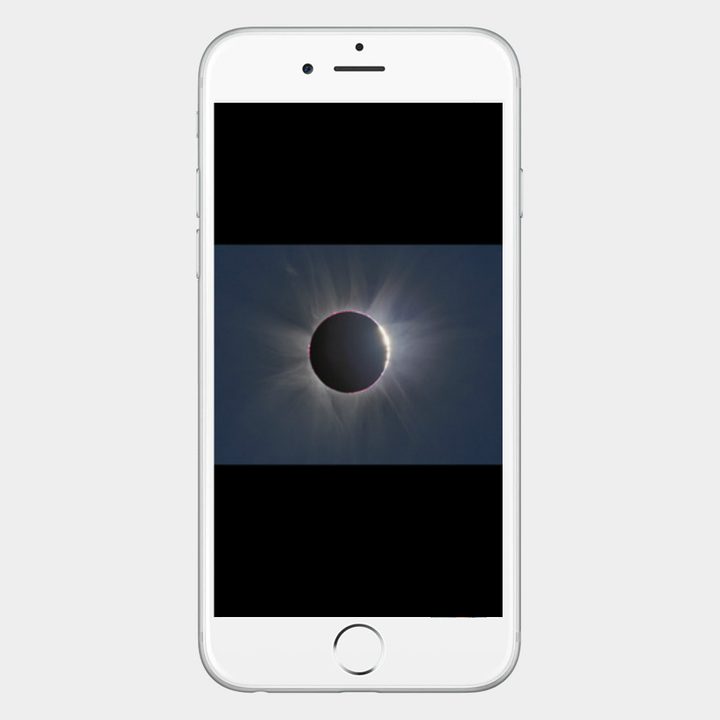
Eclipse Soundscapes Project is a collaborative effort between the Smithsonian Astrophysical Observatory (SAO), NASA, the National Park Service (NPS), and others to create a tactile and auditory real-time experience for the blind and visually-impaired. One of the key features is the interactive “Rumble” map, which translates key portions of the eclipse into a series of “frequency modulated tones.”
These tones make the device vibrate in response to changes in lighting during the eclipse. The Soundscapes app also includes audio descriptions during various phases of the event, as well as a verbal countdown. Users also have access to soundscape recordings from the U.S. National Parks Service, enabling individuals to experience how the eclipse alters the behavior of various animals.
Moon Atlas 3D
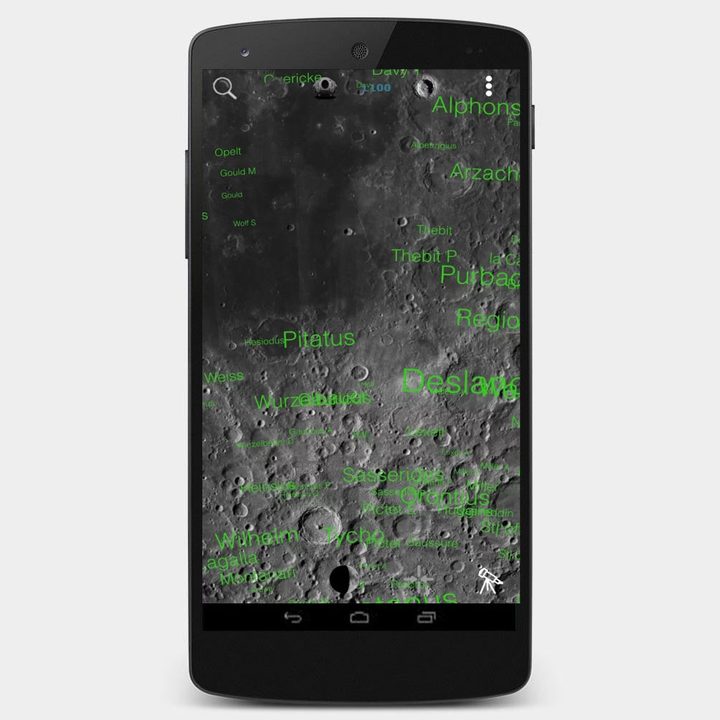
With so much attention focused on the moon for the next couple of days, it might be best to know a little more about our faithful satellite. Luckily, Moon Atlas 3D makes it easy to take a virtual tour of the moon and learn the names and locations of various geological formations. In total, the app can identify more than 8,000 craters and even pinpoint lunar lander sites from previous missions to the moon. The app also links out to Wikipedia, if you’re in need of further reading. There’s a similar app available on iTunes, but it’ll set you back $6.
Amateur and professional photographers alike may also like to take a gander at our tips and tricks for photographing the eclipse. After all, you don’t need the most sophisticated photography equipment to capture spell-binding images of the eclipse — Apple claims your iPhone camera can sufficiently capture the eclipse.