
Buying a smartphone today can be confusing. Long specification sheets are crammed with numbers, and their relationship with real-world performance is not always clear. One of the most misunderstood of all those specs is RAM, or Random Access Memory.
If you’re wondering how much RAM your smartphone needs, then you’re not alone. This question has popped up again and again since the dawn of the smartphone. We decided to ask some experts about how much RAM the average person really needs, what it does, and how it works.
What does RAM do?
“Smartphones have come a long way in the last few years and do more for us now than ever,” Vishal Kara, head of product at Piriform (the makers of CCleaner for Android) told Digital Trends. “As we perform more and more tasks using our smartphones, more RAM is necessary for them to continue functioning efficiently.”
We install apps and games into internal storage, our CPU (Central Processing Unit) and GPU (Graphics Processing Unit) deal with processing, so what does RAM do?
“Smartphones require instant access memory for multitasking, which is what RAM delivers,” Kara said. “Essentially, RAM keeps all your operations running at once.”
“There is no right or wrong to how much RAM a smartphone requires”
When you run an app or game on your phone, it’s loaded into RAM. As long as an app is still in RAM, you can jump back into it where you left off without reloading. This is why RAM is important for multitasking. The loaded apps stay there until your RAM fills up and needs to flush something to make room for something else.
In theory, more RAM means that you can have more processes and therefore more apps running at once.
“There is no right or wrong to how much RAM a smartphone requires, although RAM plays a big part in how fluid and seamless our smartphone experience is,” Kara explains. “Unlike PCs, where a few seconds delay in an app loading is acceptable, we expect apps to load instantly on our smartphones even when we’re on the go.”
RAM also enables processes to run in the background. Some of these background processes, such as your phone checking for email, are really useful. Others, like a piece of carrier bloatware or an app that you never use, are not.
The rise of RAM
The first Android smartphone, the T-Mobile G1 or HTC Dream, had just 192MB of RAM and the original iPhone got by with 128MB of RAM. Those numbers have climbed steadily over the last decade or so, with an occasional leap prompting a new round of discussion. Samsung’s latest flagship, the Samsung Galaxy S21 Ultra, comes with the option for an astounding 16GB of RAM.
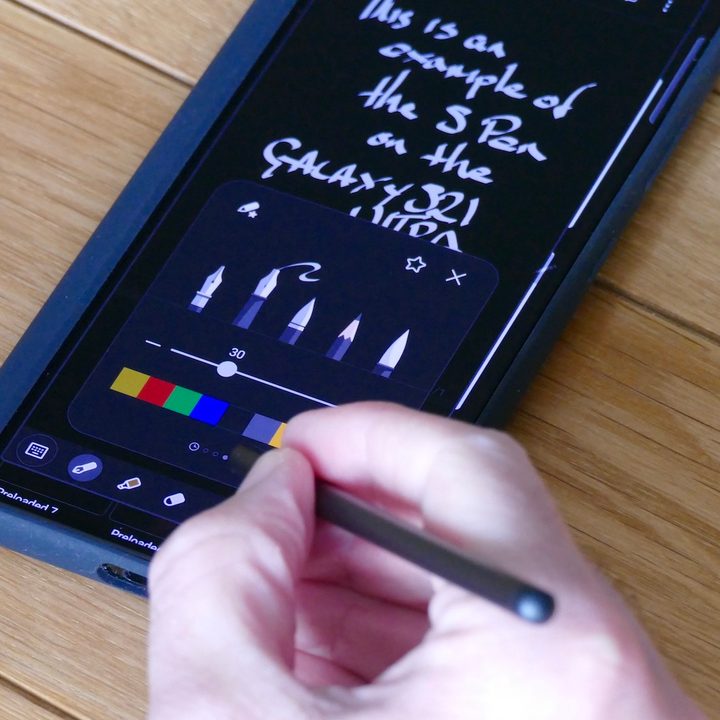
With 16GB of RAM, the S21 Ultra has twice the amount of RAM as its smaller sibling, the Galaxy S21 — which seems odd, when you think about it. Both phones have the same processor and similar other specs, so why the dramatic jump in RAM?
“Generally speaking, more RAM is better, and performance isn’t hampered by having more RAM,” John Poole of Primate Labs (makers of benchmarking software Geekbench 4 for iOS and Android) explained to Digital Trends. “But is it really necessary?”
The amount of RAM we need is certainly growing. The average smartphone user launches has 110 apps installed and uses 46 different apps in a month, according to App Annie’s analysis of the second quarter of 2020. Digging into the memory tab in the settings of the Samsung Galaxy Note 20, which has 8GB of RAM, reveals 4.7GB of memory being used, with 748MB reserved, and 2.6GB free. That’s a lot being used, just as background use, and clearing background apps only frees up to 3.5GB of space.
We also have more storage than ever. The Galaxy S21 Ultra with 16GB of RAM has 512GB of storage. That’s enough space for a lot of apps. Poole also points to the fact that software is growing bigger and more complicated, cameras are shooting larger images in RAW format and performing more image processing, and screens are getting bigger, but he’s still skeptical about the need for large amounts of RAM.
“My feeling is that some vendors will engage in a specifications war where they’ll overprovision the amount of RAM simply because it’s a selling point”, Poole said. “They can say ‘look at how much more RAM our phone has than our competitors’ phone, clearly our phone is better.'” It’s a sentiment that was shared by Huawei executive, Lao Shi, back in 2017.
Why having more RAM isn’t always better
If RAM offers potential performance improvements and greater convenience, then you may be wondering: What’s wrong with having more of it?
If you aren’t using the RAM, then it may be a drain on your battery.
“The more RAM you put into a phone, the more power that will draw and the shorter your battery life will be,” Poole said. “RAM takes up the same amount of power regardless of what’s in it — if it’s an application or it’s just free, you’re still paying for it in terms of power.”
In other words, if you aren’t using the RAM, then it may be an unnecessary drain on your battery. Those background processes that we mentioned earlier also have an associated cost, as anyone who has used the Facebook app on Android will know.
“Even if they’re not doing much, they can cause the processor to spin up to service any work that they have to do and that can contribute to energy drain,” Poole said.
The iPhone in the room
Android phones have jumped from 4GB to 8GB RAM as standard, and we’re now seeing phones with 12GB and 16GB of RAM — but Apple’s iPhone has always gotten by with less.
Apple executives have traditionally remained tight-lipped about how much RAM is in the iPhone — it’s not a spec they talk about. But we know from teardowns the iPhone 12 has 4GB of RAM, and even the current top-of-the-range iPhone 12 Pro Max manages with 6GB of RAM.

Apple achieves comparable performance with less RAM because of fundamental differences in how the iOS and Android platforms handle memory management. Android relies upon something called garbage collection, while iOS takes a reference counting approach. A brief web search will reveal that the debate on which is better rages on, but it seems to be generally accepted that garbage collection requires more memory to avoid performance problems.
They may be different, but both platforms have a system of memory management that dictates what the RAM does. Because of this, you may not actually see any performance boost by simply adding more RAM — you would have to also tweak the memory management rules to take advantage of it. To what degree manufacturers are actually doing this is unclear.
Free the RAM
“Users have been conditioned to believe that free RAM is an indicator of good performance from the days of PCs with limited memory, where this was a reasonable belief,” Kara said. “Nowadays, with more memory available, the perception that free RAM is an indicator of performance is a misconception. In fact, for a smartphone it’s the opposite.”
This misconception that having free RAM is a positive thing persists. Also, if you’re in the habit of clearing away your open apps, you should probably stop doing it because it isn’t helping. It won’t save battery life or make your phone run any faster, in fact, it can have the opposite effect.
“The operation of loading an app from storage into memory requires a lot of processing power, which results in higher power consumption,” Kara said.
Most manufacturers still provide utilities that allow you to review RAM and sometimes to free it up and close processes. Third-party task killer apps were also big for a while, but Poole describes them as “snake oil.”
“People want to see their RAM free, viewing it as headroom to work in,” says Poole. “But it’s better if your RAM is being used.”
Ultimately, how much RAM your smartphone needs depends on how you use your smartphone, but it’s no longer the problem it once was. Maybe a few power users will be able to feel the benefit of 12GB, and you might argue that 16GB is future-proofing. But anything over 8GB is probably overkill for the vast majority of people today.


