OnePlus is readying to launch its latest flagship phone in the international markets. This one’s got the looks, plenty of firepower, a huge jump in battery tech, and a fast OLED screen with some meaningful add-ons.
Another crucial change this time around is the absence of the Hasselblad camera partnership, which also means the tuning, filters, and the custom camera mode are also missing. In its place, OnePlus is now pushing the in-house DetailMax engine that is touted to offer even better results.
Ahead of its market debut, I took the OnePlus 15 out for a photo walk and captured some stills across the whole day. I avoided digging into filters or Pro mode shenanigans, and instead clicked shots in the default mode to give you an idea of what’s coming.
Daylight shots
On the OnePlus 15, you get a trio of 50-megapixel cameras at the back. The zoom lens, in particular, delivers 3.5x optical, 7x hybrid, and up to a massive 120x digital zoom range. I captured every single shot in handheld mode without any stabilizing gear, and a few through a moving car’s window.
I won’t dig too much into the nitty-gritty here, and will save my verdict for the review (coming soon), but here’s what I can point out. The capture speed is faster, and so is the processing. The results, on the other hand, speak for themselves.

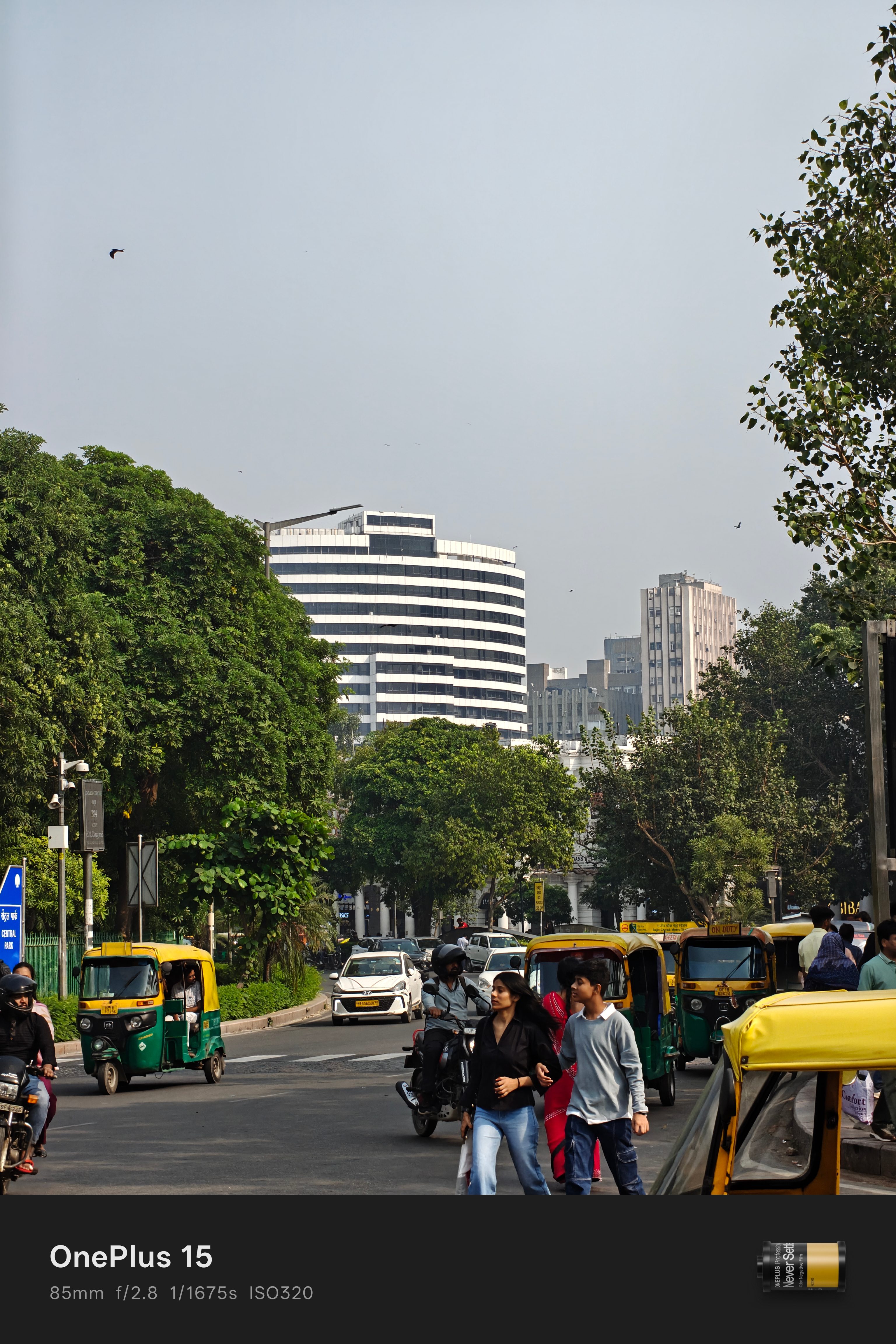
I quite like the color chemistry in the shots produced by the OnePlus 15. It is discernibly different compared to what I regularly got from the OnePlus 13, which preferred a slightly more gritty composition. The way it handles shadows and highlights also shows some variance.

The telephoto camera shone, quite literally, under the sun. The stabilization and post-processing felt more natural and accurate. Check out this shot of a building right across the road, which I clicked using the main camera:

It was a particularly hazy day with lots of dust and wind, but the color profile still turned out to be pretty vibrant. Upon getting closer to the subject at 3.5x optical magnification level, the frame once again turned out lovely without giving me a hard time with exposure adjustments or color deviations.

But hey, what’s the point of having a telephoto camera on a phone if you’re not going to push it, right? Naturally, I shifted the dial and reached the 7x hybrid optical magnification level. And as you can see in the images, the color character is still intact, and so is the overall retro-modern appeal of the building.

In my final attempt, I tried to see how far the digital zoom output can take me, and you can see the result below. The shot depicts what the OnePlus 15 can produce in handheld mode, and with a casual attempt.

As you can see, the subtle color difference between white paint and the light creamy background of the Uniqlo board is captured well, despite facing harsh sunlight from the overhead sun.



In the set above, you can see a five-stage zoom capture where I pushed the camera close to the 90x mark and still got a fairly sharp shot without the final result looking like an oil-painted mess.
Going closer, and darker
A few months ago, I got my hands on the Oppo Find X8 Ultra, and that phone spoiled me by setting the expectations a little too high. That device captured some of the best portrait shots I’ve ever taken from a phone, and being its sister brand, I was dearly hoping for OnePlus to capture some of that charm. I wasn’t disappointed.


I restricted the portrait capture to the 2x and 3.5x zoom level at the default bokeh strength and got some beautiful results. As you can see in the images above, the OnePlus 15 beautifully exposes the color of artificial light sources from the surroundings pretty well on the subject.

The phone’s subject separation also appears to be on point, where the person in the foreground is extracted accurately, while the individual sitting in the back was merged within the blur, without any manual focus lock applied.
Next, I moved to an underground market to capture the rush and focused my attention on inanimate objects. I am particularly fond of this 3.5x zoom shot I clicked while descending atop a moving escalator. Even the spider webs are clearly visible across the canvas.

I was prepared to see some harsh light artifacts, but the OnePlus 15 managed to surprise me. Not only is the front cluster depicted clearly with its metallic sheen intact, but the background cluster is blurred subtly without erasing its silhouette haphazardly.


I also clicked the above pictures in the moving rush of the market without any manual focus or composition. I believe if you like indoor photography or slice-of-life capture, the OnePlus 15 should serve you just fine.


Now, I love night capture, especially where the color contrast is intact against dark backdrops. Right after sunset, when the moon had just started to leave its mark on the sky, I aimed for a few long-range shots and captured some Instagram-worthy snaps.


My favorite shots, as you can see in the cluster above, came out when darkness had fully enveloped the sky, and all I could see in the viewfinder was flashy neon signs, vehicle lights, and a faint glimmer of stars.
It was a rewarding exercise, especially when all the clicks came out without any adjustment or post-edits whatsoever. Stay tuned for the full review of the OnePlus 15 and a deep dive into its camera chops from a comparative lens, coming out soon!