
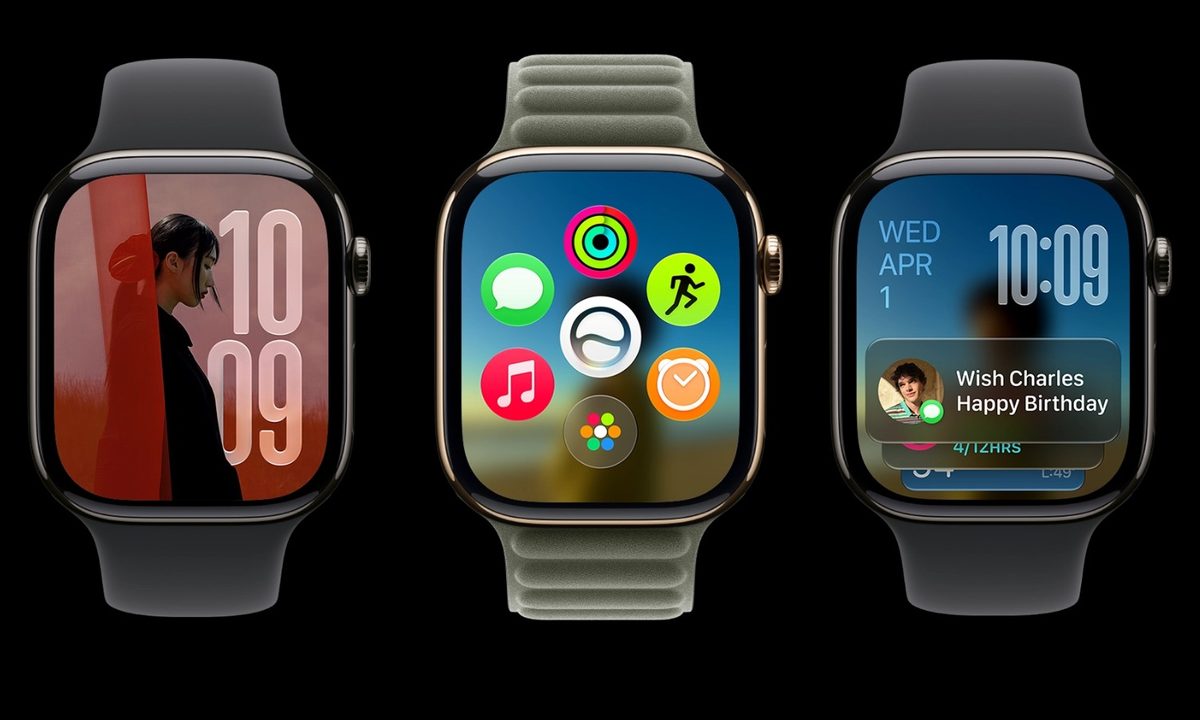

At WWDC 2026, Apple announced watchOS 27, bringing Siri AI, a new Siri app, a dynamic app grid, better Smart Stack suggestions, expanded fitness features, and new health tracking tools to the Apple Watch.
The Apple Watch works best when it helps you get small things done quickly without reaching for your iPhone. watchOS 27 leans into that idea with updates that make it easier to start workouts, find apps, open Wallet passes, and check important information from your wrist. Here’s what’s new.
Siri AI is the main upgrade
One of the biggest additions in watchOS 27 is Siri AI, Apple’s next-generation assistant powered by Apple Intelligence. The upgraded Siri can understand personal context, answer more complex questions, and take action across apps.

On the Apple Watch, these improvements are especially useful because the smaller screen makes typing and navigating apps more cumbersome. Siri AI lets users ask more natural questions, get workout suggestions, access wellness-related information, and carry on back and forth conversations directly from their wrist.
Siri can also pull from personal information when needed. For example, it can help find a saved driver’s license number, a door code stored in Notes, or details from other personal content.
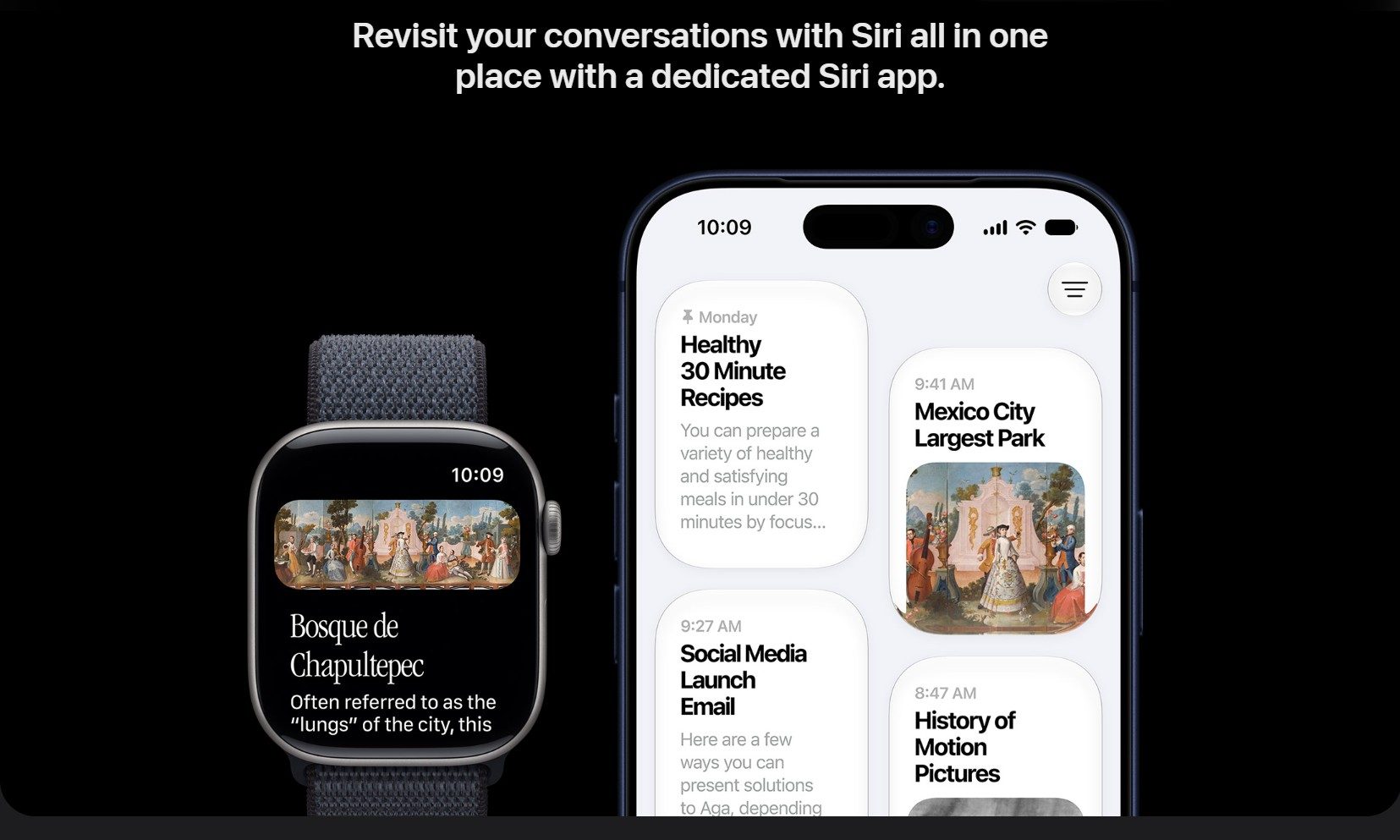
watchOS 27 also adds a dedicated Siri app. Users can continue conversations, start new chats, revisit previous interactions, and pick up conversations started on iPhone. Important conversations can also be pinned for quick access. The assistant can also complete tasks inside apps, such as sharing flight details, playing a trainer-recommended song, changing an Activity ring goal, sending an email, resuming a podcast, or adding music to a workout playlist.
Siri AI is not available in the first beta release, though it is expected to arrive in a subsequent beta update. Additionally, Apple Intelligence features will not initially be available on watchOS in the European Union due to the Digital Markets Act, and Siri AI will not be available in China at launch while Apple works through regulatory requirements.
The app grid and Smart Stack are getting smarter

The Apple Watch app grid now has a dynamic layout that highlights Siri-suggested apps, frequently used apps, and recently opened apps. For users with many installed apps, this update makes it easier to find and open the apps they use most often or are likely to need at that particular moment. That said, accessing the entire app grid is now a two-step process instead of a single press of the Digital Crown.

Smart Stack is also more context-aware. It can surface widgets based on relevant situations, such as birthday reminders, parked-car locations, sleep-alarm suggestions before select holidays, and transit card information. There is also a new tap gesture for Smart Stack. Users can tap their index finger and thumb together twice to open Smart Stack, continue to double-tap to scroll, and use a single tap to open the selected widget.
Workout Buddy gets more useful
Workout Buddy has received several upgrades in watchOS 27. The feature now uses fitness history to deliver more personalized motivation during workouts. Instead of generic encouragement, Workout Buddy provides updates tied to pace, distance, workout duration, and other performance metrics.
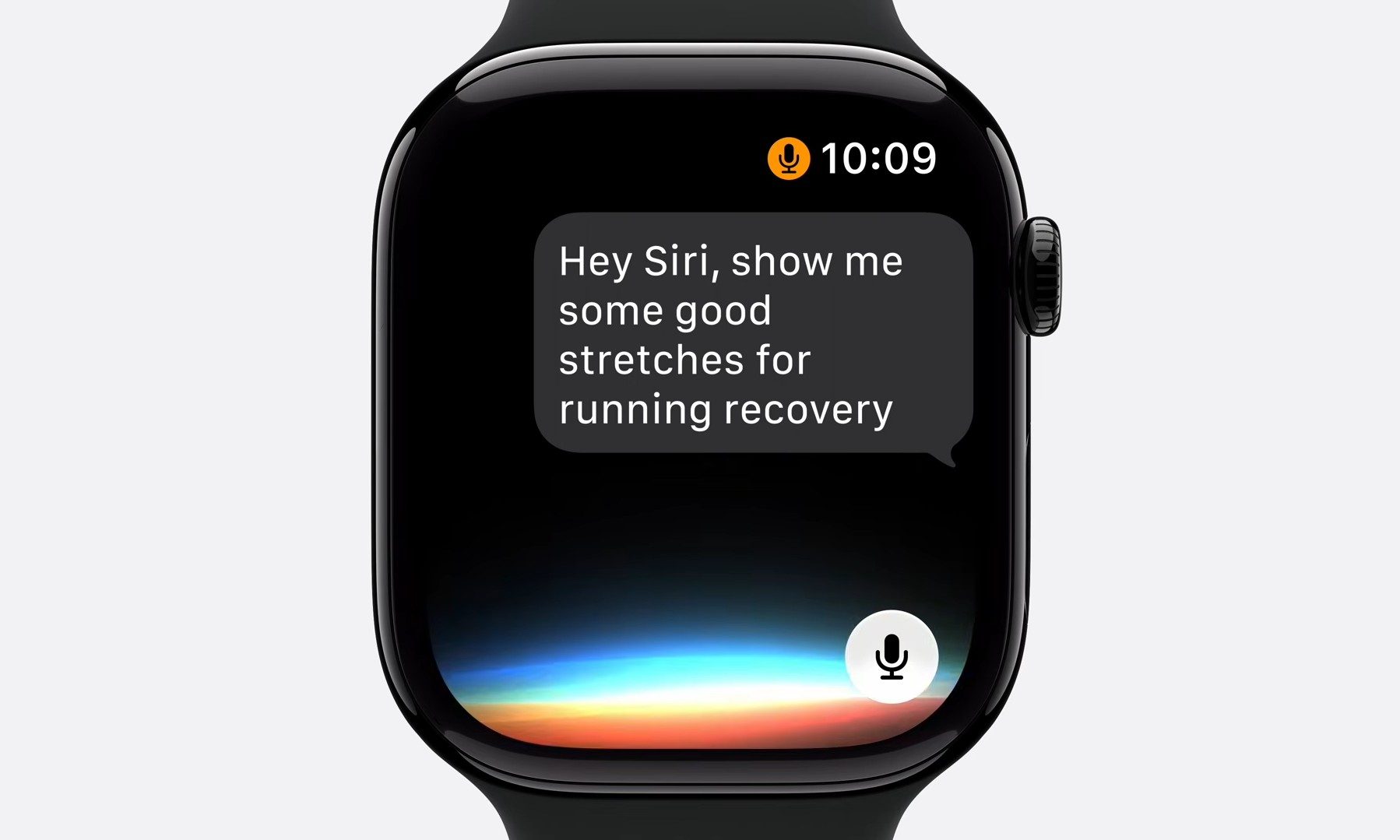
Apple is also making the feature more flexible during workouts. Workout Buddy keeps working without users needing to carry their iPhone in a pocket or hand during exercise. However, the feature still requires a paired Apple Intelligence-enabled iPhone and Bluetooth headphones or speakers. Users also have the option to use Workout Buddy in Spanish
Indoor run and walk tracking is more accurate
Tracking indoor runs and walks on treadmills is generally more challenging than outdoor tracking as GPS data is unavailable. That is why the new update includes improved motion-tracking algorithms, which help the watch estimate treadmill distance more accurately using wrist movement data.
Health tracking expands with menopause support
Cycle Tracking has been part of the Apple Watch and Health app for several years, allowing users to log menstrual cycles, track symptoms, and receive predictions about upcoming periods and fertile windows. The feature is designed to help users better understand changes in their reproductive health over time.
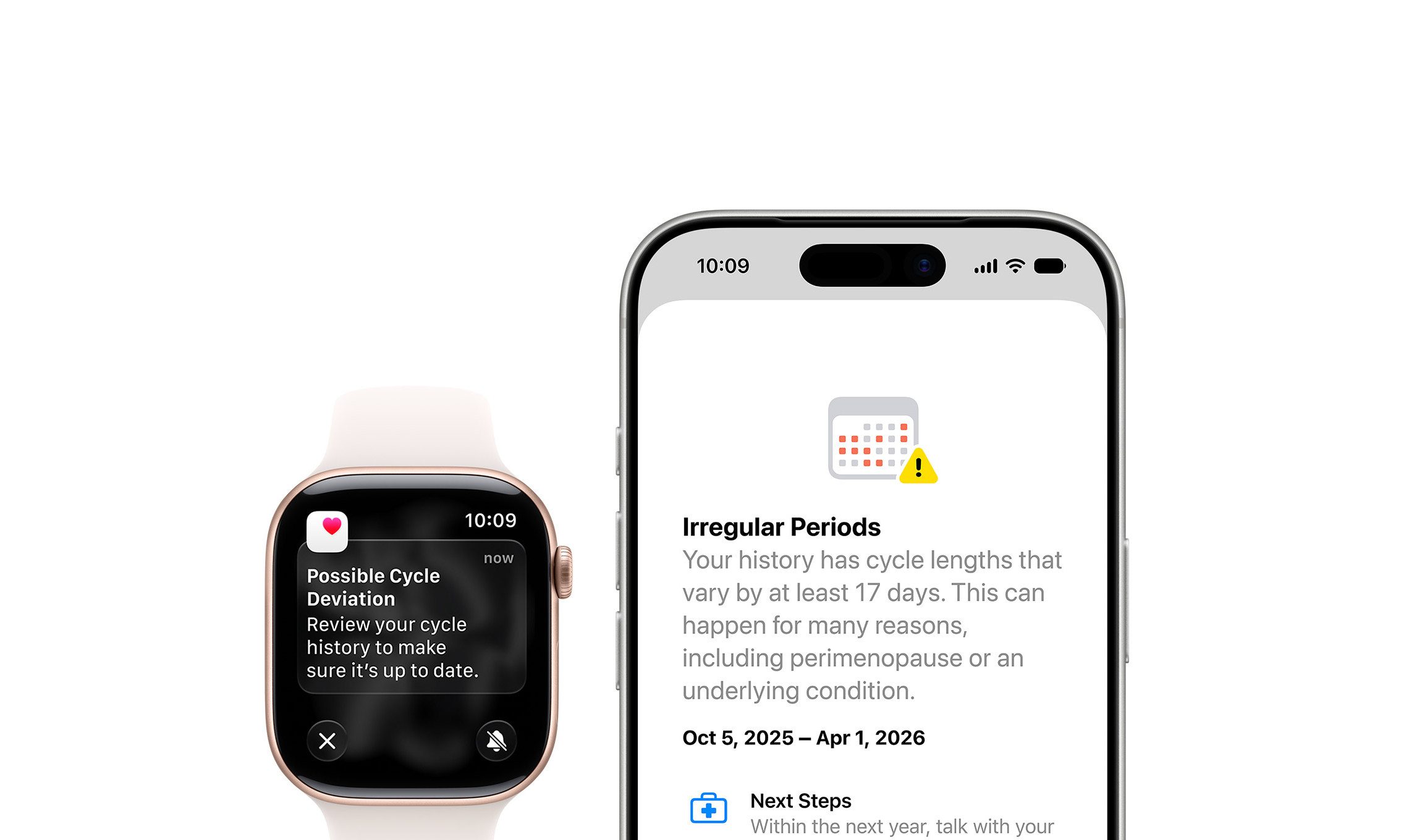
With watchOS 27, Apple is expanding Cycle Tracking with new perimenopause and menopause support. The Health app can now notify users when logged cycle patterns may indicate possible perimenopause and provides symptom tracking tools along with educational resources.
Find My gets a unified app
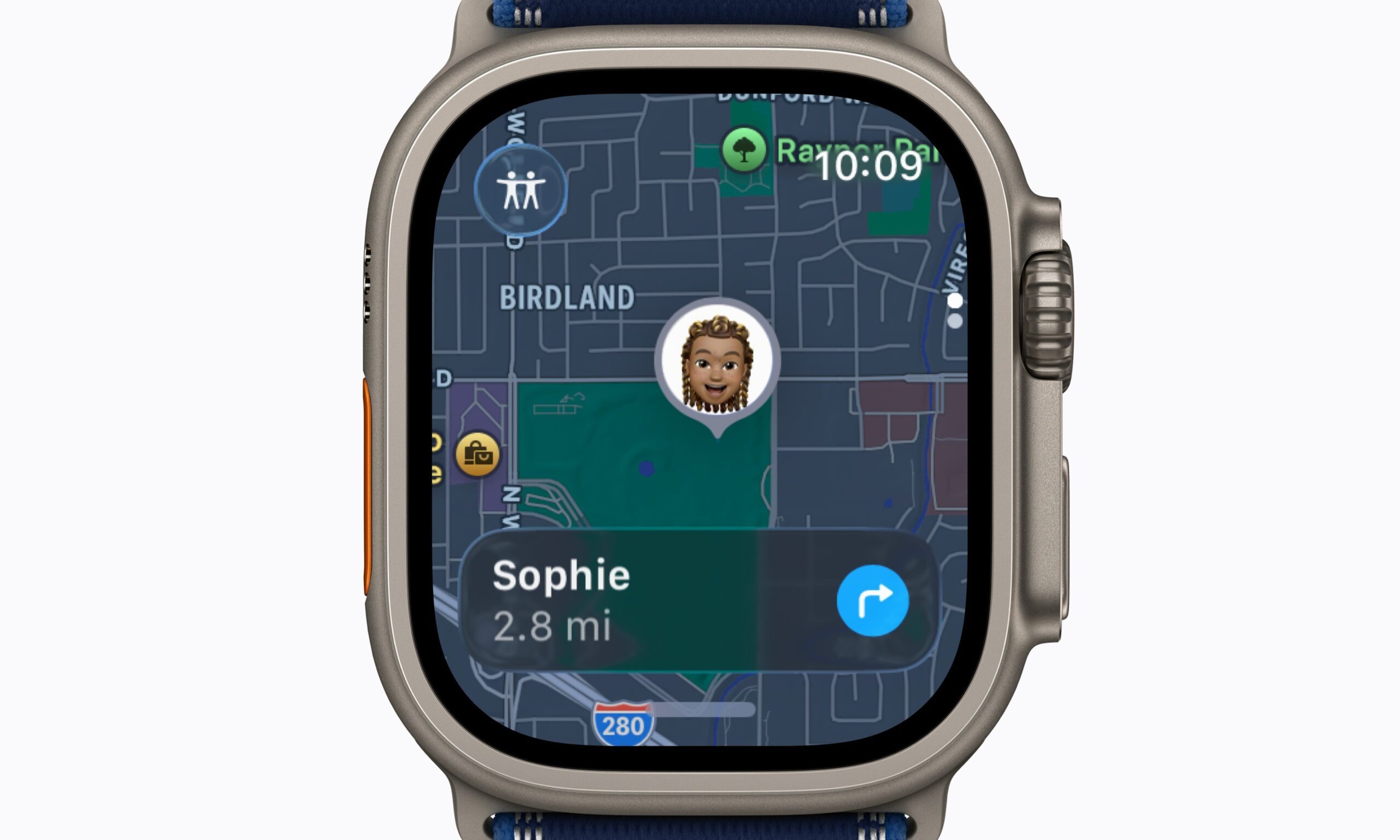
The new Find My update brings all location-tracking features under a single roof. Instead of using separate apps to locate people, Apple devices, and AirTag-equipped items, watchOS 27 combines Find Devices, Find People, and Find Items into one unified Find My app with a more map-focused interface. This is a nice quality-of-life change for the app since it now requires fewer taps to keep track of everyone and all your things.
Wallet adds support for custom passes
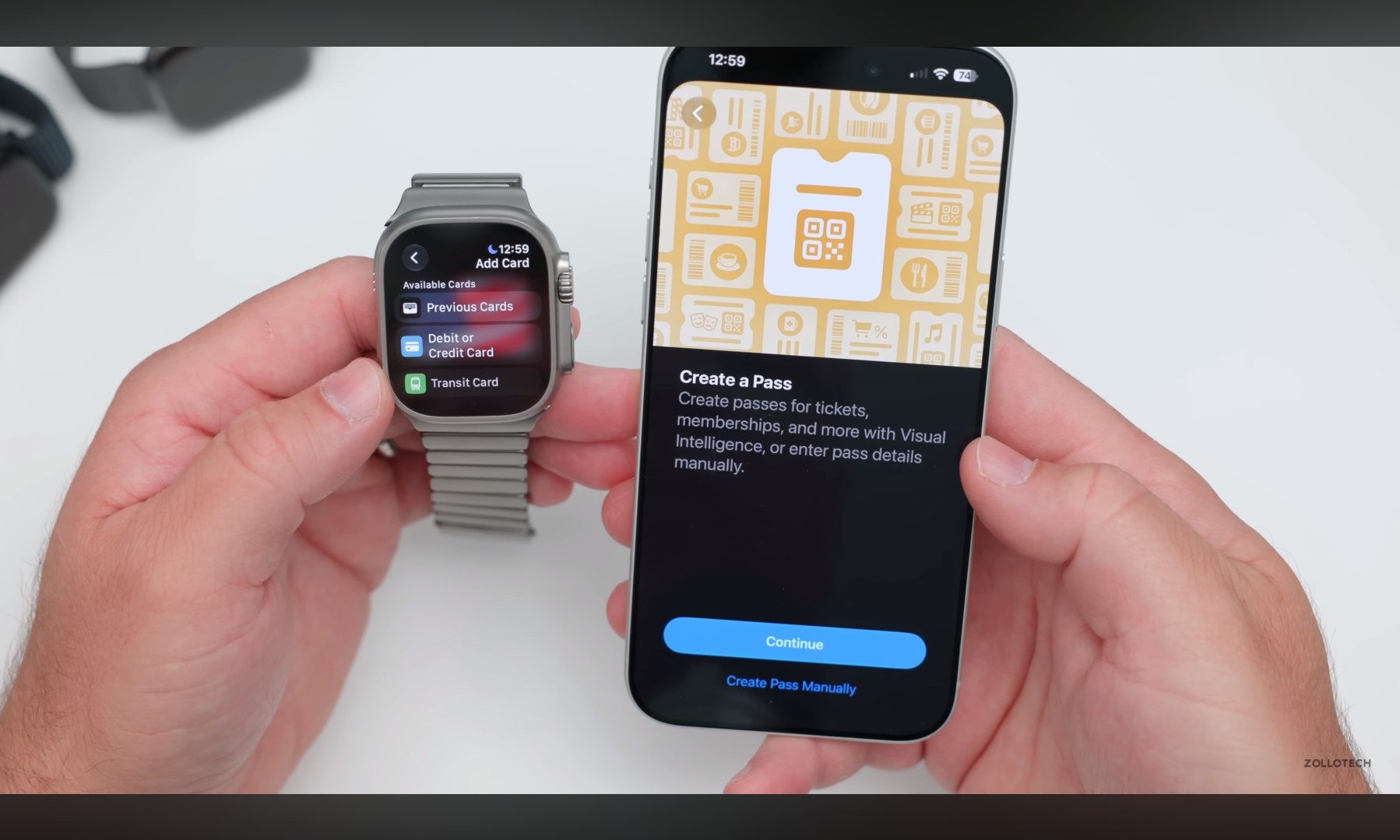
Wallet is also more useful for everyday cards that do not already have official Apple Wallet support. Users can create custom passes on their iOS 27 devices and sync them to the Apple Watch. For example, it can be used for memberships and cards that use QR codes or barcodes, such as library cards and gym memberships. These passes can be stored in Wallet and pinned to Smart Stack for quicker access.
Call Context surfaces important information during calls
Calls with businesses often require confirmation numbers, booking details, or information buried in Mail or Messages. watchOS 27 has added Call Context to handle that. The feature surfaces relevant information while users are on a call with a business. For example, a flight confirmation code stored in Mail can appear automatically during a call with an airline.
Liquid Glass and other small fixes
The Apple Watch display is small, so readability matters more here than on most other Apple devices. The new software refines Apple’s Liquid Glass design language with more consistent refraction effects and improved contrast, which should improve readability across notifications, widgets, controls, and apps.
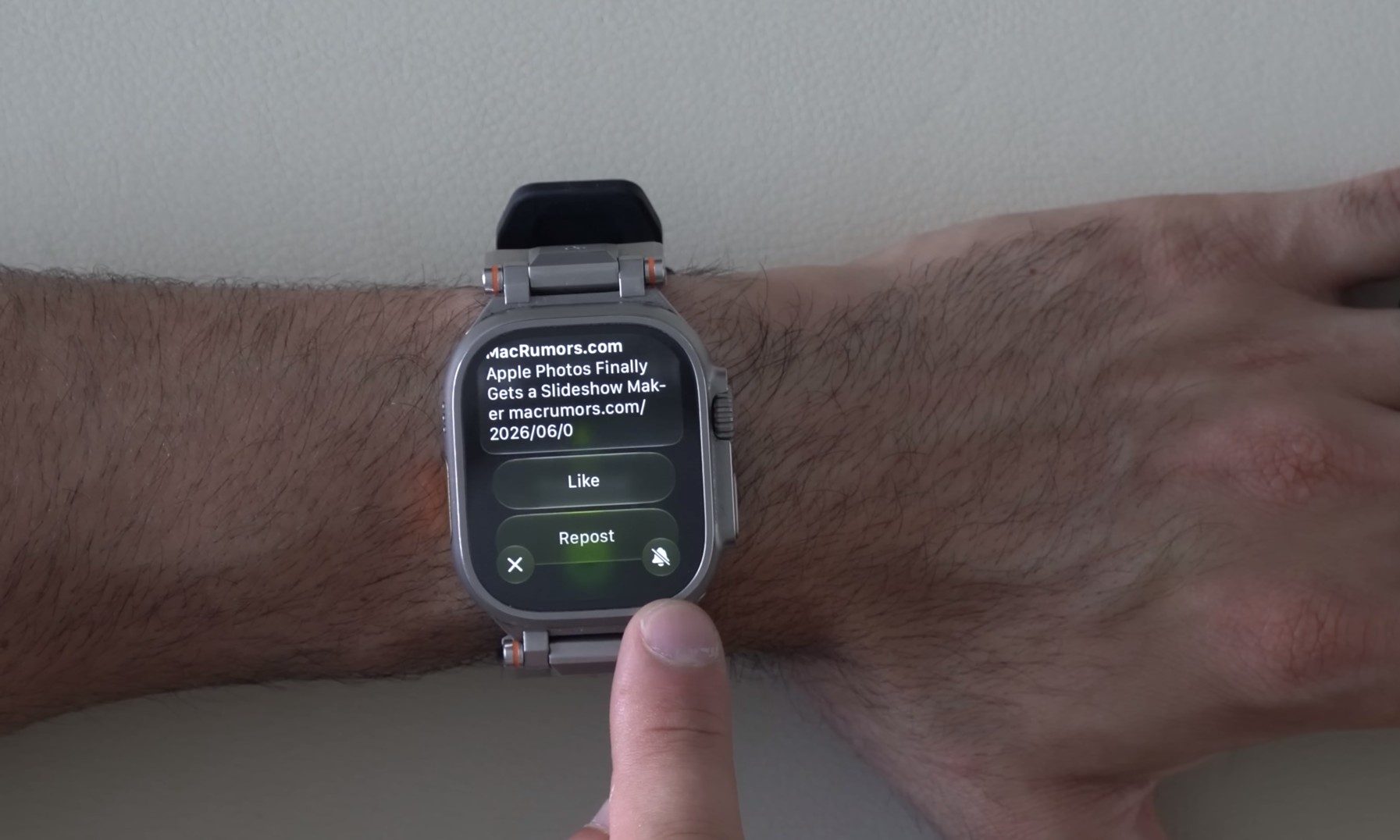
Several smaller improvements are included as well. Music playback is now faster, step counts in the Fitness app are synced more accurately with data from the Health app, and the watch can suggest battery-saving adjustments to help extend battery life. Apple has also made it easier to mute notifications, allowing users to select a notification and access the mute option from the bottom-right corner of the screen. Sleep tracking is also said to be more accurate, although Apple has not yet shared specific details about the improvements.
Apple is also expanding child safety features. Through Child Accounts and Apple Watch For Your Kids, parents can set up an Apple Watch for a child who does not have an iPhone, allowing the device to be used for communication and safety features.
Which Apple Watch models support watchOS 27?
watchOS 27 requires an iPhone 11 or later, or an iPhone SE (2nd generation) or later, running iOS 27.
The compatible Apple Watch models are:
- Apple Watch SE 3
- Apple Watch Series 9
- Apple Watch Series 10
- Apple Watch Series 11
- Apple Watch Ultra 2
- Apple Watch Ultra 3
The cutoff is stricter than usual. Apple Watch Series 8, the first-generation Apple Watch Ultra, and Apple Watch SE (2nd generation) will not receive watchOS 27, even though they were supported by the previous major update. This means Apple is drawing the line at watches equipped with the S9 chip or newer.
When can you download watchOS 27?
watchOS 27 will be released publically for elligible watches this fall. The company has already made watchOS 27 available for developer testing. Siri AI will arrive in a future watchOS 27 beta before its broader rollout later this year. A public beta is expected ahead of the final release.
Installing developer software on a primary device carries risks. Apple Watch software is particularly difficult to roll back compared with iPhone or iPad software, so most users are better off waiting for the public beta or the final release.


