
The best GPU overclocking software in 2023 is the same as it’s been for the past decade: MSI Afterburner. It’s an awesome tool for pushing your graphics card to its extremes, whether you’re trying to eke out a little more power from your RX 6500 XT, or push your RTX 4090 beyond its already ridiculous performance.
That’s not the only graphics card overclocking tool worth considering though. AMD and Nvidia’s first-party apps have been getting better and better, and there are some other manufacturer-specific GPU overclocking tools worth considering.
Here’s a list of some of the best graphics card overclocking tools available today. For more information, check out our step-by-step guide on how to overclock your graphics card.
MSI Afterburner

For GPU overclocking, MSI Afterburner is the ideal choice for almost anyone. The software allows for in-depth customization of GPU settings that are presented in an easy-to-understand manner. Gamers can use it to adjust clock frequency, voltage, and fan speed while monitoring key GPU performance indicators to watch for any problems. It can also adjust voltages and power limits, making it a breeze to overclock just about any GPU.
The monitoring system is incredibly in depth, and you can track frame rates in-game too, making it a great all-in-one tool for monitoring and overclocking your graphics card. If you’re not really sure where to begin, there is a one-click overclocking tool that will analyze your GPU and pick overclocking settings to help optimize the card without crashing it.
AMD and Nvidia’s own apps

AMD and Nvidia have their own GPU overclocking tools you can use too. They’re pretty good as well, with AMD’s Radeon Adrenaline software in particular offering an intuitive and comprehensive overclocking solution. It includes automated overclocking, undervolting, and fan curve adjustments, though you can also tweak it all manually. It also gives you a singular location for turning on additional GPU features like Radeon Chill and Radeon Anti-Lag.
Nvidia’s GeForce Experience app isn’t quite so intuitive, but it’s still a great tool for tweaking performance, monitoring GPU stats, and adjusting your game settings. Both are entirely free to download and use.
We have detailed instructions on how to download AMD’s Radeon Performance Tuning app and Nvidia’s GeForce Experience app.
Asus GPU Tweak II
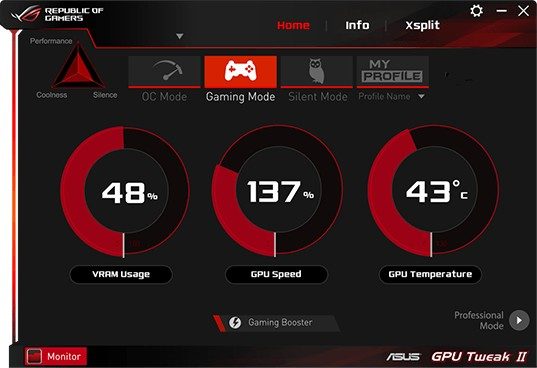
Asus also brings a powerful overclocking app to the table. The UI for the GPU Tweak II is particularly friendly, dividing choices between an overclock mode, gaming mode, silent mode (for music and video performance without a noisy fan), and a My Profile section for saving all your customizations.
The overclock mode is very easy to use, simply showing your VRAM, GPU clock speed, and GPU temperature while allowing you to make changes. There’s an automatic Gaming Booster if you don’t want to think too much about optimization, and a Professional Mode if you prefer to be a lot more hands-on.
Evga Precision X1
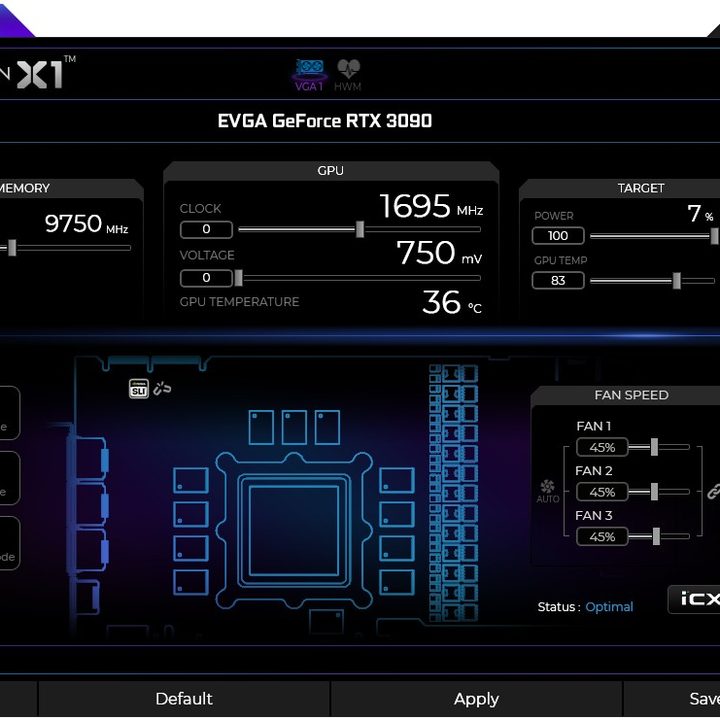
Evga’s Precision X1 is an impressively complete package and very effective at monitoring multiple aspects of GPU performance at once. The primary screen gives a valuable snapshot of clock rate, temperature, VRAM usage, target levels, and detailed fan performance, allowing you to make any changes you want and save your customization as a GPU profile to use later. The app also includes stress tests to see how your configuration performs and even the ability to control the RGB lighting that your GPU may be using. If you’ve invested a lot of time in your gaming station and graphics card, Precision X1 could be just what you’re looking for to take your GPU performance to the next level.
Sapphire TriXX
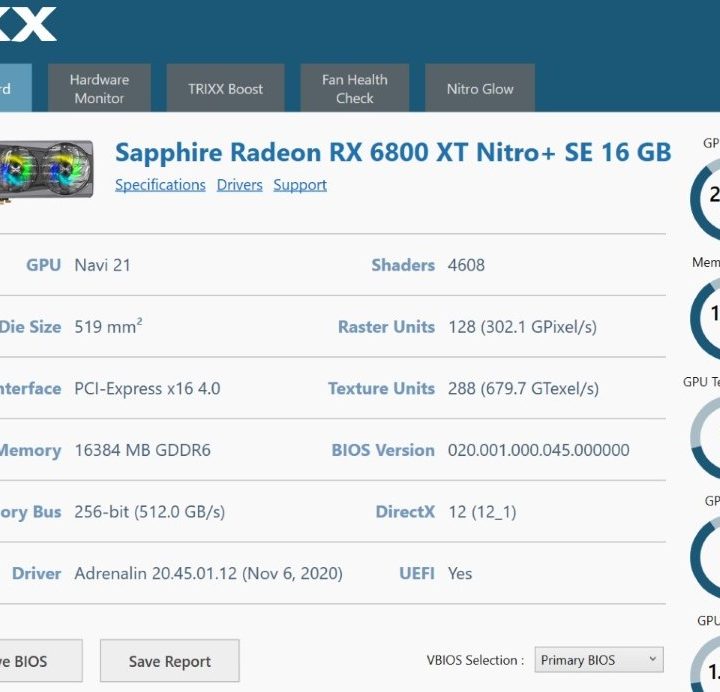
Designed specifically for Sapphire Nitro+ and Pulse graphics cards, TriXX is an all-in-one GPU solution that allows you to monitor clock speeds and set new targets. It includes the Toxic Boost mode for more automated optimization, as well as monitoring software to keep an eye on how components are running. The fan settings section lets you test current fan performance, while the Nitro Glow section is for controlling your RGB lighting on compatible hardware. While the UI isn’t quite as flashy as other options, there’s still a lot to appreciate here, and owners of Sapphire cards should certainly take a look.
Now what?
Once you’ve figured out which piece of overclocking software you want to use to overclock your graphics card, you have to actually do it! Here’s a guide on how to how to overclock your graphics card to get you started. Once you’re done there, see how much you’ve improved performance with some of the best GPU benchmarks.



