  1. Home
  2. Computing
  3. News

Adobe Firefly AI is now live publicly, hoping you’ll talk to an AI and get work done

Firefly AI Assistant can to handle your entire creative workflow

Add as a preferred source on Google
adobe-firefly-ai-assitant-public-beta
Adobe

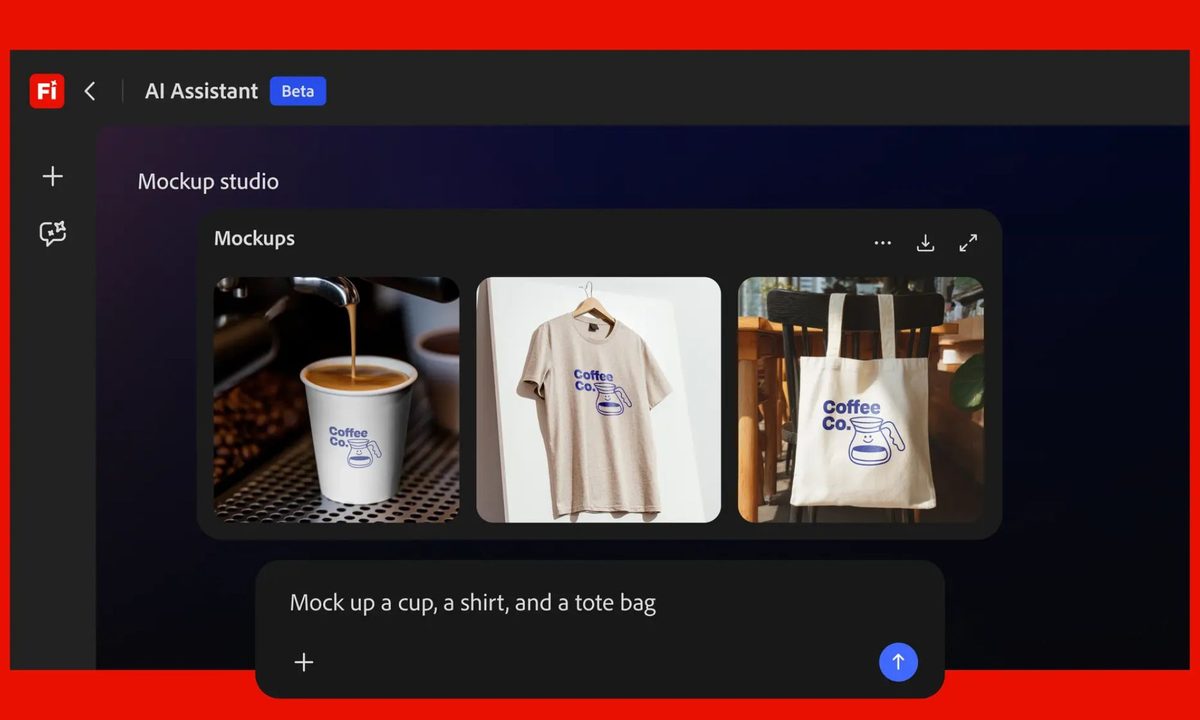
Adobe just opened up the public beta for Firefly AI Assistant. It is a conversational AI agent that sits across your entire Creative Cloud suite and handles multi-step workflows on your behalf.

You just have to describe what you want, and the assistant will figure out which Adobe tools to use and in what order, including Photoshop, Lightroom, Premiere, Firefly, and others.

We’re live! The future of creativity is in your hands. Try it out: https://t.co/eEAtEDAbZF https://t.co/Be6meH5Cri

— Adobe Firefly (@AdobeFirefly) April 27, 2026

What can Firefly AI Assistant do for you?

The assistant comes loaded with Creative Skills, which are pre-built workflows designed around common creative tasks. Think batch photo editing, mood board creation, portrait retouching, and generating social media variations optimized for Instagram, TikTok, Snapchat, and Facebook all at once.
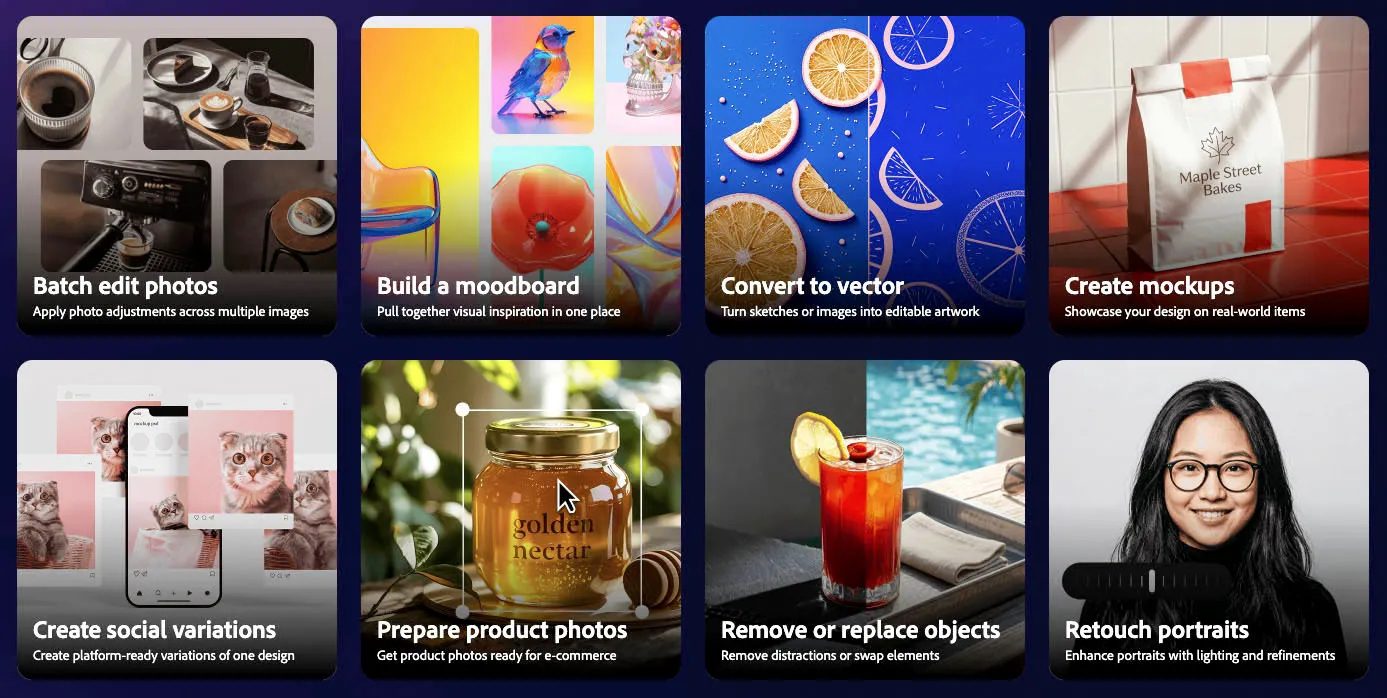
The assistant can tap into over 60 pro-grade tools across Adobe’s apps, including Auto Tone, Generative Fill, Remove Background, and Vectorize. If you are a graphic designer who needs a product mockup, you can upload a logo, a product image, and describe the outcome you want.

Recommended Videos

The assistant handles scaling, alignment, lighting, and perspective automatically. You can stay in control the whole time and see every step the assistant takes and jump in to redirect or adjust at any point. Over time, it also learns your preferred tools, workflows, and aesthetic choices to deliver more tailored results.

Is Adobe Firefly AI Assistant coming to other platforms beyond Creative Cloud?

Yes, and that is where things get interesting. Adobe is actively working on bringing Firefly AI Assistant’s pro-grade tools to third-party AI platforms. Anthropic’s Claude is already on the list, which means you could eventually access Adobe’s creative toolkit directly from outside the Creative Cloud ecosystem.
Adobe is also adding new AI models to the Firefly app itself, including OpenAI’s GPT Image 2, Google’s Veo 3.1, Runway’s Gen-4.5, and ElevenLabs’ Multilingual v2, among others.

The public beta is now available for Creative Cloud Pro subscribers and paid Firefly plan holders across Pro, Pro Plus, and Premium tiers. Eligible users will also receive complimentary daily generative credits during the beta period, which resets every day.

Manisha Priyadarshini
Manisha Priyadarshini is a tech and entertainment writer with over nine years of editorial experience.
Microsoft is retiring the Together Mode in Teams in favor of something cleaner and simpler
Teams is retiring Together Mode for layouts people may actually use
Computer, Electronics, Laptop

Microsoft Teams is retiring one of its more recognizable meeting features, and it might be for the best. The company announced that Together Mode is going away in Teams as Microsoft is shooting towards a simpler set of meeting layouts.

To recall, Together Mode was introduced during the pandemic-era video call boom, placing participants inside shared virtual environments such as auditoriums or classrooms. It was a cute idea at the time, but it never became the everyday meeting view for most people.

Read more
Experts are worried that smarter AI gets, the dumber we might become
Experts say chatbots can help research, but leaning on them too hard risks outsourcing the work that builds intelligence
OpenAI CEO Sam Altman during the Uncapped podcast in June 2025.

AI can now answer questions so quickly that the search itself can feel optional. That convenience worries the Royal Observatory Greenwich, which has warned that instant AI answers can weaken the curiosity, scrutiny, and source-checking behind real knowledge.

The risk hides inside the usefulness. Chatbots can help people test ideas, move faster, and find new angles, but a finished response can also cut users off from the messy trail that makes learning stick. When that happens, information arrives without the struggle that turns it into judgment.

Read more
Miss the old PC days? This website lets you experience Wikipedia like it’s Windows XP
This XP-style Wikipedia explorer turns online research into a nostalgia trip, while showing how much browsing changes when search takes a back seat
File, Webpage, Person

Wikipedia has an unofficial new front door, and it looks like a desktop from a very specific era of family PCs, school labs, and chunky blue title bars.

Developer Sami Smith has built a browser-based Windows XP Wikipedia explorer that turns categories into folders and articles into documents. It’s playful, slightly inefficient, and more interesting than another AI search box bolted onto the web.

Read more