The Apple Vision Pro has made a huge splash, introducing a wave of new customers to the world of mixed-reality. The headset — also known as a “spatial computer” — has been on sale since February this year, and it’s grabbed headlines and attention.
The experience of using a Vision Pro has been met with a wide range of responses, from Mark Zuckerberg’s infamous (and clearly partisan) observations to enthusiasm from tech lovers. But there have been some persistent issues even among the generally positive reviews, particular in terms of discomfort while wearing the device and problems with motion sickness. There were even reports of people returning their Vision Pros, though it’s not clear if this was a really widespread issue or just the kinds of teething problems that might be expected with any new piece of tech.
This has led to some uncertainty around the product, and there are a range of alternatives to the Vision Pro available too. Some of these options might prove more tempting — and cheaper — than the Apple offering.
The real issue is that there’s no way to know whether the Vision Pro will be comfortable and engaging for you or whether it’ll make you sick and uncomfortable unless you try the device out for yourself. Fortunately, there is a way that anyone can try out a Vision Pro for free, and get some extended hands-on time with the device before putting down any money.
You can sign up for a demo of the Vision Pro, and we’ve got all the details on how to do this and what to expect from your first encounter with this new and game-changing product.
How to demo the Vision Pro
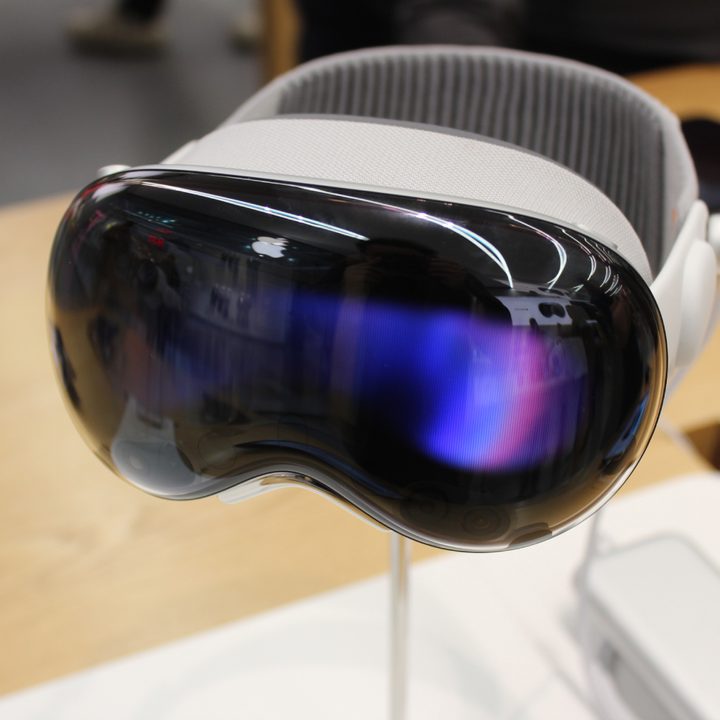
Apple has never released a product like the Vision Pro, and the chances are most people have never tried on any of the best VR headsets or alternative mixed-reality headsets. With that in mind, Apple is understandably wanting to show customers exactly what the Vision Pro is capable of to convince them to part with its $3,499 asking price.
That’s why the company is letting anyone come to a local Apple Store and go through a demo of the headset for free. The in-person demonstrations of the headset opened up February 2 and are currently available to be booked. Depending on how busy your local Apple Store is, you may be able to just walk in and get a demo.
But to be safe, we’d recommend signing up on Apple’s website to reserve a demo. After clicking “Book a Demo” from the menu, you’ll just need to sign up with your Apple ID, answer a few questions about your glasses — and you’re good to go. You can only reserve a spot that’s up to a few days after the day of signing up, but there should be lots of time slots available, even into the evening.
It should be noted that you can do this without having to order a Vision Pro first. I’d recommend showing up to your appointment a few minutes early to make sure you get the full length of time of your appointment.
What to expect from your demo
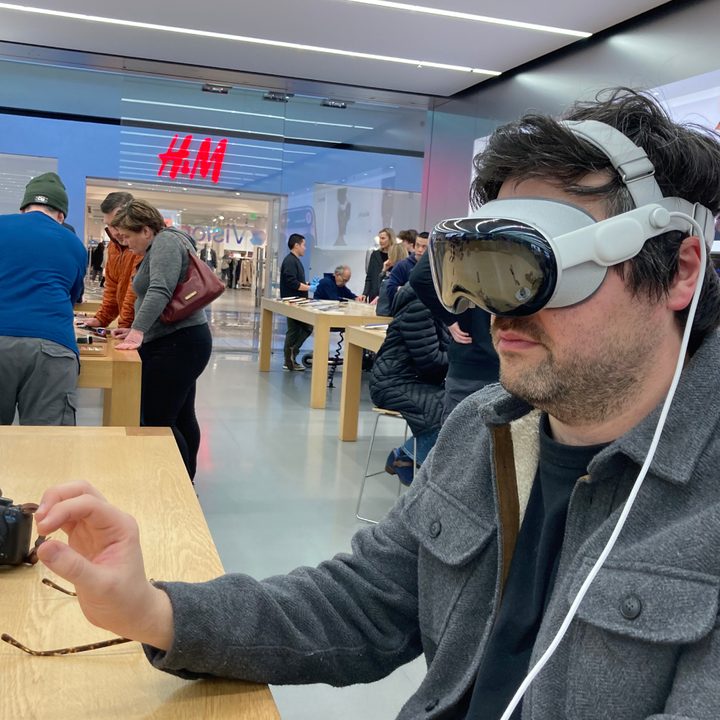
The in-store demoes are 30 minutes, most of which is a guided tour of how to control and navigate around the Vision Pro with an Apple Store employee.
The first few minutes will involve setting up the headset for you. Note: If you wear prescription glasses, they’ll need to take them to get the prescription and install the proper lenses for your eyes. You don’t need to know your prescription in order to get started.
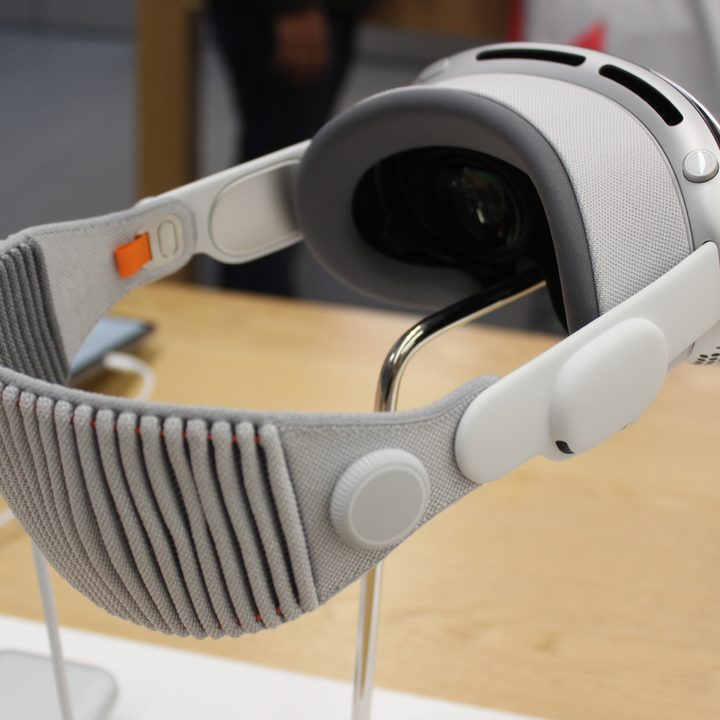
After that, you’ll get the basics of how to use your eyes and hands to open up applications, select things from menus, and interact with virtual windows. This includes learning the hand gestures and the Digital Crown. The entirety of the demo is done seated. I requested a Dual Loop band, as the Solo Knit band that came standard immediately caused me discomfort.
As for the demo, you’ll start with the Photos app, to try out scrolling through images and viewing panoramic photos. You’ll even see some examples of spatial videos that were taken on the Vision Pro, which feel amazingly immersive.
From there, you’ll get to try out things like the Environments views — fading in from complete virtual reality to mixed reality — as well as typing in Safari. In the Apple TV+ app, the demo will include a trailer of The Super Mario Bros. Movie in a virtual movie theater, as well as a compilation of some 180-degree VR video.
If you have some time at the end, the Apple associate may allow you to play with some other available apps, such as playing a game or watching the Encounter Dinosaurs immersive video.
The demo doesn’t cover everything, but does give you a pretty good idea of how the Vision Pro feels to wear, how good the passthrough camera is, what navigating around the operating system feels like, what content is available.
The Vision Pro is a completely new piece of tech, and it really does need to be experienced to be understood. More than that, if you’re actually considering buying it, I would highly recommend trying it first to get a feel for the comfort and ergonomics of wearing the headset.