
Instant messaging apps and text for mobile devices allow users to stay connected and reach each other in a matter of seconds. But what if Mac or Windows users want to get the same experience on their PCs?
There are a plethora of chat clients available for download on your PC. We’re here to help you decide on the best one for you, whether you need team collaboration, want to connect with fellow gamers, or value the ability to make voice and video calls.
The best chat clients for MacOS and Windows
- The best chat client: Slack
- The best casual chat app: Discord
- The best encrypted app: Signal
- The best professional chat app: Microsoft Teams
- The best all-in-one chat app: Franz
The best chat client overall: Slack
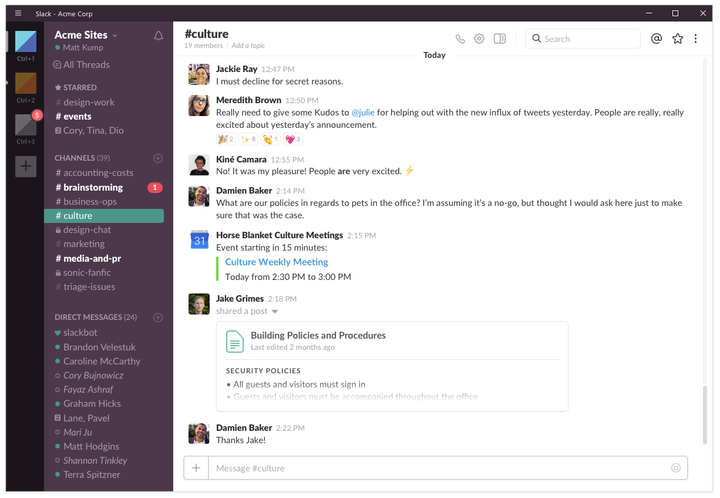
For teams, Slack is king — at least for now — and for good reason: The software is slick, feature-rich, and mostly ubiquitous. These days, you can’t throw a rock without hitting a business using Slack. It’s everywhere, not because it’s the default team chat application for many businesses and organizations, but because it’s simply the best on the planet.
Why? The interface is clean, stylish, and straightforward. You have channels on the left and direct messages directly below. You also have Slackbot, which essentially amounts to Siri and Alexa’s chat-based cousin. You can have Slackbot set reminders, and you can even customize it to respond to certain commands.
With dozens of integrations — including support for a host of other productivity suites — Slack works well with just about every service available, and businesses can further customize it to fit their needs.
Plus, it’s free. There are also no ads or limits on how many users you can have. There are paid plans, however, and they provide a more robust experience and added storage space, but most people can get by with the free version.
Need another reason why Slack is the best team chat app on the market today? It runs on Windows, MacOS, iOS, Android, and Linux in various flavors — even directly in your web browser — without any major variations between platforms.
The best casual chat app: Discord

If Slack is the best choice for the workplace, then Discord is the best solution for gamers. Discord provides a feature set that should be familiar to Slack users or anyone who’s been a member of a guild in World of Warcraft.
Discord is less formal than other chat apps, which is refreshing since the current market is very business-oriented. But that doesn’t mean it isn’t powerful. Featuring robust chat support and a built-in Streamer mode, this is a finely crafted application that puts apps like Skype to shame. Unlike other popular chat apps, you only need to create one username from which you can join multiple different servers at a time. No need to create a separate work login and personal login — it’s the same one used across the entire platform.
Once you create or join a server, you can set up individual channels for specific topics, and even join each one like a no-fuss conference call. It’s reliable, attractive, and well-designed. Best of all, it just works.
With Discord, you can also turn off your mic if you’re not in the mood to talk, or just jump right into a real “chat room”-style conversation with just the touch of a button. It’s simple, easy, and reliable.
Discord provides apps on every major platform, including Windows, MacOS, iOS, Android, and even Linux.
The best encrypted app: Signal
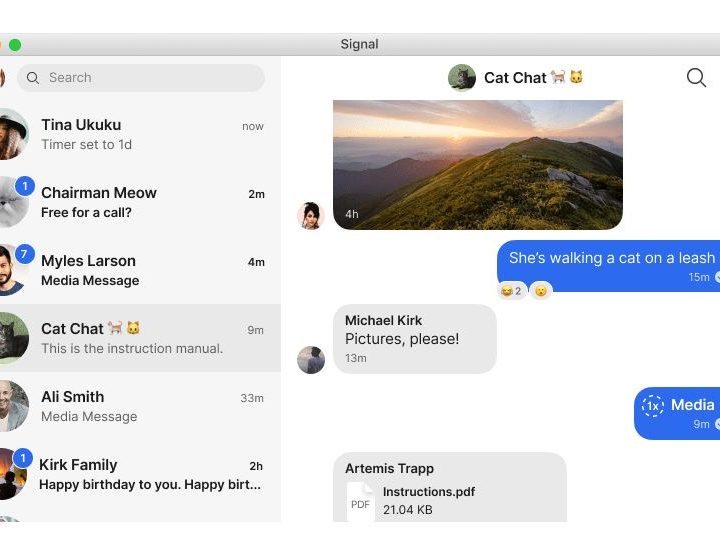
Data privacy has become a huge concern for many people, and since more people distrust social media than ever, relying on apps like WhatsApp and Facebook Messenger (both owned by Facebook) is less than ideal. That’s where an app like Signal becomes incredibly appealing.
Signal is an open-source secured messaging app that has end-to-end encryption for every single conversation you have. The only data it collects is your phone number, which is necessary for obvious reasons. But there are no email signups, no subscriptions, and no data tracking. Signal is also great for phone calls and even video conferences.
If privacy is your number one concern, it doesn’t get any better than Signal.
The best professional chat app: Microsoft Teams
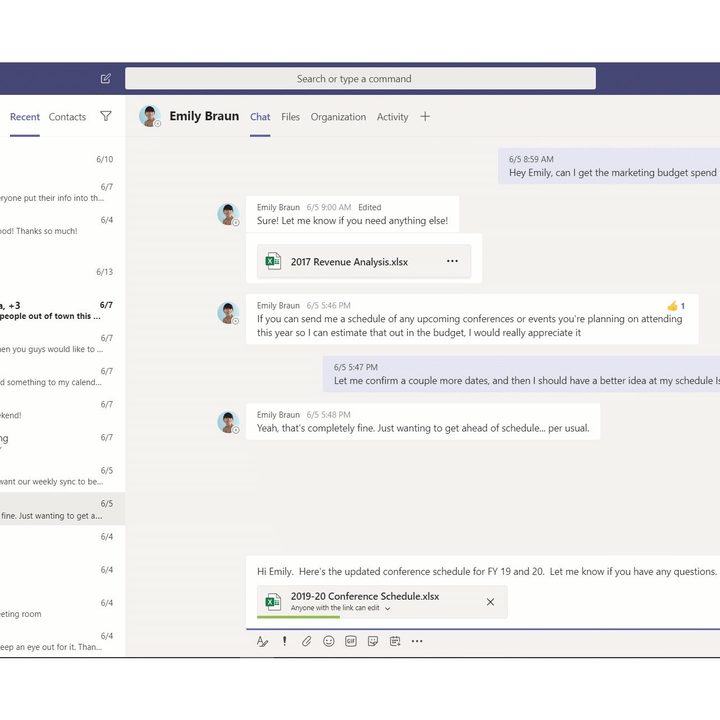
Skype has become a pain point for many in the professional world, but luckily Microsoft has a far more competent option that will serve most teams very well. Microsoft Teams has become a full-fledged team chat and productivity app.
Like most chat clients, it lets users communicate one on one or in a variety of groups (called Teams, if you can believe it). Teams also lets you share tasks, create wikis for different teams, and even make video and audio calls. It is the ultimate all-in-one solution for businesses and work teams.
If you’re looking for a comprehensive solution that lets your team transition from Skype, Teams is one of the best options available.
The best all-in-one app: Franz
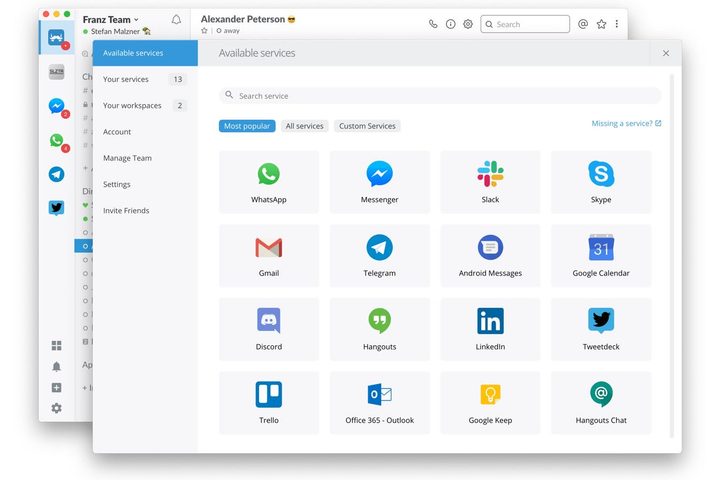
If you’re tired of having to flip between multiple messaging apps, Franz can help. It’s a messaging app that syncs with other services like Slack, Facebook Messenger, and Discord. It has a free account option that lets you access up to three services simultaneously, but the paid plan is a reasonable $2.99 per month if you need more.
Franz lets you complete several tasks at once, which is a real time-saver when working online. You can duplicate chat platform pages so you can see all your virtual meetings at once and give all your coworkers attention. Franz offers some ingenious notification options that let you receive critical messages while promoting a work environment free of distractions. You can also highlight the most important parts of messages and transform them into tasks, letting you stay ahead of pending projects.
If you’re a multitasker who’s always switching between communication apps, Franz can save you time and make sure nothing gets lost in the shuffle. It’s compatible with Windows, Linux, or MacOS.


