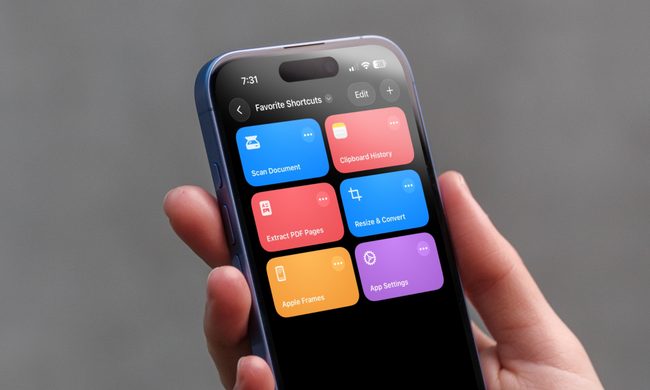
Apple’s shortcuts app is a power user’s dream. I think it’s one of the most underrated features you can find on an iPhone, and even Macs. In case you haven’t used it yet, it allows you to perform a multi-step task in one go, or even trigger certain actions automatically. One of my favorite shortcuts is instantly generating a QR code of a Wi-Fi network, instead of narrating a complex password.
I’ve got another one that automatically deletes screenshots after a 30-day span. There are a few in my library that trigger Do Not Disturb mode for a certain time slot, turn any webpage into a PDF, even snap Mac windows, and activate my smart devices when I reach home.
All that sounds convenient, but creating those shortcuts isn’t a cakewalk. The UI flow and action presets can overwhelm tech-savvy users when it comes to creating their own automations. Apple may have a user-friendly solution, thanks to AI, and you just might get it this year.
Apple has the foundation ready

According to Bloomberg, Apple is preparing an upgraded version of the Shortcuts app that will put AI into the mix. “The new version will let consumers create those actions using Apple Intelligence models,” says the report.
The AI models could be Apple’s own, which means they are better suited for integration with system tools and apps than a third-party AI model. Take, for example, the Siri-ChatGPT integration.
OpenAI’s chatbot can handle a wide range of tasks that Siri can’t accomplish, but ChatGPT isn’t able to interact with other apps and system tools on your iPhone. That means it can’t assist you with making cross-app Shortcuts either.

At WWDC 2025, Apple is rumored to reveal its own AI models and open them to app developers, as well. The idea is to let developers natively integrate AI-driven features in their apps without having to worry about security concerns.
Microsoft is already using in-house AI models for a wide range of Copilot experiences on Windows PCs. Moreover, the company also offers its Phi family of open AI models to developers for building app experiences.
Apple just needs to follow in Microsoft’s footsteps. With developers adopting Apple’s AI foundations and the company expanding it to the Shortcuts app, it would be much easier to create multi-step workflows easily. How so? Well, just look at Gemini on Android phones.
Shortcuts needs an AI makeover

Imagine just narrating a workflow to Siri, and it’s turned into a shortcut. That’s broadly what AI tools are already capable of, but instead of creating a rule for the future, they just execute the task at hand immediately. With AI in Shortcuts, things should go like:
“Hey Siri, create a shortcut that automatically replies to all messages I get on weekends regarding my unavailability, and tell them to reach me again on Monday. Trigger the action when I say the words I’m out.”
With natural language processing on AI models, that’s feasible. Look no further than how Gemini works on Android devices, especially those with on-device Gemini Nano processing. With a voice command, Gemini can dip into your workspace data and get work done across Gmail, Docs, and more connected apps.

It can even handle workflows across third-party apps such as WhatsApp and Spotify. The list keeps on growing, and as capabilities like Project Mariner and Astra are rolled out through Gemini Live, newer possibilities will open.
With a revamped Shortcuts app, Apple just needs to get the voice processing right and convert the prompts into actionable commands. Apple’s partner, OpenAI, already offers a feature called Operator that can autonomously handle tasks on the web.
Creating a chain of commands across mobile apps that are running locally should be easier and less risky compared to browsing websites. With ChatGPT’s language chops already baked at the heart of Apple Intelligence, I won’t be surprised if the next-gen Shortcuts app exploits it to the fullest.
Oh hey, here’s a sample
Talking about ChatGPT and its integration with iOS, there’s already an open-source project out there that can give a rough idea of how voice commands turn into actions on an iPhone. Rounak Jain, an iOS engineer at OpenAI, has created an AI agent that transforms audio prompts into actions on an iPhone.
Jain says the demo video is built atop OpenAI’s GPT-4.1 AI model, and it can get work done across multiple apps with a single voice command. For example, users can control the flashlight after sliding down the control center, click and send a picture to one of their contacts, or text travel details and book a cab.
Jain’s demo is a clear sign that integrating an AI model at the system level, or having it perform tasks across apps, is feasible. A similar pipeline can be integrated to turn those voice commands into shortcuts, instead of executing them immediately.
I am just hoping that when Apple implements AI within Shortcuts and lets users create their own routines with natural language commands, it offers a flow where users have the flexibility to modify them at will.
I believe the best approach would be to show users the chain of commands and let them make adjustments before the prompt is turned into a shortcut.